
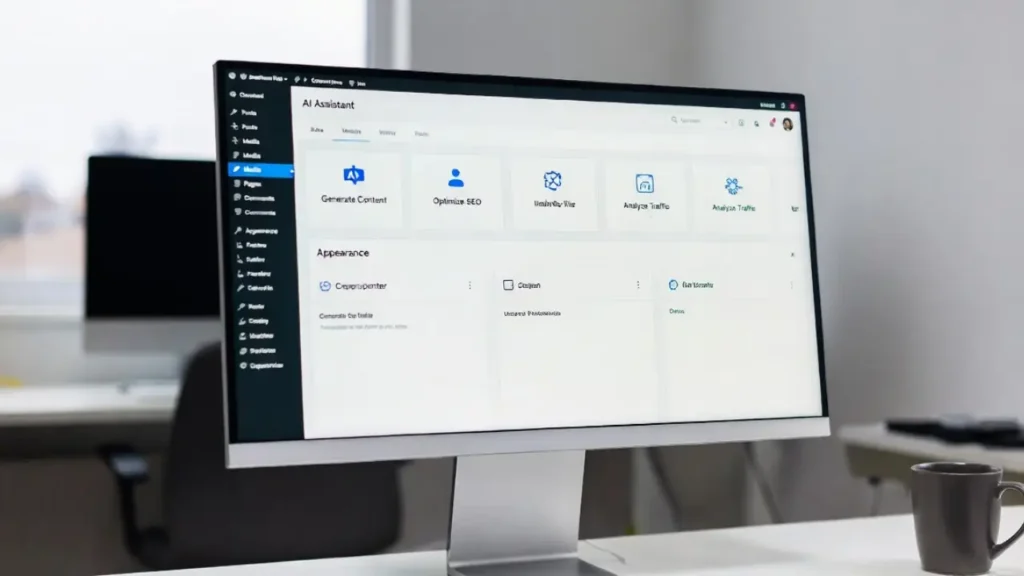
In 2026, the web is no longer static. The rise of autonomous AI systems has created a new standard: the Agentic Website. Whether you run an e-commerce store, a service business, or a content platform, building an Agentic Website with WordPress gives you a competitive edge that traditional sites simply cannot match. This comprehensive, future-proof guide explains exactly what an Agentic Website is, why WordPress is the perfect foundation, and provides a detailed step-by-step process to build one today.
By the end of this article, you will know how to transform any WordPress installation into a truly intelligent Agentic Website that can plan, act, personalize experiences, and handle complex tasks autonomously. Let’s dive deep into building your first Agentic Website.
What Is an Agentic Website?
An Agentic Website is a website powered by AI agents that can perceive user intent, reason through goals, use tools, and take real actions without constant human supervision. Unlike traditional websites that only display information or respond to direct commands, an Agentic Website thinks and acts on behalf of visitors and site owners.
In an Agentic Website, AI agents can:
- Book appointments by checking calendars and availability.
- Generate personalized content in real time.
- Moderate comments, update metadata, and optimize SEO automatically.
- Execute multi-step workflows like processing orders or qualifying leads.
WordPress has become the ideal platform for an Agentic Website thanks to native features like the Abilities API, Model Context Protocol (MCP) support, and deep plugin integrations. Building an Agentic Website on WordPress means you keep full ownership, flexibility, and the massive ecosystem while adding true intelligence.
Why Build an Agentic Website with WordPress in 2026?
WordPress powers over 43% of the web, and in 2026 it has evolved into a first-class platform for agentic experiences. Here’s why building an Agentic Website with WordPress is the smartest move:
- Native AI Readiness: The Abilities API lets AI agents discover and execute actions on your site securely.
- Cost Efficiency: No need to build a custom CMS from scratch — leverage existing themes, plugins, and hosting.
- Future-Proof Architecture: An Agentic Website built on WordPress adapts easily as new AI models and protocols emerge.
- Seamless Integration: Connect to any AI provider (OpenAI, Claude, Grok, or local models) without vendor lock-in.
Businesses that have already launched an Agentic Website report 3–5x higher engagement, faster lead qualification, and dramatically reduced manual workload. Your Agentic Website becomes a proactive digital team member that works 24/7.
Key Benefits of an Agentic Website on WordPress
When you build an Agentic Website, you unlock advantages that static or even interactive sites cannot offer:
- Autonomous Task Handling — Your Agentic Website can manage content, customer support, and operations independently.
- Hyper-Personalization — Agents analyze behavior and deliver tailored experiences in real time.
- Proactive Problem Solving — Instead of waiting for user input, the Agentic Website anticipates needs and acts.
- Scalable Workflows — From lead nurturing to inventory management, an Agentic Website handles complex processes.
- Reduced Maintenance — AI agents update metadata, fix broken links, and optimize performance automatically.
- Competitive Advantage — In 2026, users and AI assistants expect websites to be agent-ready. Your Agentic Website stands out immediately.
Step-by-Step: How to Build an Agentic Website with WordPress
Follow this production-ready roadmap to create your own Agentic Website.
Step 1: Choose the Right Foundation
Start with a block theme optimized for WordPress 7.0 or later. Enable Full Site Editing and install the latest version of WordPress. This gives your Agentic Website the modern architecture needed for dynamic agent interactions.
Step 2: Activate the Abilities API
The Abilities API is the brain of any Agentic Website. It registers what your site can do in a machine-readable format. For detailed implementation, explore our complete tutorial on how to use Abilities API & AI connectors in WordPress 7.0.
Step 3: Install Agentic AI Tools
Add plugins like Angie (Elementor’s agentic AI), JetEngine with MCP support, or dedicated agentic plugins. These tools turn your Agentic Website into an active participant in AI workflows.
Step 4: Connect AI Providers
Link your Agentic Website to preferred models via the WP AI Client. Configure secure API keys and define agent roles (content agent, support agent, analytics agent, etc.).
Step 5: Define Agent Goals and Workflows
Create clear objectives for each agent. For example, one agent might qualify leads while another generates blog posts. Use MCP to let external AI systems discover and interact with your Agentic Website.
Step 6: Build Agentic Blocks and Patterns
Using Advanced Full Site Editing, create reusable patterns that agents can modify dynamically. For more on this, see our guide to Advanced Full Site Editing techniques in WordPress 7.0.
Step 7: Implement Real-Time Collaboration and Monitoring
Enable real-time features so human oversight remains simple. Our WordPress 7.0 real-time collaboration tutorial shows how to keep control while agents work.
Step 8: Add Security and Permissions Layers
Set strict capability rules so agents can only perform approved actions. This keeps your Agentic Website secure and compliant.
Step 9: Test and Iterate
Run simulations with different AI models. Monitor agent performance and refine prompts and tools until your Agentic Website operates smoothly.
Step 10: Deploy and Scale
Launch your Agentic Website and gradually expand agent capabilities as your business grows.
Integrating Advanced Features into Your Agentic Website
To make your Agentic Website truly powerful, combine it with Hybrid Headless architecture for performance and Full Site Editing for design flexibility. For migration tips, refer to our WordPress 7.0 release features and upgrade guide.
You can also add omnichannel capabilities so the same agents power your website, mobile app, and email campaigns.
Best Practices for Maintaining an Agentic Website
- Always define clear boundaries and human approval checkpoints for critical actions.
- Regularly audit agent logs and performance.
- Keep your Abilities API registry updated.
- Combine multiple specialized agents rather than one giant agent.
- Monitor costs of AI API calls and optimize prompts for efficiency.
Following these practices ensures your Agentic Website remains reliable, secure, and cost-effective for years to come.
Real-World Examples of Successful Agentic Websites
Companies using an Agentic Website in 2026 have seen remarkable results. Service businesses automate appointment booking end-to-end. Content sites let agents research, write, and publish entire articles. E-commerce stores use agents to handle customer inquiries, process refunds, and even negotiate discounts within predefined rules.
Your Agentic Website can deliver the same level of intelligence and automation.
Ready to Build Your Agentic Website?
Building an Agentic Website with WordPress is now easier and more powerful than ever. With the step-by-step guide above, the Abilities API, and the right plugins, you can create a truly intelligent digital presence that works for you around the clock.
If you want expert help implementing an Agentic Website, migrating existing features, or fully customizing agent workflows, our team at Cope Business specializes in next-generation WordPress solutions. Explore our full range of services on the services page or get in touch today via our contact page for a free consultation on building your Agentic Website.
Thank you for reading this in-depth, future-proof guide to building an Agentic Website. The future of the web is agentic — start building yours today!
Frequently Asked Questions About Building an Agentic Website
An Agentic Website uses AI agents that plan, reason, and execute multi-step tasks autonomously.
Basic familiarity helps, but no-code tools and plugins make it accessible for most WordPress users.
Initial setup costs exist, but long-term savings in time and manual labor usually deliver strong ROI.
Yes — you can add agentic capabilities incrementally without rebuilding everything.
When properly configured with the Abilities API and permission layers, it is highly secure.
Yes. Structured data, clear schema, and semantic content help both humans and AI agents.


