
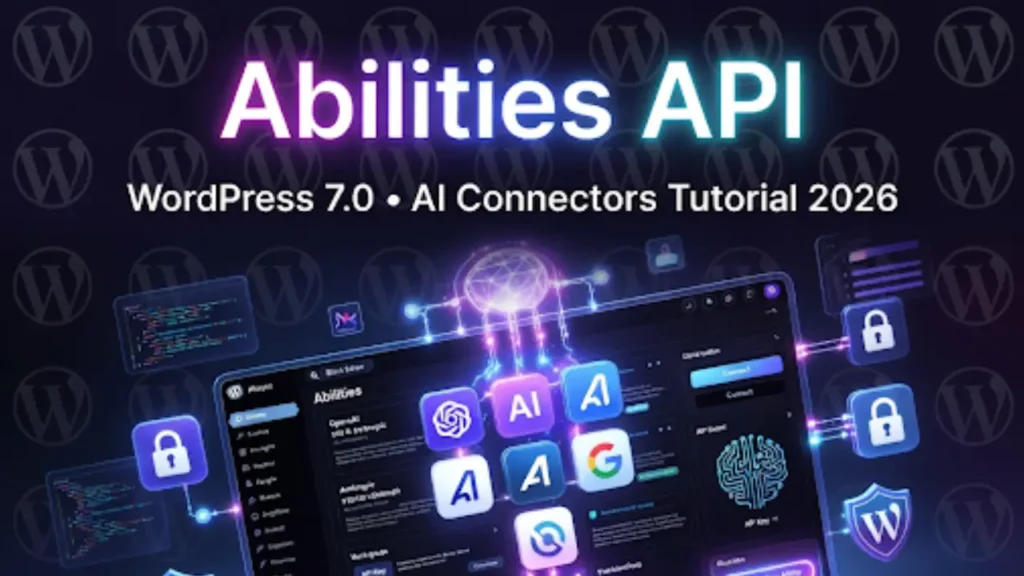
WordPress 7.0 introduces the Abilities API — the official foundation that turns WordPress into an intelligent, agentic platform. Instead of relying on dozens of separate AI plugins, you can now securely connect OpenAI, Anthropic, Google, and any custom AI service directly to your site.
In this complete step-by-step tutorial (updated April 2026), I’ll show you exactly what the Abilities API is, how to connect your first AI service, how to register custom Abilities, real-world examples, and important safety guardrails.
What Is the Abilities API in WordPress 7.0?
The Abilities API is WordPress Core’s new secure layer for AI integration. It lets:
- Plugins and themes register “Abilities” (specific tasks an AI can perform)
- Site owners connect AI providers with API keys in one central place
- AI tools safely read/write content, generate images, analyze SEO, personalize blocks, and more — all with user-controlled permissions
Think of it as WordPress giving AI a “safe sandbox” with clear rules instead of unrestricted access.
This is the biggest step yet toward Agentic WordPress — where AI doesn’t just generate text, but actively works inside your site under your control.
Key Features of the Abilities API
- Centralized AI Connections dashboard
- Granular permissions (e.g., “Allow AI to generate alt text” but “Never publish without approval”)
- Built-in guardrails and transparency logs
- Support for OpenAI, Anthropic Claude, Google Gemini, and custom endpoints
- Plugin developers can now expose their own Abilities
- Works with both classic plugins and block-based workflows
Step-by-Step: How to Set Up & Use the Abilities API
-
1. Update to WordPress 7.0 (or Latest Nightly)
Make sure you’re on the 7.0 branch (use the Beta Tester plugin if the final release isn’t out yet). -
2. Go to the New Abilities Panel
In your WordPress admin, go to Tools → Abilities (new menu item in 7.0). -
3. Connect Your First AI Service
- Click “Add New Connection”
- Choose provider: OpenAI, Anthropic, Google, or Custom
- Paste your API key
- Give the connection a name (e.g., “My OpenAI – Content Creation”)
- Save
-
4. Register or Enable Abilities
WordPress shows a list of available Abilities. Toggle them on/off:- Generate post content
- Create alt text & image descriptions
- Suggest SEO improvements
- Auto-generate social media captions
- Analyze readability
- Custom Abilities from plugins
-
5. Test in the Block Editor
Open any post → look for the new AI toolbar button or context menu. Select text → choose an Ability → the connected AI will act instantly. -
6. Set Guardrails
In the Abilities settings, define rules like:- Require human approval before publishing
- Log every AI action
- Limit tokens per day
Real-World Examples You Can Try Today
- Content Creation: Highlight a heading → “Expand with AI” → instantly get full paragraphs.
- Image Workflow: Upload a photo → right-click → “Generate alt text with Anthropic”.
- Personalization: Use Google Gemini to dynamically change block visibility based on user behavior.
- Agency Workflow: Register a custom Ability so your AI tool can auto-create client landing pages from a brief.
Pro Tips for Safe & Powerful AI Usage
- Always start with read-only Abilities until you trust the output.
- Use the built-in Activity Log to review every AI change.
- Combine with Real-Time Collaboration — your team can watch AI suggestions live.
- For developers: Register your own Ability with a simple PHP function (no React needed). Example code snippet available in the official docs.
- Recommended providers right now: OpenAI (best for creative tasks) and Anthropic (strongest guardrails).
Limitations (April 2026)
- Still marked as “experimental” in some nightly builds
- Performance depends on your AI provider’s speed
- Very large sites may need higher API limits
- Mobile support for AI toolbar is coming in a future point release
The core team is rapidly improving this based on community feedback.
Final Thoughts
The Abilities API is the moment WordPress stops being “just a CMS” and becomes a true AI-native platform. Once you connect your first service, you’ll wonder how you ever worked without it.
Frequently Asked Questions
The Abilities API in WordPress 7.0 is a core feature that allows you to securely connect AI services like OpenAI, Anthropic, and Google to your website. It enables AI tools to perform tasks such as content generation, SEO analysis, and automation with controlled permissions.
The Abilities API works by letting plugins and themes register specific AI-powered tasks called Abilities. You connect an AI provider using an API key, and then enable or restrict what actions the AI can perform on your site.
WordPress 7.0 supports major AI providers including OpenAI, Anthropic Claude, Google Gemini, and custom API endpoints, allowing flexible integration based on your needs.
No, the Abilities API is built directly into WordPress 7.0 core. However, plugins can extend it by adding custom Abilities and advanced features.
Abilities are specific tasks that AI can perform on your website, such as generating content, creating image alt text, suggesting SEO improvements, or analyzing readability.
Yes, the Abilities API includes built-in security features like permission controls, activity logs, and guardrails to ensure AI actions are monitored and approved when needed.
You can connect an AI service by going to Tools to Abilities in your WordPress dashboard, adding a new connection, selecting a provider, and entering your API key.
Yes, developers can create custom Abilities using PHP functions, allowing you to automate workflows and extend AI functionality for your specific needs.
Common use cases include content generation, automatic alt text creation, SEO suggestions, social media content generation, and personalized user experiences.
As of April 2026, the Abilities API is still evolving and may be marked experimental in some builds, but it is expected to become a core part of WordPress AI functionality.


