
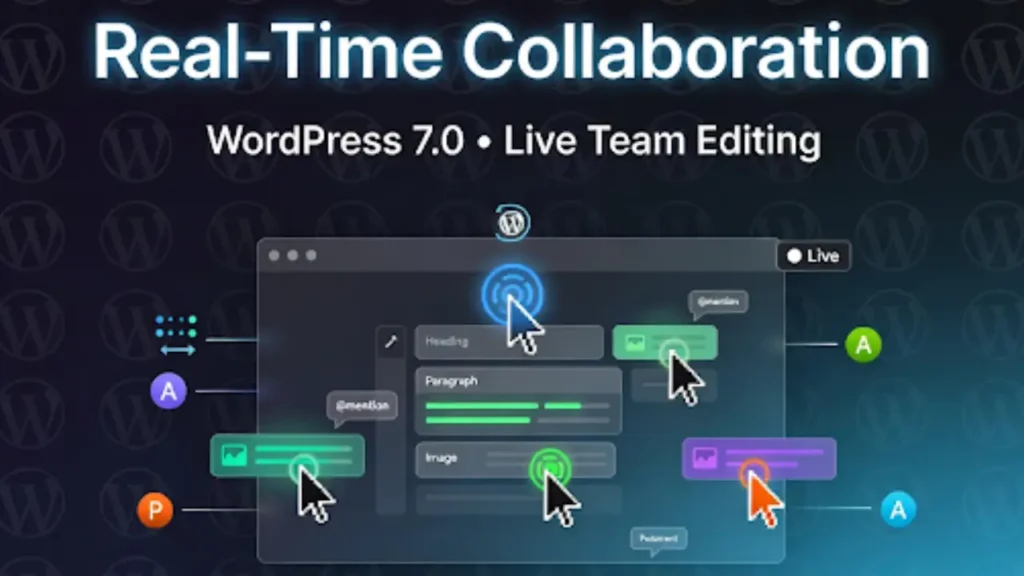
WordPress 7.0 finally brings Google Docs-style real-time collaboration directly into the Block Editor. No more plugins, no more clunky third-party tools — multiple team members can now edit the same post or page at the exact same time.
In this complete 2026 tutorial, I’ll show you exactly how real-time collaboration works in WordPress 7.0, how to test it today (even while the final release is delayed), step-by-step setup, all the new features, and pro tips to get the most out of it.
What Is Real-Time Collaboration in WordPress 7.0?
Real-Time Collaboration (RTC) is the flagship feature of Phase 3 of the Gutenberg project. It allows:
- Multiple users to edit the same content simultaneously
- Live cursors that show exactly where each person is working
- Instant syncing of every change (text, blocks, images, settings)
- Inline comments, @mentions, and notes without leaving the editor
This turns WordPress from a solo tool into a true team platform — perfect for agencies, marketing teams, content creators, and client workflows.
How Real-Time Collaboration Actually Works (Technical Breakdown)
WordPress 7.0 uses WebSocket technology for instant two-way communication between editors and the server.
Here’s what happens behind the scenes:
- When two or more users open the same post, WordPress creates a collaboration session.
- Every block change is sent instantly via WebSockets (not polling).
- Live cursors appear with colored avatars and user names.
- Changes are highlighted with subtle green pulses so everyone sees what’s being edited.
- Conflicts are automatically resolved using operational transformation (similar to Google Docs).
No page refreshes. No “someone else is editing” warnings. Just smooth, live teamwork.
New Collaboration Features in WordPress 7.0
- Live Cursors – Colored pointers with user initials
- Inline Notes & Comments – Click any block → add a comment
- @Mentions – Type @username → instant notification
- Presence Indicators – See who’s online right now
- Version History with Live Preview – See exactly who changed what and when
- Responsive Editing Toggle – Hide blocks per device in real time
Step-by-Step: How to Test Real-Time Collaboration Right Now (April 2026)
Even though the final WordPress 7.0 release is delayed until mid-to-late May, you can test everything today using nightly builds.
- 1. Install the WordPress Beta Tester Plugin
Go to Plugins → Add New → Search “Beta Tester” → Install and activate. - 2. Switch to the 7.0 Branch
In Tools → Beta Testing, select “Bleeding edge” → “7.0” branch → Save. - 3. Create or Open a Post
Add a few team members as Editors or Administrators. - 4. Open the Same Post on Different Devices/Browsers
You’ll immediately see live cursors and real-time updates. - 5. Try These Actions Live
- Type in a paragraph while someone else moves a block
- Add an inline comment
- @mention another user
- Watch the green highlight pulses
Pro Tip: Use incognito windows or different browsers to simulate team members.
Hosting & Server Requirements for Real-Time Collaboration
Real-time features need proper server support:
- WebSocket support enabled (most modern hosts like Kinsta, Cloudways, SiteGround, and WP Engine already have this)
- PHP 7.4 or higher (recommended: PHP 8.2+)
- Sufficient server resources (especially for large teams)
If your host doesn’t support WebSockets, real-time collaboration will fall back to slower polling mode.
Use Cases That Will Change How You Work
- Agencies: Client + designer + copywriter editing the same landing page together
- Newsrooms & Blogs: Multiple writers updating breaking stories live
- Marketing Teams: Real-time campaign page updates during launches
- Education: Teachers and students collaborating on course materials
Limitations & What’s Still Experimental (April 2026)
- Still marked as “experimental” in nightly builds
- Best performance with 2–8 simultaneous editors (larger teams may need optimization)
- Custom blocks or heavy plugins may need updates for full compatibility
- Mobile real-time editing is improved but not as fluid as desktop yet
The core team is actively fixing these issues before the final release.
Final Thoughts
Real-time collaboration in WordPress 7.0 is a game-changer. It removes one of the biggest friction points for teams and finally makes WordPress feel like a modern collaborative platform.
Frequently Asked Questions
Real-time collaboration in WordPress 7.0 allows multiple users to edit the same post or page simultaneously with live updates, similar to Google Docs. It includes live cursors, instant syncing, and collaborative editing features.
WordPress 7.0 uses WebSocket technology to enable instant communication between users. Changes are synced in real time, and conflicts are handled automatically using advanced synchronization methods.
Yes, WordPress 7.0 allows multiple users to work on the same content simultaneously. Each user can see live edits, cursors, and updates instantly without conflicts.
No, real-time collaboration is built directly into WordPress 7.0. You do not need any third-party plugins to enable this feature.
Key features include live cursors, inline comments, @mentions, presence indicators, version history, and real-time block editing inside the Gutenberg editor.
You need hosting that supports WebSockets, PHP 7.4 or higher, and enough server resources to handle multiple users editing simultaneously.
Yes, you can test it using the WordPress Beta Tester plugin and the 7.0 nightly builds to experience collaboration features before the official release.
As of April 2026, real-time collaboration is still experimental in beta builds. The final release is expected to improve stability and performance.
If your hosting supports WebSockets and has enough resources, performance will remain smooth. Larger teams may require optimized hosting environments.
Real-time collaboration is ideal for agencies, content teams, marketers, and educators who need multiple users to work on content at the same time.


