
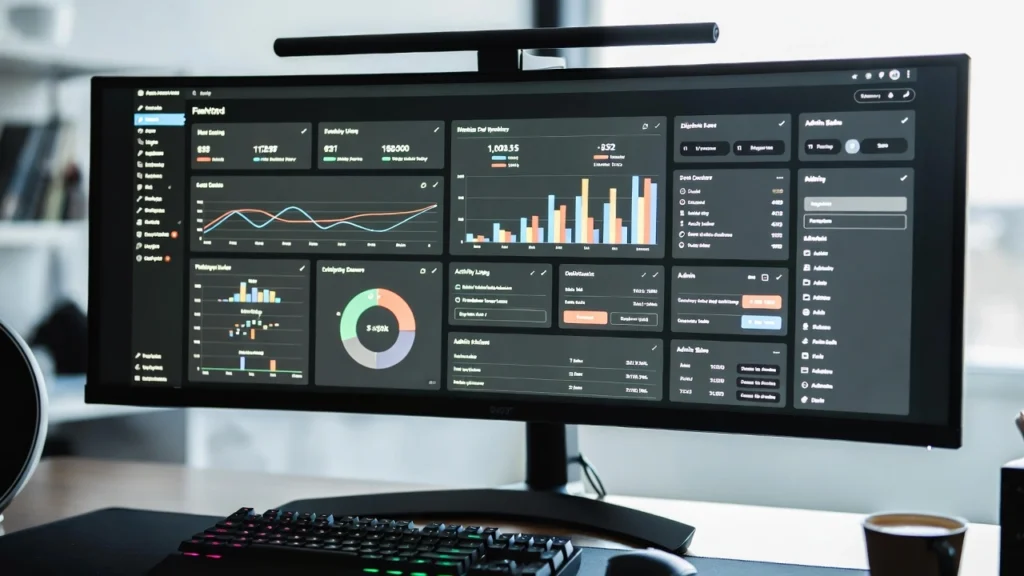
The default WordPress admin dashboard can feel cluttered and overwhelming — filled with widgets, news feeds, and sections you rarely use. Building a custom dashboard lets you remove distractions, add quick-access shortcuts, display relevant widgets, show branded welcome messages, or even create role-specific dashboards for clients, team members, or users. With full-site editing and block-based admin interfaces, a clean, tailored dashboard improves productivity, reduces support tickets, and gives your site a more professional feel.
On this page
ToggleAt Cope Business, we create custom dashboards for clients during our technical SEO audit services and agency projects to streamline workflows, enhance branding, and make site management faster and more intuitive.
This step-by-step guide shows you how to build a custom WordPress dashboard — using plugins (easiest), code (full control), and best practices for different use cases.
Why Build a Custom WordPress Dashboard?
- Remove Clutter — Hide unwanted widgets, news, and quick drafts
- Improve Workflow — Add shortcuts to frequently used pages, tools, or external links
- Enhance Branding — Show your logo, welcome message, or client-specific info
- Role-Based Access — Different dashboards for admins, editors, or clients
- Boost Productivity — One-click access to key areas saves time
- Professional Touch — Makes your dashboard feel custom and polished
Method 1: Using Plugins (Easiest & Most Flexible)
Plugins give you visual control, conditional rules, and no coding needed.
Recommended Plugin: Admin Menu Editor + White Label CMS (or Adminimize)
Admin Menu Editor (free/pro) is the best starting point.
Steps
- Install Admin Menu Editor (free) from Plugins > Add New.
- Activate → Go to Settings > Menu Editor.
- Hide Default Widgets: Go to Dashboard tab → Drag unwanted widgets (e.g., “At a Glance”, “WordPress News”) to “Hidden” area. Or use Dashboard Widgets section to disable completely.
- Add Custom Widgets: Use Custom Dashboard Widgets plugin (free) or WPCode to add text, links, or HTML widgets. Example: Welcome message with logo and quick links.
- White Label & Branding: Install White Label CMS (free) or Adminimize (free). Go to Settings > White Label → Replace WordPress logo, hide footer links, rename menus.
- Role-Based Dashboards: In Admin Menu Editor Pro (~$39/year) → Set visibility per role (e.g., hide plugins menu for Editors).
- Save → Refresh dashboard — see your clean, branded version.
Alternative Plugins:
- Dashboard Widgets Suite (free) — Add/remove widgets easily
- Custom Dashboard (free) — Simple drag-and-drop
Pros: Visual, reversible, role-based control.
Cons: Adds 1–2 lightweight plugins.
Method 2: Using Custom Code (Lightweight – Full Control)
For plugin-free customization or advanced logic.
Steps
- Use a child theme or WPCode (free plugin).
- Add this code to
functions.phpor WPCode snippet (run in admin only):
// Remove default dashboard widgets
function cope_remove_dashboard_widgets() {
    remove_meta_box('dashboard_primary', 'dashboard', 'normal');       // WordPress News
    remove_meta_box('dashboard_quick_press', 'dashboard', 'side');     // Quick Draft
    remove_meta_box('dashboard_right_now', 'dashboard', 'normal');     // At a Glance
    remove_meta_box('dashboard_activity', 'dashboard', 'normal');      // Activity
}
add_action('wp_dashboard_setup', 'cope_remove_dashboard_widgets');

// Add custom welcome widget
function cope_custom_dashboard_widget() {
    wp_add_dashboard_widget(
        'cope_welcome_widget',
        'Welcome to Your Dashboard',
        'cope_welcome_widget_content'
    );
}
add_action('wp_dashboard_setup', 'cope_custom_dashboard_widget');

function cope_welcome_widget_content() {
    echo '<div style="text-align:center;">';
    echo '<img src="https://www.copebusiness.com/wp-content/uploads/your-logo.png" alt="Cope Business" style="max-width:200px;">';
    echo '<h3>Hello! Quick Links:</h3>';
    echo '<p><a href="' . admin_url('post-new.php') . '">New Post</a> | ';
    echo '<a href="' . admin_url('edit.php') . '">All Posts</a> | ';
    echo '<a href="' . admin_url('options-general.php') . '">Settings</a></p>';
    echo '</div>';
}
- Customize: Add/remove widgets as needed. Use
current_user_can()to show different content per role. Add shortcuts to external tools (Google Analytics, etc.). - Save → Refresh dashboard — see your custom widget.
Pros: No extra plugins, fully customizable.
Cons: Requires basic PHP; test carefully.
Method 3: Using Page Builders or Block Themes (Visual & Modern)
For block themes or visual builders.
Using Full Site Editing (Block Themes)
- Edit Dashboard template in Appearance > Editor.
- Remove default blocks → Add Group, Columns, or Buttons blocks.
- Insert Shortcode or Custom HTML blocks for dynamic content.
- Add Query Loop block for recent posts or custom widgets.
Using SeedProd or Elementor
- Create a custom dashboard page → Use drag-and-drop to add widgets, links, stats.
Pros: Visual, modern look.
Cons: Block themes required or page-builder Pro.
Best Practices for Custom Dashboards
- Keep it Simple — 3–5 key widgets max
- Role-Based — Use
current_user_can()or plugins to show different dashboards - Branding — Add logo, colors, welcome message
- Performance — Avoid heavy widgets; use lightweight code
- Security — Restrict access (see our guide)
- Test — Check on different roles/devices
A custom dashboard saves time and makes your site feel professional.
Final Thoughts
Building a custom WordPress dashboard streamlines your workflow and gives your site a polished, branded admin experience. Start with Admin Menu Editor for quick wins or code for full control — both make managing your site faster and more efficient.
A clean dashboard = faster work = better results.
Need help creating a custom dashboard, securing your admin area, or optimizing your site? Contact Cope Business for a free technical SEO consultation — we’ll design a tailored dashboard that improves productivity and matches your brand perfectly.


