
Website speed is no longer a nice-to-have feature — it is a fundamental ranking factor. Since Google introduced Core Web Vitals as part of its page experience signals, every millisecond of load time can mean the difference between ranking on page one and disappearing into obscurity. While most SEOs focus on image compression, caching, and minification, there is a powerful yet underutilized set of techniques that can shave hundreds of milliseconds off your load time: resource hints.
Understanding dns prefetch vs preconnect vs preload is essential for any technical SEO professional or developer who wants to optimize site performance at the browser level. These three resource hints tell the browser how to prioritize network activity before it even encounters the resources in your HTML. When implemented correctly, dns prefetch vs preconnect vs preload can dramatically reduce latency, improve Largest Contentful Paint scores, and create a smoother user experience.
In this comprehensive guide, we will break down exactly what dns prefetch vs preconnect vs preload means, how each resource hint works under the hood, when to use them, and how to implement them without harming performance. Whether you manage a WordPress blog, an e-commerce store, or a complex web application, mastering dns prefetch vs preconnect vs preload will give you a competitive edge in search performance.
What Are Resource Hints and Why Do They Matter for SEO?
Resource hints are HTML directives that tell the browser about resources it will need soon, allowing it to prepare before the actual request is made. Unlike traditional optimization techniques that work on the server or asset level, resource hints operate at the browser networking layer. They are invisible to users but create measurable improvements in page speed metrics.
The concept of dns prefetch vs preconnect vs preload falls under the broader category of resource hints defined by the W3C. According to the official specification, these primitives enable developers to assist the user agent in deciding which origins to connect to and which resources to fetch and preprocess to improve page performance. In practical terms, this means you are giving the browser a head start on work it would otherwise do later.
Why does this matter for SEO? Google has confirmed that Core Web Vitals — specifically Largest Contentful Paint, First Input Delay, and Cumulative Layout Shift — are ranking factors. Slow-loading pages frustrate users, increase bounce rates, and reduce dwell time. All of these behavioral signals feed back into Google’s assessment of page quality. By optimizing dns prefetch vs preconnect vs preload, you directly improve the metrics that influence both rankings and user satisfaction.
Resource hints also matter because modern websites rely heavily on third-party resources. Analytics scripts, fonts from Google Fonts, images from CDNs, chat widgets, and advertising tags all require connections to external domains. Each connection involves DNS lookup, TCP handshake, and TLS negotiation — steps that can add 200 to 1000 milliseconds of latency. The right application of dns prefetch vs preconnect vs preload eliminates or reduces this overhead.
DNS Prefetch vs Preconnect vs Preload: Understanding the Fundamentals
Before diving into implementation, you need to understand the distinct purpose of each resource hint. Many developers confuse these terms or use them interchangeably, which leads to suboptimal performance. Let us clarify dns prefetch vs preconnect vs preload once and for all.
DNS Prefetch: The Lightweight Lookup
DNS prefetch is the lightest resource hint. It tells the browser to resolve a domain name to its IP address in the background. This means when the browser later needs to request a resource from that domain, it skips the DNS lookup step.
The syntax is simple:
<link rel="dns-prefetch" href="//fonts.googleapis.com">DNS prefetch does not open a connection, download files, or consume significant bandwidth. It only performs the DNS resolution, which typically takes 20 to 120 milliseconds depending on network conditions. This makes dns prefetch ideal for domains you might need later but are not immediately critical to the current page render.
Preconnect: The Full Connection Setup
Preconnect goes further than DNS prefetch. It tells the browser to resolve the DNS, open a TCP connection, and perform TLS negotiation (for HTTPS) to a specific origin. By the time the browser actually needs a resource from that domain, the connection is already warm and ready.
The syntax requires the full origin:
<link rel="preconnect" href="https://fonts.googleapis.com" crossorigin>Preconnect is more aggressive than DNS prefetch because it establishes and maintains a connection. This saves the round-trip time for TCP handshake and TLS negotiation, which can eliminate hundreds of milliseconds of latency. However, because it maintains an open connection, preconnect consumes more CPU and memory than dns prefetch. Use it sparingly and only for domains that host critical resources.
Preload: The High-Priority Fetch
Preload is the most aggressive resource hint. Unlike dns prefetch and preconnect, which only prepare connections, preload actually downloads and caches a specific resource. It tells the browser: this resource is critical for the current page, fetch it immediately with high priority.
The syntax requires additional attributes:
<link rel="preload" href="/fonts/main-font.woff2" as="font" type="font/woff2" crossorigin>Preload is not a hint — it is effectively a command. The browser must fetch the resource, making it the most powerful but also the riskiest of the three. Preload the wrong resource and you waste bandwidth, delay other critical assets, and hurt performance. Preload is best reserved for resources that are essential to above-the-fold content and discovered late by the browser, such as fonts loaded via CSS or hero images.
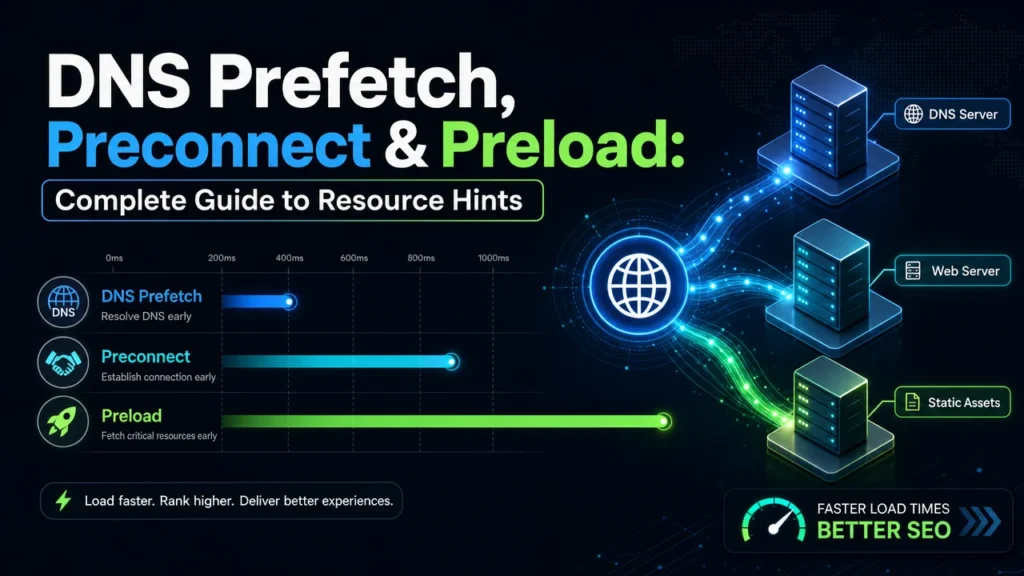
Understanding dns prefetch vs preconnect vs preload means recognizing this progression: DNS prefetch prepares the address book, preconnect opens the phone line, and preload sends the actual message.
DNS Prefetch vs Preconnect vs Preload: Technical Comparison
| Feature | DNS Prefetch | Preconnect | Preload |
|---|---|---|---|
| DNS Resolution | Yes | Yes | Not applicable (specific URL) |
| TCP Connection | No | Yes | Not applicable |
| TLS Handshake | No | Yes | Not applicable |
| Downloads Resource | No | No | Yes |
| Priority Level | Lowest | Medium | High |
| CPU/Memory Impact | Minimal | Moderate | Higher |
| Best For | Third-party domains you might need | Critical third-party resources | Critical current-page resources |
| Risk if Overused | Very low | Connection overhead | Bandwidth waste, render delay |
This table summarizes the core differences in dns prefetch vs preconnect vs preload. The key takeaway is that each serves a different stage of the network request lifecycle. DNS prefetch is about early information gathering. Preconnect is about early connection establishment. Preload is about early resource acquisition.
When to Use DNS Prefetch vs Preconnect vs Preload
Knowing the syntax is not enough. The real skill in dns prefetch vs preconnect vs preload lies in knowing when to deploy each hint. Misapplication can waste resources or even slow down your site.
Use DNS Prefetch When:
- You reference third-party domains that are not immediately critical (social widgets, secondary analytics, external links)
- You want to reduce latency without the overhead of maintaining open connections
- You have many third-party resources and cannot preconnect to all of them
- The user might navigate to an external domain, and you want to speed up that transition
Use Preconnect When:
- You load critical resources from a third-party domain (Google Fonts, CDN-hosted CSS, primary analytics)
- The domain hosts multiple files that will be requested soon after page load
- You want to eliminate TCP and TLS round trips from the critical path
- You have confirmed the domain is actually used on the page (avoid preconnecting to unused domains)
Use Preload When:
- A resource is critical for initial render but discovered late by the browser (fonts loaded via @font-face, background images in CSS)
- You need to prioritize a specific resource above others discovered in HTML
- The resource is part of your Largest Contentful Paint element
- You have verified the resource is actually used — unused preloads waste bandwidth
A common mistake is preloading everything. Remember that browsers are already quite good at prioritizing resources. Preload should override the browser’s default behavior only when you know something the browser does not. For most sites, a combination of one or two preconnects and a single preload is more effective than a dozen hints.
Implementing DNS Prefetch vs Preconnect vs Preload in HTML
Implementation of dns prefetch vs preconnect vs preload is straightforward, but details matter. Let us walk through practical examples for each resource hint.
DNS Prefetch Implementation
Add dns-prefetch links to the head of your document for domains you will need later:
<head>
    <link rel="dns-prefetch" href="//fonts.googleapis.com">
    <link rel="dns-prefetch" href="//fonts.gstatic.com">
    <link rel="dns-prefetch" href="//www.google-analytics.com">
</head>
Note the double slash omitting the protocol. This allows the browser to use whichever scheme is appropriate. DNS prefetch works for both HTTP and HTTPS without specifying.
Preconnect Implementation
Preconnect requires the full origin including the protocol. The crossorigin attribute is required for fonts and any CORS-enabled resources:
<head>
    <link rel="preconnect" href="https://fonts.googleapis.com">
    <link rel="preconnect" href="https://fonts.gstatic.com" crossorigin>
    <link rel="preconnect" href="https://cdn.example.com">
</head>
Preconnecting to fonts.gstatic.com with crossorigin is a classic optimization for Google Fonts. It allows the font files themselves to download immediately after the CSS is parsed, rather than waiting for connection setup.
Preload Implementation
Preload is the most complex because it requires the as attribute to specify the resource type. This tells the browser how to prioritize and handle the resource:
<head>
    <!-- Preload critical font -->
    <link rel="preload" href="/fonts/hero-font.woff2" as="font" type="font/woff2" crossorigin>

    <!-- Preload hero image for LCP -->
    <link rel="preload" href="/images/hero-banner.webp" as="image" type="image/webp">

    <!-- Preload critical CSS -->
    <link rel="preload" href="/css/critical.css" as="style">
</head>
The as attribute is mandatory. Valid values include script, style, font, image, document, video, audio, and fetch. Without the correct as value, the browser may download the resource twice or handle it incorrectly.
For fonts, always include crossorigin even if the font is on the same domain, because font requests are treated as anonymous CORS by default. For images that are part of your LCP, consider adding fetchpriority=”high” alongside preload for maximum impact.
DNS Prefetch vs Preconnect vs Preload for Core Web Vitals
Core Web Vitals are the bridge between resource hints and SEO rankings. Let us examine how dns prefetch vs preconnect vs preload affects each metric.
Largest Contentful Paint (LCP)
LCP measures how long it takes for the largest above-the-fold element to render. This is often a hero image or a large text block. Preload is the most impactful hint for LCP because it ensures the browser fetches the LCP resource as early as possible. Preconnect helps if your LCP resource comes from a third-party domain by eliminating connection setup time. DNS prefetch has minimal direct impact on LCP but supports overall load efficiency.
To optimize LCP with dns prefetch vs preconnect vs preload, identify your LCP element using Chrome DevTools or Lighthouse. If it is an image, preload it. If it is text rendered with a web font, preconnect to the font domain and preload the font file. If it is a video, preload the poster image.
First Input Delay (FID) and Interaction to Next Paint (INP)
FID and INP measure interactivity. While resource hints primarily affect loading rather than interaction, preloading critical JavaScript can improve INP by ensuring interactive elements are ready sooner. DNS prefetch and preconnect for third-party script domains also help by reducing the time before analytics or chat widgets become functional. Learn more about optimizing these metrics in our INP optimization guide.
Cumulative Layout Shift (CLS)
CLS measures visual stability. Preload can indirectly improve CLS by ensuring images and fonts load before layout calculations complete. Without preloading, a late-loading font can cause a flash of unstyled text followed by a layout shift when the web font arrives. Preloading the font prevents this. Preconnect and DNS prefetch have minimal direct impact on CLS.
For a comprehensive approach to all three metrics, review our Core Web Vitals page experience guide.
Common Mistakes When Using DNS Prefetch vs Preconnect vs Preload
Even experienced developers make errors with resource hints. Here are the most common pitfalls in dns prefetch vs preconnect vs preload implementation.
Mistake 1: Preloading Non-Critical Resources
Preload is powerful but dangerous when misapplied. Preloading a below-the-fold image or an unused font wastes bandwidth and delays critical resources. Before adding any preload, ask: is this resource essential for the first paint? If not, do not preload it.
Mistake 2: Preconnecting to Unused Domains
Every preconnect maintains an open connection that consumes memory and CPU. Preconnecting to domains that do not actually serve resources on the current page is pure overhead. Audit your third-party scripts and only preconnect to domains that deliver critical, above-the-fold content.
Mistake 3: Using HTTP Headers Incorrectly
Resource hints can be delivered via HTTP Link headers as well as HTML tags. While this is useful for resources discovered late in the response, it requires correct syntax. A malformed header is ignored by the browser. Test HTTP header implementations with curl or browser DevTools to confirm they are parsed correctly.
Mistake 4: Forgetting the crossorigin Attribute for Fonts
Font requests are anonymous CORS requests by specification. If you preload a font without crossorigin, the browser will fetch it but cannot use it, resulting in a wasted request and a console error. Always include crossorigin for preloaded fonts, even on the same origin.
Mistake 5: Overusing DNS Prefetch
While DNS prefetch is low-impact, adding it for dozens of domains still creates overhead. Each DNS lookup consumes network resources. Limit DNS prefetch to domains you are reasonably certain the page will need. For domains hosting critical resources, upgrade to preconnect instead.
Mistake 6: Not Testing on Mobile Networks
Resource hints behave differently on slow connections. A preload that helps on fiber broadband might hurt on 3G by saturating the connection. Always test dns prefetch vs preconnect vs preload changes using Chrome DevTools throttling or real mobile devices. Our mobile SEO and Core Web Vitals guide covers testing methodologies in detail.
Advanced Strategies for DNS Prefetch vs Preconnect vs Preload
Once you master the basics, these advanced techniques will help you extract maximum value from dns prefetch vs preconnect vs preload.
Strategy 1: Combine Preconnect with Preload for Fonts
Google Fonts requires two connections: one to fonts.googleapis.com for the CSS, and one to fonts.gstatic.com for the font files. The optimal setup is:
<link rel="preconnect" href="https://fonts.googleapis.com">
<link rel="preconnect" href="https://fonts.gstatic.com" crossorigin>
<link rel="preload" href="https://fonts.gstatic.com/s/roboto/v30/font.woff2" as="font" type="font/woff2" crossorigin>
This pattern removes three round trips from the font loading path and can reduce font display time by over half a second on slow connections.
Strategy 2: Use HTTP Link Headers for Early Hints
HTTP/2 and HTTP/3 support 103 Early Status responses. You can send resource hints in the headers before the full HTML is generated:
Link: <https://fonts.googleapis.com>; rel=preconnect,
      </css/critical.css>; rel=preload; as=style
This is especially powerful for server-rendered applications where HTML generation takes time. The browser can start connecting and preloading while the server finishes rendering the page.
Strategy 3: Dynamic Resource Hints Based on User Behavior
For single-page applications or progressive web apps, inject resource hints dynamically based on user interaction. If a user hovers over a link, inject a prefetch for that page. If they open a modal, preload the modal’s JavaScript. This just-in-time approach maximizes cache hits while minimizing upfront overhead.
Strategy 4: Prioritize LCP Images with fetchpriority
Modern browsers support the fetchpriority attribute alongside preload. For your LCP image, use:
<link rel="preload" href="/images/hero.webp" as="image" fetchpriority="high">This signals to the browser that this resource deserves the highest possible priority, even above other critical resources. Use this sparingly — only for the single most important above-the-fold image.
DNS Prefetch vs Preconnect vs Preload in WordPress
WordPress powers over 40 percent of the web, making it the most important platform for practical dns prefetch vs preconnect vs preload implementation.
Manual Implementation
Add resource hints directly to your theme’s header.php file inside the head section. This gives you full control but requires theme editing. Always use a child theme to prevent updates from overwriting your changes.
<?php
// Add to your theme's functions.php or a custom plugin
function add_resource_hints() {
    echo '<link rel="dns-prefetch" href="//fonts.googleapis.com">' . "\n";
    echo '<link rel="preconnect" href="https://fonts.googleapis.com">' . "\n";
    echo '<link rel="preconnect" href="https://fonts.gstatic.com" crossorigin>' . "\n";
    echo '<link rel="preload" href="' . get_template_directory_uri() . '/fonts/main.woff2" as="font" type="font/woff2" crossorigin>' . "\n";
}
add_action('wp_head', 'add_resource_hints', 1);
?>
Plugin-Based Implementation
Several WordPress plugins simplify resource hint management:
- Pre* Party Resource Hints — Automatically detects and manages hints with a visual interface
- WPCode — Allows adding custom code snippets to the header without editing theme files
- Perfmatters — Includes a dedicated resource hints section with domain suggestions
- LiteSpeed Cache — Offers push and preload options integrated with its caching layer
When using plugins, verify they do not add redundant or incorrect hints. Some plugins preconnect to every third-party domain detected, which can hurt more than help. Manually review the generated HTML to ensure your dns prefetch vs preconnect vs preload setup is clean and purposeful.
For more WordPress-specific performance tips, explore our WordPress speed optimization guide and LCP INP CLS improvement strategies.
Testing and Validating Your Resource Hints
Implementation without validation is guesswork. Use these tools to confirm your dns prefetch vs preconnect vs preload setup is working correctly.
Chrome DevTools Network Panel
Open DevTools, go to the Network tab, and reload the page with cache disabled. Look for:
- Preconnect connections appearing before resource requests (shown as connection setup bars in the waterfall)
- Preloaded resources downloading early with high priority
- DNS prefetch lookups occurring in the first few milliseconds
WebPageTest
WebPageTest provides the most detailed waterfall visualization. Look for connection bars that start before resource requests. If preconnect is working, you will see the connection established separately from the actual file download.
Lighthouse and PageSpeed Insights
These tools audit resource hints as part of their performance scoring. Lighthouse will flag unused preloads and suggest preconnect opportunities. Pay attention to the “Preconnect to required origins” and “Preload key requests” audits.
DebugBear Resource Hint Validator
DebugBear offers a specialized tool that checks your resource hints for correctness, identifies unused hints, and suggests optimizations. It is particularly useful for catching crossorigin errors and missing as attributes.
Real User Monitoring (RUM)
Lab testing cannot fully replicate real-world conditions. Use RUM tools like Cloudflare Web Analytics, Google Analytics 4, or SpeedCurve to measure how dns prefetch vs preconnect vs preload affects actual users across different devices and networks.
How DNS Prefetch vs Preconnect vs Preload Fits Into Your SEO Strategy
Resource hints are not isolated tactics. They are components of a comprehensive technical SEO and performance strategy. Here is how dns prefetch vs preconnect vs preload connects to other optimization efforts.
Pair resource hints with critical rendering path optimization to ensure above-the-fold content loads in the first few packets. Combine them with image optimization so that preloaded images are also properly compressed and formatted. Use them alongside lazy loading to prioritize visible content while deferring below-the-fold assets.
For businesses running e-commerce or high-traffic sites, resource hints should be part of your SEO monitoring infrastructure. Schedule regular audits to verify hints are still relevant as your third-party dependencies change. A preconnect to a deprecated analytics domain is wasted overhead.
Finally, document your resource hint strategy. Maintain a living document that lists every dns prefetch vs preconnect vs preload you have implemented, the business justification, and the measured impact. This prevents accumulation of unused hints and helps new team members understand the performance architecture.
Need expert help optimizing your site’s resource hints and Core Web Vitals? Our technical SEO services team specializes in performance optimization for businesses of all sizes. Contact us to discuss your project.
Conclusion
Mastering dns prefetch vs preconnect vs preload is one of the highest-leverage skills a technical SEO professional can develop. These resource hints operate at the intersection of browser engineering and search performance, offering measurable improvements to Core Web Vitals without changing your content or design.
Remember the core principle: DNS prefetch prepares the address, preconnect opens the door, and preload delivers the package. Use DNS prefetch broadly for third-party domains, preconnect selectively for critical origins, and preload surgically for resources that block rendering. Overuse any of them and you risk the very performance degradation you are trying to prevent.
Start by auditing your current third-party dependencies. Identify which domains serve critical above-the-fold resources and apply preconnect. Find your LCP element and preload it. Add DNS prefetch for remaining third-party domains. Test every change with Chrome DevTools and Lighthouse. Document your results and iterate.
The difference between a good site and a fast site often comes down to these micro-optimizations. In the competitive landscape, where every millisecond counts, understanding dns prefetch vs preconnect vs preload gives you a genuine technical advantage that translates directly into better user experience and stronger search visibility.
Frequently Asked Questions
DNS prefetch only resolves the domain name to an IP address. Preconnect does DNS resolution plus opens a TCP connection and negotiates TLS. Preload actually downloads and caches a specific resource with high priority for the current page. In short: dns prefetch vs preconnect vs preload represents increasing levels of browser preparation — from lookup only, to full connection setup, to actual resource fetching.
Use DNS prefetch for third-party domains you might connect to later but are not immediately critical. Use preconnect for domains hosting critical resources like fonts, analytics, or CDNs where you need the connection ready immediately. Use preload only for resources essential to the current page render, such as hero images, critical CSS, or above-the-fold fonts. Understanding when to apply dns prefetch vs preconnect vs preload prevents wasted bandwidth and CPU.
Yes, you can combine dns prefetch vs preconnect vs preload on the same page, but strategically. For critical third-party fonts, use both preconnect and preload. For less critical third-party scripts, DNS prefetch alone is sufficient. Never preload more than a few resources or you will hurt performance. A common pattern is preconnect to fonts.gstatic.com plus preload the specific font file, while using DNS prefetch for analytics domains.
Indirectly, yes. While Google does not count resource hints as direct ranking signals, dns prefetch vs preconnect vs preload directly impact Core Web Vitals — specifically Largest Contentful Paint and First Input Delay. Since Core Web Vitals are confirmed ranking factors, optimizing resource hints improves page speed metrics that influence search rankings. Faster sites also reduce bounce rates and increase dwell time, which are behavioral signals Google considers.
In WordPress, add resource hints to your theme’s header.php file inside the head section, or use plugins like WPCode or Pre* Party Resource Hints. For DNS prefetch, add link rel=dns-prefetch href=//example.com. For preconnect, add link rel=preconnect href=https://fonts.googleapis.com crossorigin. For preload, add link rel=preload href=/fonts/font.woff2 as=font type=font/woff2 crossorigin. Always test dns prefetch vs preconnect vs preload implementation with Chrome DevTools to verify correct loading order.
Overusing dns prefetch vs preconnect vs preload can degrade performance. Too many preconnects waste CPU and memory maintaining idle connections. Excessive preloads compete with critical resources for bandwidth. Unused prefetched assets consume data and cache space. Browsers may also ignore hints if overloaded. Best practice: limit preconnect to 3-5 critical domains, preload only 1-2 critical resources per page, and use DNS prefetch sparingly for non-critical third parties.
Use Chrome DevTools Network panel to verify resource hints. For preconnect, look for early connection establishment in the waterfall before the actual request. For preload, confirm the resource loads early with high priority. For DNS prefetch, check that DNS lookup occurs before resource discovery. Tools like WebPageTest, Lighthouse, and PageSpeed Insights also report resource hint effectiveness. DebugBear offers a dedicated Browser Resource Hint Validator to audit your dns prefetch vs preconnect vs preload setup.


