
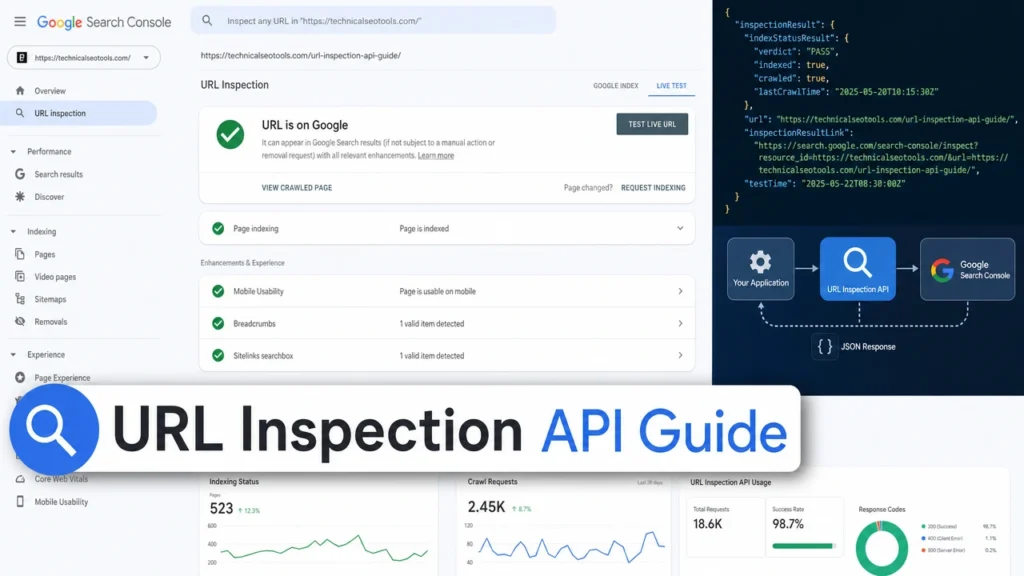
Manually checking whether Google has indexed your web pages is one of the most tedious tasks in technical SEO. For years, the only option was to use the URL Inspection Tool inside Google Search Console — one URL at a time. If you manage a website with hundreds or thousands of pages, this process is painfully slow and impractical.
Enter the URL Inspection API. Released by Google in January 2022, this powerful interface allows developers and SEO professionals to programmatically inspect multiple URLs at once, retrieving detailed indexing data directly from Google’s servers. With a daily quota of 2,000 queries per property, the url inspection api transforms how technical SEOs monitor site health, diagnose indexing issues, and validate canonical tags at scale.
In this comprehensive guide, we will walk you through everything you need to know about the url inspection api — from initial setup and authentication to writing Python scripts, interpreting response data, and building automated monitoring workflows. Whether you run a small business site or manage enterprise-level SEO, mastering the url inspection api will save you countless hours and give you deeper insights into how Google sees your content.
What Is the URL Inspection API and Why Does It Matter?
The URL Inspection API is an official Google Search Console endpoint that lets you query Google’s index data for any URL you own. Unlike the manual URL Inspection Tool in the GSC dashboard, which limits you to checking one page at a time, the url inspection api enables bulk operations through code.
According to Google’s official documentation, the url inspection api returns detailed information about a URL’s index status, coverage state, mobile usability, rich results, and more. This data comes straight from Google’s index — not from third-party crawlers — making it the most authoritative source of indexing information available.
The url inspection api matters because indexing is the foundation of search visibility. If your pages are not indexed, they cannot rank. If they are indexed with errors, their rankings suffer. By using the url inspection api to audit your site in bulk, you can identify patterns, spot systemic issues, and fix problems before they impact your traffic.
Some of the key data points the url inspection api provides include:
- coverageState — Whether the URL is indexed and whether it was submitted via sitemap
- indexingState — The current indexing verdict (INDEXING_ALLOWED, NEUTRAL, PARTIAL, etc.)
- lastCrawlTime — When Googlebot last visited the page
- robotsTxtState — Whether robots.txt allows or blocks the URL
- pageFetchState — Whether Google successfully fetched the page
- googleCanonical vs userCanonical — Whether Google respects your declared canonical tag
- crawledAs — Whether Google used mobile or desktop user agent
- referringUrls — Internal pages linking to the inspected URL
- richResultsResult — Validity of structured data and rich result eligibility
- mobileUsabilityResult — Mobile-friendliness status
Having access to all this data programmatically through the url inspection api means you can build dashboards, automate reports, and integrate indexing checks into your existing SEO workflows.
Understanding the URL Inspection API Quota and Limitations
Before diving into implementation, it is important to understand the constraints of the url inspection api. Google imposes two primary limits:
- 2,000 queries per day per property
- 600 queries per minute per property
These limits are property-specific, not account-specific. If you have multiple verified properties in Google Search Console — for example, separate properties for your blog subdomain, main domain, and mobile subdomain — each gets its own 2,000-query daily quota. This is a critical detail for large websites.
Google designed the url inspection api for sampling and debugging, not for crawling every single URL on massive sites. For a 50,000-page website, 2,000 daily queries means you can inspect your entire site over 25 days. However, most SEOs use the url inspection api strategically — focusing on high-priority pages, newly published content, or pages flagged in GSC coverage reports.
Another important limitation: the url inspection api only works on properties you own and have verified in Google Search Console. You cannot use it to inspect competitor URLs or sites you do not have access to.
Finally, the url inspection api checks indexing status — it does not submit URLs for indexing. If you need to request indexing, you still need to use the manual Request Indexing button in GSC or the Google Indexing API (which is officially limited to job postings and livestream events, though some plugins extend it).
Setting Up Google Cloud Project and API Credentials
To use the url inspection api, you need a Google Cloud Platform project with the Search Console API enabled. Here is the step-by-step setup process:
Step 1: Create a Google Cloud Project
Go to the Google Cloud Console and sign in with the same Google account that owns your Search Console property. Click the project selector at the top and choose New Project. Give it a descriptive name like “GSC URL Inspection API” and click Create.
Step 2: Enable the Search Console API
Once your project is created, navigate to APIs and Services > Library. Search for “Google Search Console API” and click Enable. This activates the url inspection api endpoint for your project.
Step 3: Create OAuth 2.0 Credentials
Go to APIs and Services > Credentials. Click Create Credentials and select OAuth 2.0 Client ID. If this is your first time, Google will ask you to configure the consent screen. Choose External for most use cases, fill in the required app information, and save.
Then, back in the Credentials section, select Desktop App as the application type (for local Python scripts) or Web Application (for server-side implementations). Give it a name and click Create. Download the JSON credentials file — this contains your client ID and client secret.
Step 4: Verify Your Search Console Property
Ensure the website you want to inspect is verified as a property in Google Search Console. The url inspection api will only return data for verified properties. If you manage multiple subdomains or subfolders, consider verifying them as separate properties to multiply your daily quota.
Writing Your First Python Script for Bulk URL Inspection
Python is the most popular language for interacting with the url inspection api due to its readability and Google’s excellent client libraries. Below is a complete, production-ready script you can adapt for your own site.
Prerequisites
Install the required Python packages:
pip install google-auth google-auth-oauthlib google-auth-httplib2 google-api-python-client pandasComplete Python Script
from google.oauth2.credentials import Credentials
from google_auth_oauthlib.flow import InstalledAppFlow
from googleapiclient.discovery import build
import pandas as pd
import time
import json

# Scopes required for URL Inspection API
SCOPES = ['https://www.googleapis.com/auth/webmasters.readonly']

def authenticate(credentials_file):
    """Authenticate with Google and return service object."""
    flow = InstalledAppFlow.from_client_secrets_file(
        credentials_file, SCOPES)
    creds = flow.run_local_server(port=0)
    return build('searchconsole', 'v1', credentials=creds)

def inspect_url(service, site_url, inspection_url):
    """Inspect a single URL using the URL Inspection API."""
    request_body = {
        'inspectionUrl': inspection_url,
        'siteUrl': site_url,
        'languageCode': 'en-US'
    }

    try:
        response = service.urlInspection().index().inspect(body=request_body).execute()
        return response.get('inspectionResult', {})
    except Exception as e:
        return {'error': str(e)}

def bulk_inspect(service, site_url, url_list, delay=1):
    """Inspect multiple URLs with rate limiting."""
    results = []

    for i, url in enumerate(url_list):
        print(f"Inspecting {i+1}/{len(url_list)}: {url}")
        result = inspect_url(service, site_url, url)
        results.append({
            'inspectedUrl': url,
            'result': result
        })
        time.sleep(delay)  # Respect rate limits

    return results

def parse_results(results):
    """Parse API responses into a clean DataFrame."""
    parsed = []

    for item in results:
        url = item['inspectedUrl']
        result = item['result']

        if 'error' in result:
            parsed.append({
                'url': url,
                'error': result['error']
            })
            continue

        index_status = result.get('indexStatusResult', {})
        mobile_usability = result.get('mobileUsabilityResult', {})
        rich_results = result.get('richResultsResult', {})

        parsed.append({
            'url': url,
            'coverageState': index_status.get('coverageState', 'N/A'),
            'indexingState': index_status.get('indexingState', 'N/A'),
            'lastCrawlTime': index_status.get('lastCrawlTime', 'N/A'),
            'robotsTxtState': index_status.get('robotsTxtState', 'N/A'),
            'pageFetchState': index_status.get('pageFetchState', 'N/A'),
            'googleCanonical': index_status.get('googleCanonical', 'N/A'),
            'userCanonical': index_status.get('userCanonical', 'N/A'),
            'crawledAs': index_status.get('crawledAs', 'N/A'),
            'mobileUsability': mobile_usability.get('verdict', 'N/A'),
            'richResultsVerdict': rich_results.get('verdict', 'N/A')
        })

    return pd.DataFrame(parsed)

# Main execution
if __name__ == '__main__':
    CREDENTIALS_FILE = 'credentials.json'
    SITE_URL = 'https://www.yourdomain.com/'

    # List of URLs to inspect
    urls_to_inspect = [
        'https://www.yourdomain.com/',
        'https://www.yourdomain.com/blog/post-1/',
        'https://www.yourdomain.com/services/',
        # Add more URLs...
    ]

    # Authenticate
    service = authenticate(CREDENTIALS_FILE)

    # Run bulk inspection
    raw_results = bulk_inspect(service, SITE_URL, urls_to_inspect)

    # Parse and export
    df = parse_results(raw_results)
    df.to_csv('url_inspection_results.csv', index=False)
    print(f"Results saved for {len(df)} URLs")
How the Script Works
The script first authenticates using OAuth 2.0, opening a browser window for you to grant permission. It then loops through your URL list, calling the url inspection api for each one with a one-second delay to respect the 600 queries-per-minute limit. Results are parsed into a pandas DataFrame and exported as CSV for analysis.
You can easily extend this script to read URLs from a sitemap XML file, integrate with automated SEO audit pipelines, or schedule it to run daily using cron jobs or cloud functions.
Interpreting URL Inspection API Response Data
Understanding what the url inspection api returns is crucial for taking meaningful action. Here is a detailed breakdown of the most important fields and what they mean for your SEO strategy.
coverageState
This tells you the URL’s overall coverage status. Common values include:
- Indexed, submitted in sitemap — The ideal state. Google has indexed the page and it was found through your sitemap.
- Indexed, not submitted in sitemap — Google found and indexed the page through other means (like internal links), but it is not in your sitemap. Add it.
- Submitted, not indexed — The page is in your sitemap but Google has not indexed it. This requires investigation.
- Excluded — Google deliberately chose not to index the page. Check for noindex tags, canonical issues, or quality problems.
indexingState
This reveals Google’s indexing decision:
- INDEXING_ALLOWED — Google can index the page and has no objections.
- NEUTRAL — Equivalent to “Excluded” in GSC. The page is not indexed.
- PARTIAL — Equivalent to “Valid with warnings.” The page is indexed but has issues.
- VERDICT_UNSPECIFIED — Google cannot determine the indexing status yet.
googleCanonical vs userCanonical
One of the most valuable checks the url inspection api provides is canonical tag validation. When these two values differ, Google has chosen a different canonical than the one you declared. This can happen when:
- Your declared canonical uses HTTP instead of HTTPS
- The canonical points to a noindex page
- Google found a page it considers more representative
- There are duplicate content signals pointing elsewhere
Use an Excel formula like =IF(A2=B2,"Self-referencing","Non-matching") to quickly identify mismatches in your exported data.
lastCrawlTime
This timestamp shows when Googlebot last crawled the page. If you published significant updates and the last crawl time is old, Google has not seen your changes yet. You may want to request a recrawl or improve internal linking to the page.
robotsTxtState and pageFetchState
These fields help diagnose crawl barriers. If robotsTxtState shows BLOCKED, your robots.txt file is preventing Google from accessing the URL. If pageFetchState shows anything other than SUCCESSFUL, investigate server errors, soft 404s, or redirect chains.
Practical Use Cases for the URL Inspection API
The url inspection api shines in several real-world scenarios. Here are the most impactful ways SEOs and developers use it.
1. Post-Migration Indexing Audits
After a site migration — whether changing domains, restructuring URLs, or moving to HTTPS — you need to verify that Google has indexed your new pages and dropped the old ones. Use the url inspection api to bulk-check your new URLs for coverageState and compare googleCanonical against your expected URLs. Simultaneously, check that old URLs return the correct redirect status.
2. Monitoring New Content Indexing
When you publish a batch of blog posts or product pages, you want to know when Google indexes them. Set up a scheduled script using the url inspection api to check your latest URLs daily. Export the results and track how quickly Google picks up new content. If indexing lags, strengthen internal linking from high-authority pages.
3. Canonical Tag Validation at Scale
Canonical issues are silent killers of SEO performance. A single wrong canonical can prevent an entire section of your site from ranking. Use the url inspection api to compare googleCanonical and userCanonical across your key pages. Flag any mismatches for immediate correction.
4. Mobile-First Crawl Monitoring
The crawledAs field tells you whether Google used a mobile or desktop user agent. Since Google switched to mobile-first indexing, you want to see MOBILE here. If desktop crawling persists on important pages, review your mobile usability and responsive design.
5. Structured Data Health Checks
The richResultsResult section shows whether your schema markup is valid and eligible for rich snippets. Use the url inspection api to audit product schema, FAQ schema, breadcrumb markup, and other structured data types across your site. Fix any errors before they suppress your rich results.
6. Identifying Orphan Pages
The referringUrls field shows which internal pages link to the inspected URL. If this list is empty for an important page, it is effectively an orphan page with no internal link equity. Add contextual internal links from relevant, indexed pages to help Google discover and prioritize it.
Working Around the 2,000 Query Daily Limit
For large websites, the 2,000-query daily limit of the url inspection api can feel restrictive. Here are proven strategies to maximize your coverage.
Strategy 1: Verify Multiple Properties
As mentioned earlier, each verified property gets its own 2,000-query quota. Verify subdomains and major subfolders as separate properties. For example, if your site has blog.yoursite.com and shop.yoursite.com, verify each separately to double your daily capacity.
Strategy 2: Prioritize High-Value Pages
Not every page needs daily inspection. Focus your url inspection api quota on:
- Revenue-driving landing pages
- Recently published or updated content
- Pages flagged in GSC coverage reports
- URLs undergoing A/B testing or optimization
- Pages with historical indexing issues
Strategy 3: Use Sampling and Statistical Significance
Rather than inspecting every URL, inspect a representative sample from each template type (homepage, category page, product page, blog post). If your sample shows healthy indexing, the rest of that template likely performs similarly. Reserve full-site scans for quarterly audits.
Strategy 4: Combine with Crawler Data
Tools like Screaming Frog integrate the url inspection api directly. You can crawl your site, then pull url inspection api data for the first 2,000 URLs encountered. This combines crawl data (response codes, titles, meta descriptions) with Google’s index data for comprehensive analysis.
Automating URL Inspection API Workflows
The real power of the url inspection api emerges when you automate it. Here are three automation patterns used by professional SEOs.
Pattern 1: Scheduled Index Monitoring
Set up a cloud function (AWS Lambda, Google Cloud Functions, or Azure Functions) that runs your Python script on a schedule. Store results in a database like BigQuery or PostgreSQL. Build a dashboard in Looker Studio or Tableau that visualizes indexing trends over time. Alert stakeholders when important pages drop out of the index.
Pattern 2: CI/CD Integration
Integrate the url inspection api into your deployment pipeline. After each production deploy, automatically inspect a sample of affected URLs. If coverageState shows unexpected errors, block the deployment or notify the team. This prevents technical SEO regressions from reaching live users.
Pattern 3: Content Calendar Integration
Connect your content management system to the url inspection api. When a post is published, automatically add it to an inspection queue. Check its indexing status 24, 48, and 72 hours after publication. If not indexed, trigger internal linking recommendations or notify editors to enhance the content.
Common URL Inspection API Errors and How to Fix Them
Even experienced developers encounter issues when working with the url inspection api. Here are the most common errors and their solutions.
| Error | Cause | Solution |
|---|---|---|
| 403 Forbidden | Account lacks permission for the property | Verify you are an Owner or Full User in GSC for that property |
| 429 Too Many Requests | Exceeded 600 queries per minute | Add delays between requests (1-2 seconds) |
| 400 Bad Request | Invalid siteUrl or inspectionUrl format | Ensure URLs match the exact property format in GSC |
| Quota Exceeded | Reached 2,000 daily queries | Wait 24 hours or use a different verified property |
| Empty Response | URL not known to Google | The page may be new; submit sitemap and wait |
Free Tools That Use the URL Inspection API
If writing code is not your strength, several free tools leverage the url inspection api with user-friendly interfaces:
- Valentin.app Bulk Inspect — A browser-based tool that processes data locally. Authorize your Google account, paste URLs, and export to CSV or Excel.
- Screaming Frog SEO Spider — Integrates url inspection api data directly into crawls with pre-built filters for indexing issues.
- Sitebulb — Another crawler with native url inspection api support and visual reporting.
- Google Sheets Templates — Community-built App Scripts that pull url inspection api data into spreadsheets for easy sharing.
These tools are excellent for one-off audits or teams without dedicated developers. However, for ongoing monitoring at scale, a custom script or integration will always offer more flexibility.
Best Practices for URL Inspection API Success
To get the most value from the url inspection api, follow these proven best practices:
- Always validate your sitemap first — Before inspecting individual URLs, ensure your sitemap is error-free and submitted in GSC. A broken sitemap wastes inspection quota on URLs Google cannot properly process.
- Inspect by template, not by random sampling — Group URLs by page type and inspect representatives from each group. This reveals template-level issues faster than random checks.
- Document your canonical strategy — Maintain a canonical mapping document. When the url inspection api shows mismatches, cross-reference against your strategy to determine if the issue is intentional or accidental.
- Monitor after every major change — Run url inspection api checks after site migrations, redesigns, plugin updates, or content overhauls. Technical SEO issues often emerge during these transitions.
- Combine with log file analysis — The url inspection api tells you Google’s index view. Log files tell you Google’s crawl behavior. Together, they provide a complete picture of how Google interacts with your site. Learn more in our log file analysis guide.
- Keep your OAuth credentials secure — Never commit credentials.json to public repositories. Use environment variables or secret managers in production environments.
How the URL Inspection API Fits Into Your Broader SEO Strategy
The url inspection api is not a standalone solution — it is one component of a comprehensive technical SEO program. Pair it with these practices for maximum impact:
Use the url inspection api alongside regular technical SEO audits to catch indexing regressions early. Combine it with Core Web Vitals monitoring to ensure indexed pages also deliver excellent user experience. Link your findings to structured data validation so rich results appear for your indexed content.
For businesses managing large websites, the url inspection api becomes an essential part of your SEO monitoring infrastructure. It provides the ground-truth data you need to make informed decisions about content strategy, site architecture, and crawl budget allocation.
If you need professional help setting up automated url inspection api workflows or interpreting the results, our technical SEO services team can assist. We specialize in building custom monitoring solutions for businesses of all sizes. Contact us to discuss your project.
Conclusion
The URL Inspection API is one of the most powerful tools available to technical SEOs. By enabling bulk indexing checks, canonical validation, and automated monitoring, the url inspection api eliminates the bottleneck of manual URL Inspection and gives you direct access to Google’s index data.
Whether you write Python scripts, use integrated crawler tools, or leverage no-code solutions, incorporating the url inspection api into your workflow will save time, catch issues faster, and help ensure your most important pages remain visible in search results.
Start with the Python script provided in this guide, focus on your highest-priority pages, and build from there. As your comfort with the url inspection api grows, so will your ability to maintain a healthy, well-indexed website that ranks consistently.
Frequently Asked Questions
The URL Inspection Tool in the GSC dashboard lets you check one URL at a time manually. The url inspection api allows you to programmatically inspect up to 2,000 URLs per day per property using code. Both access the same underlying Google data, but the api enables bulk operations, automation, and integration with third-party tools and dashboards.
No, the url inspection api only checks the current indexing status and related data for URLs. It does not submit URLs for indexing or request recrawls. To request indexing, you must use the manual Request Indexing button in GSC or the separate Google Indexing API (which is officially limited to job postings and livestream events).
The url inspection api returns data directly from Google’s index, making it the most authoritative source available. However, like all Google Search Console data, there can be occasional delays or discrepancies. Some SEOs have reported cases where GSC showed “Crawled — Currently Not Indexed” for pages that were actually indexed and receiving traffic. Use the api as a diagnostic tool, but cross-reference with actual search results using site: queries and analytics data.
Google provides client libraries for Python, Java, JavaScript (Node.js), PHP, Ruby, and Go. Python is the most popular choice among SEOs due to its simplicity and extensive data analysis libraries like pandas. You can also use no-code tools like Google Sheets with App Scripts if you prefer not to write code.
For sites with more than 2,000 important pages, use these strategies: verify subdomains and subfolders as separate properties to get multiple quotas; prioritize high-value pages like revenue drivers and new content; sample by template type rather than checking every URL; and combine url inspection api data with crawler tools like Screaming Frog for comprehensive coverage.
When googleCanonical differs from userCanonical, Google has chosen a different canonical URL than the one you specified. Common causes include: your canonical uses HTTP instead of HTTPS; the canonical points to a noindex page; Google found duplicate content and selected what it considers the better version; or internal linking signals conflict with your canonical declaration. Fix the root cause and ensure consistency across your site.
No, the url inspection api only works on properties you own and have verified in Google Search Console. You cannot inspect URLs from competitor sites or any domain you do not have access to. For competitor analysis, use third-party SEO tools that estimate indexing status through their own crawling methods.


