
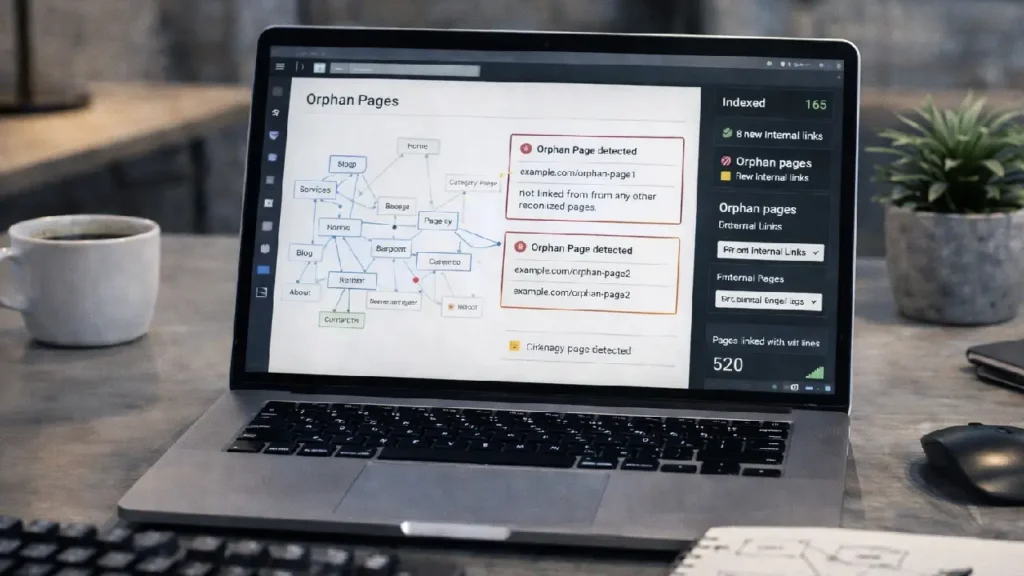
Orphan pages are website pages that have no internal links pointing to them. These pages are effectively “hidden” from both users and search engines, making it difficult for crawlers to discover, index, and rank them. While they may contain valuable content, their lack of internal linking prevents them from contributing to your site’s SEO performance.
Internal linking, on the other hand, is a key technical SEO strategy that distributes link equity across your website, helps search engines understand content relationships, and improves crawl efficiency. By identifying orphan pages and implementing effective internal linking, you can ensure all your valuable content gets the attention it deserves.
What Are Orphan Pages?
Orphan pages are pages that are not linked to from any other page on your website. They may be created due to:
- Website migrations
- Blog drafts published without linking
- Product pages removed from menus
- Old landing pages
These pages are difficult for users and search engines to find unless they have an external backlink or are submitted directly via a sitemap.
Why Orphan Pages Hurt SEO
1. Poor Crawlability
Search engine bots rely on internal links to discover and navigate pages. Orphan pages are invisible to crawlers unless explicitly submitted, which may result in them not being indexed.
2. Wasted Content Potential
Even if an orphan page contains high-quality content, it cannot rank well because it receives no internal link equity.
3. Reduced Link Equity Flow
Internal linking spreads ranking power (link juice) from high-authority pages to other pages. Orphan pages miss this flow, weakening overall site SEO.
Learn more about link equity and site structure here:
Website Architecture SEO Guide
How to Identify Orphan Pages
1. Using SEO Crawlers
Tools like Screaming Frog, Sitebulb, and Ahrefs Site Audit can detect orphan pages by comparing your sitemap URLs with internal linking structure.
2. Google Analytics
Look for pages that receive little to no organic or referral traffic. Low-traffic pages may indicate orphan status.
3. Log File Analysis
Server logs show which pages bots visit. Pages never crawled by Googlebot may be orphaned.
4. Sitemap vs Crawled Pages
Compare your XML sitemap with pages discovered during crawling. Any pages missing internal links are potential orphan pages.
Strategies to Improve Internal Linking
1. Add Contextual Links
Link to orphan pages naturally within existing blog posts or category pages. Ensure anchor text is relevant and descriptive.
Example:
“If you want to learn advanced SEO techniques, check our Pagination SEO Guide.”
2. Update Navigation and Menus
Include orphan pages in:
- Header menus
- Footer links
- Sidebar widgets
This ensures discoverability for both users and search engines.
3. Use Breadcrumbs
Breadcrumbs provide hierarchical links that guide users and bots to key pages.
4. Internal Linking from High-Authority Pages
Link orphan pages from pages with strong backlinks and authority. This helps the page inherit ranking signals faster.
5. Contextual Cross-Linking Between Blog Posts
If orphan pages are blog posts or guides, link them from related posts. This boosts relevance and crawl depth.
For example:
“Learn more about Structured Data Implementation in WordPress.”
Monitoring Internal Linking Effectiveness
1. SEO Crawlers
Periodically scan your website to check link equity distribution and ensure no pages are orphaned.
2. Google Search Console
Track indexing status and discover any pages that are excluded due to lack of internal links.
3. Log File Analysis
Review how often bots access formerly orphaned pages after adding links.
Common Mistakes to Avoid
- Linking excessively to irrelevant pages
- Using generic anchor text like “click here”
- Forgetting to link new pages after publishing
- Ignoring sitemap submissions
Summary
Orphan pages limit the potential of your website by hiding content from both users and search engines. Proper internal linking ensures:
- Better crawlability
- Distribution of link equity
- Increased indexation and rankings
- Enhanced user experience
Key Takeaways:
- Identify orphan pages regularly using SEO tools
- Add contextual and menu links strategically
- Use breadcrumbs for hierarchy
- Monitor internal linking effectiveness over time
By implementing a strong internal linking strategy, all pages on your site can contribute to SEO success, ensuring no valuable content is left “hidden.”
Need Help Optimizing Your Internal Linking?
If your website has orphan pages or lacks a structured internal linking strategy, our technical SEO experts can help.
Have Questions or Need Assistance? Contact Us Now.


