
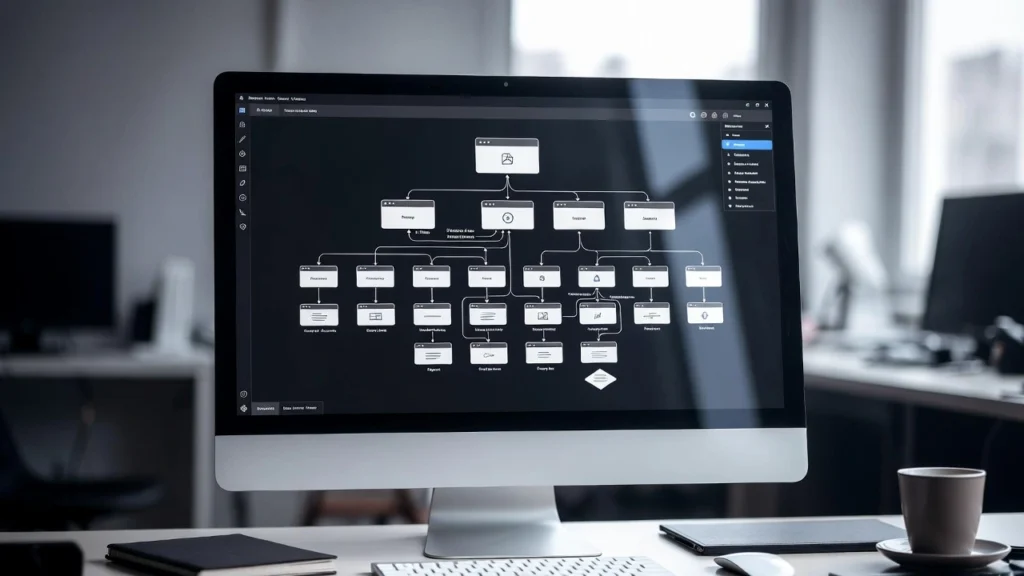
Website architecture SEO refers to the way your site is structured, organized, and interconnected — from URL hierarchy and internal linking to crawl paths and content silos. A strong architecture helps Google understand your content faster, crawl more efficiently, distribute link equity properly, and rank your most important pages higher.
With Core Web Vitals still in play, mobile-first indexing dominant, and AI-powered crawlers becoming more selective, poor site architecture is one of the fastest ways to lose rankings — even if your on-page content is perfect. At Cope Business, we treat website architecture as the foundation of every technical SEO project. A clean, logical structure often gives 20–40% more organic traffic lift than content or backlink work alone. This comprehensive guide explains what website architecture SEO really means and shows you exactly how to audit and improve yours — step by step.
What Is Website Architecture in SEO?
Website architecture is the blueprint of your site:
- URL hierarchy (flat vs deep)
- Internal linking flow
- Content silos / topic clusters
- Crawl budget distribution
- Navigation depth & menu structure
- Breadcrumb trails
- XML sitemap logic
- Robots.txt & noindex rules
Good architecture = Google can find, understand, and rank your best pages quickly. Bad architecture = important pages get buried, crawl budget is wasted, and rankings suffer.
Why Website Architecture Matters More
- AI & Semantic Crawling: Google’s crawlers now understand topical depth and entity relationships better → deep, messy silos hurt more
- Mobile-First + Core Web Vitals: Slow or confusing navigation = higher bounce rate = lower rankings. Learn how to optimize website performance effectively.
- Zero-Click & SERP Features: Google wants to show the most authoritative page → architecture decides which page wins
- Crawl Budget Efficiency: Large sites (10,000+ pages) lose visibility if architecture is poor
- E-E-A-T Signals: Clear structure shows expertise and trustworthiness
Step-by-Step: How to Audit & Fix Your Website Architecture
1. Audit Current Structure (Tools & Manual Check)
- Screaming Frog SEO Spider (free up to 500 URLs): Crawl site → Site Structure → Tree View → Check depth (ideal: 3 clicks max from home)
- Ahrefs Site Audit → Pages report → Filter by depth & orphan pages
- Google Search Console → Crawl stats + Sitemaps → Look for crawl errors & coverage gaps
- Manual Check: Open homepage → Can you reach every important page in ≤3 clicks? Consider a technical SEO audit to identify issues.
Common red flags:
- Pages deeper than 4–5 levels
- Orphan pages (no internal links)
- Duplicate URLs (www vs non-www, trailing slash issues)
- Mixed subfolders & subdomains without clear purpose
2. Create Logical Content Silos / Topic Clusters
Group related content into clear silos. Example for copebusiness.com:
- /seo/ (main pillar)
- /seo/technical-seo-audit-service/
- /seo/wordpress-speed-optimization-services/
- /seo/hreflang-tags-wordpress/
- /wordpress/ (another pillar)
- /wordpress/custom-wordpress-dashboard/
- /wordpress/server-level-optimization-tips-wordpress/
Rules:
- One main pillar page per silo
- Cluster pages link back to pillar
- Pillar links to clusters
- Use breadcrumb navigation
3. Optimize URL Structure
- Keep URLs short, readable, keyword-rich
- Use hyphens (not underscores)
- Consistent hierarchy: example.com/category/subcategory/post
- No dates in URLs (unless news site)
- Canonicalize www vs non-www, trailing slash vs no-slash
Implementation:
- Rank Math / AIOSEO → Global settings → Permalink structure
- 301 redirects for old URLs
4. Build Strong Internal Linking
- Link from high-authority pages to important clusters
- Use descriptive anchor text
- Add contextual links in content
- Use related posts / “You may also like” sections
- Breadcrumbs → Helps users & Google understand hierarchy
5. Control Crawl Budget
- Noindex low-value pages (tag archives, thin pages)
- Block unnecessary folders in robots.txt (wp-admin, wp-includes)
- Submit clean XML sitemap (only indexable pages)
- Use internal link equity to important pages
6. Technical Architecture Checks
- HTTPS everywhere
- Proper 301 redirects (old → new URLs)
- XML sitemap + robots.txt validation
- Mobile-first responsive design
- Fast server response (TTFB < 200ms)
Tools to Audit & Fix Architecture
- Screaming Frog (crawl & visualize structure)
- Ahrefs / Semrush Site Audit (depth, orphans, redirects)
- Google Search Console (crawl stats, coverage)
- Visual Site Mapper tools (Netpeak Spider, DynoMapper)
Final Thoughts
Website architecture SEO is the invisible foundation that supports everything else — content, backlinks, speed. Fix it once properly and your site will rank faster, crawl better, and convert higher. Clean architecture separates top-ranking sites from the rest.
Have Questions or Need Assistance?
Contact Our Team Today and Let’s Grow Your Business Together.


