
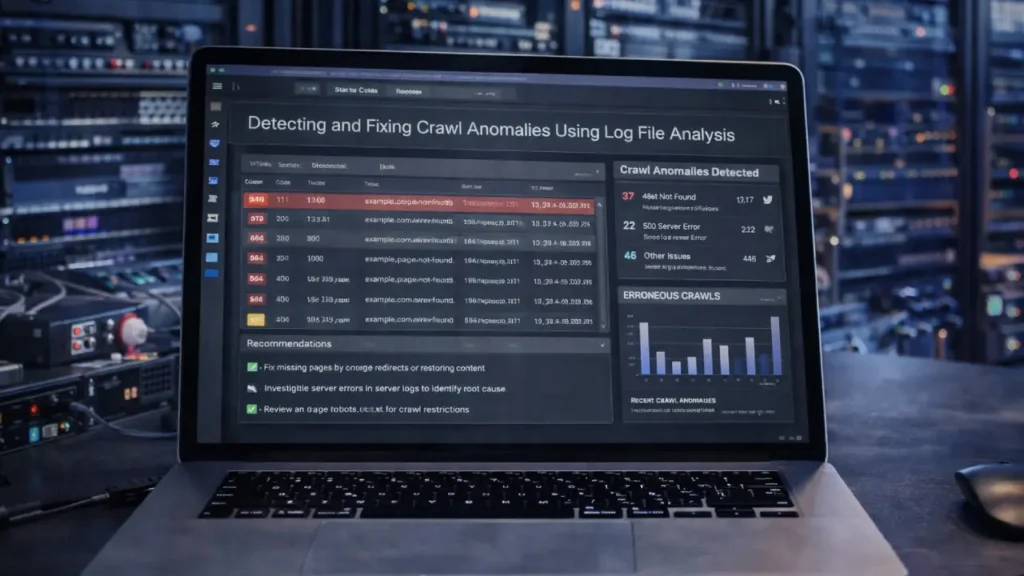
Crawl anomalies can silently damage your website’s SEO performance. When search engine bots struggle to crawl your site efficiently, it leads to indexing delays, wasted crawl budget, and missed ranking opportunities. One of the most powerful ways to diagnose and fix these issues is through log file analysis.
Log file analysis provides raw, unfiltered data showing exactly how search engine bots interact with your website. Unlike third-party crawlers, log files reveal real bot behavior — what they crawl, how often, and where they face issues.
This guide explains how to detect crawl anomalies using log file analysis and how to fix them to improve crawl efficiency and indexing.
What Is Log File Analysis in SEO?
A log file is a server-generated record of every request made to your website. It includes requests from:
- Googlebot
- Bingbot
- Other search engine crawlers
- Users and browsers
Each log entry contains critical data such as:
- IP address
- Timestamp
- Requested URL
- HTTP status code
- User agent
- Response size
Analyzing this data helps SEOs understand real crawl behavior rather than relying only on simulated audits.
Why Log File Analysis Matters for Crawl Optimization
Log analysis uncovers technical SEO insights that traditional tools often miss.
Key Benefits
- Identify crawl waste
- Detect orphan pages crawled by bots
- Monitor crawl frequency
- Discover blocked resources
- Analyze crawl budget allocation
For deeper crawl structure insights, see:
How to Audit Deeply Nested Pages for Better Crawl Efficiency
Common Crawl Anomalies Detected via Log Files
1. Excessive Crawling of Non-Important Pages
Search engines may waste crawl budget on:
- Filter parameters
- Session IDs
- Faceted navigation URLs
- Duplicate pages
This prevents important pages from being crawled frequently.
Related reading:
SEO for Faceted Navigation: Preventing Duplicate Content
2:2. Crawl Budget Waste on Redirects
Bots often crawl redirected URLs repeatedly.
Issues include:
- Redirect chains
- Redirect loops
- Outdated internal links
Fixing these improves crawl efficiency significantly.
Learn more:
Optimizing Redirect Chains and Loops for Better Rankings
3. Crawling of 4xx and 5xx Errors
Log files often reveal bots hitting:
- 404 pages
- 410 pages
- 500 server errors
Frequent crawling of error pages signals poor technical health.
4. Orphan Page Crawling
Bots sometimes discover orphan pages via backlinks or old sitemaps even if they’re not internally linked.
This indicates structural inefficiencies.
5. Low Crawl Frequency on Important Pages
If high-value pages are rarely crawled, it may indicate:
- Weak internal linking
- Deep crawl depth
- Poor site architecture
How to Perform Log File Analysis
1. Collect Log Files
Obtain raw server logs from your hosting provider or server admin.
Common formats:
- Apache logs
- Nginx logs
- IIS logs
Ensure logs include bot user agents.
2. Filter Search Engine Bots
Segment data to isolate crawler activity:
- Googlebot
- Googlebot Mobile
- Bingbot
This removes user noise and focuses on SEO insights.
3. Analyze Crawl Frequency
Identify:
- Most crawled pages
- Least crawled pages
- Crawl spikes
Compare crawl activity with your priority pages.
4. Review Status Codes
Group URLs by response codes:
- 200 (OK)
- 301/302 (Redirects)
- 404 (Not found)
- 500 (Server errors)
High error or redirect ratios indicate crawl anomalies.
5. Detect Crawl Paths
Analyze crawl journeys:
- Entry pages
- Crawl depth
- Crawl sequences
This reveals structural inefficiencies.
Tools for Log File Analysis
- Screaming Frog Log File Analyser
- JetOctopus
- OnCrawl
- Splunk
- ELK Stack (Elasticsearch + Logstash + Kibana)
These tools visualize crawl data for faster insights.
How to Fix Crawl Anomalies
1. Optimize Crawl Budget
- Block low-value parameters in robots.txt
- Use canonical tags
- Consolidate duplicate URLs
2. Fix Redirect Issues
- Remove redirect chains
- Update internal links
- Redirect directly to final URLs
3. Resolve Error Pages
- Fix broken internal links
- Restore deleted high-value pages
- Implement proper 410 handling
4. Strengthen Internal Linking
Improve crawl paths by:
- Adding contextual links
- Using breadcrumbs
- Linking from high-authority pages
5. Update XML Sitemaps
Ensure sitemaps include:
- Only indexable URLs
- Updated canonical pages
- Recently published content
Best Practices for Ongoing Log Monitoring
- Analyze logs monthly for large sites
- Monitor crawl spikes
- Track Googlebot mobile vs desktop
- Watch crawl activity after site changes
- Store logs for long-term trend analysis
Final Thoughts
Log file analysis is one of the most powerful yet underutilized technical SEO techniques. It reveals real search engine behavior, enabling you to detect crawl anomalies that traditional audits often miss.
By identifying crawl waste, fixing redirect inefficiencies, resolving errors, and optimizing crawl paths, you can dramatically improve crawl efficiency and indexing performance.
For large websites especially, log analysis is essential to ensure search engines spend their crawl budget on pages that actually matter.
Need Help Analyzing Your Crawl Data?
If you want expert support detecting crawl anomalies and optimizing crawl budget, our technical SEO team can help Contact Cope Business.


