
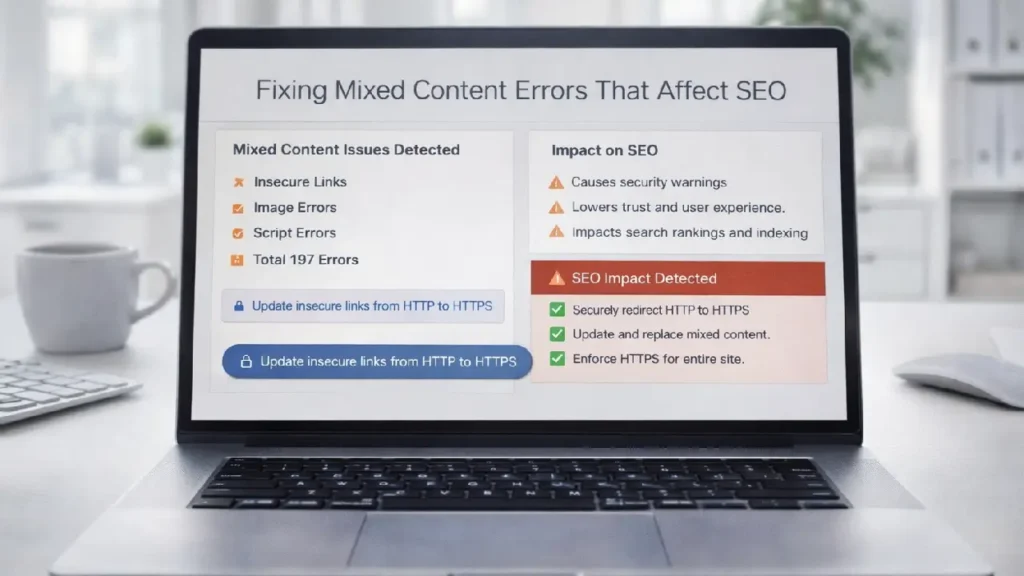
Migrating your website to HTTPS is one of the most important steps for security and SEO. However, many websites experience mixed content errors after migration. These errors occur when an HTTPS page loads resources (images, scripts, stylesheets, or iframes) over HTTP.
Mixed content not only damages user trust but can also negatively affect your SEO performance, page speed, and search rankings. In this guide, you’ll learn how mixed content impacts SEO and how to fix it properly.
What Are Mixed Content Errors?
Mixed content happens when a secure page (HTTPS) includes resources loaded via an insecure protocol (HTTP).
There are two main types:
1. Passive Mixed Content
Includes images, videos, or audio files loaded over HTTP. While browsers may still display them, they reduce security signals.
2. Active Mixed Content
Includes scripts, CSS files, iframes, or AJAX requests loaded over HTTP. Browsers often block these resources entirely, breaking page functionality.
When search engines detect insecure resources, they may reduce trust signals, which can impact rankings.
Why Mixed Content Hurts SEO
- Security Warnings: Browsers may show “Not Secure” warnings, reducing user trust.
- Broken Resources: Blocked scripts can break layout and functionality.
- Lower Page Speed: Insecure resources can delay loading or fail entirely.
- Indexing Issues: Search engines prefer secure and fully functional HTTPS pages.
For example, improving overall performance and rendering is essential for SEO success. Learn more in:
👉 Optimizing Critical Rendering Path for Faster Page Loads
How to Identify Mixed Content Issues
1. Use Browser Developer Tools
Open your website in Chrome → Right-click → Inspect → Console tab. Mixed content warnings will appear in red.
2. Run an HTTPS Audit
Use tools like:
- Google Search Console
- Screaming Frog SEO Spider
- Why No Padlock
- SSL Labs
3. Check Your CMS and Database
Many mixed content errors come from hardcoded HTTP URLs in:
- Theme files
- Database content
- CSS files
- Plugin settings
Step-by-Step Guide to Fix Mixed Content Errors
Step 1: Update Internal Links to HTTPS
Replace all http:// internal URLs with https://.
In WordPress, you can:
- Update WordPress Address (URL) and Site Address (URL)
- Use a database search-and-replace tool
- Ensure media files use HTTPS links
Step 2: Update Hardcoded Scripts and Stylesheets
Check your theme files for:
<script src="http://example.com/script.js"></script>
<link rel="stylesheet" href="http://example.com/style.css">
Replace with:
<script src="https://example.com/script.js"></script>
<link rel="stylesheet" href="https://example.com/style.css">
Step 3: Use Relative URLs
Instead of absolute URLs, use protocol-relative or relative paths:
<script src="//example.com/script.js"></script>or
<script src="/script.js"></script>This prevents protocol conflicts.
Step 4: Update Third-Party Scripts
Some mixed content errors come from external services such as:
- Ad networks
- Chat widgets
- Analytics scripts
Ensure these scripts are loaded securely. If not, consider replacing them.
You can learn more about evaluating external scripts here:
👉 How to Audit Third-Party Scripts for SEO Impact
Step 5: Implement Proper Redirects
Make sure all HTTP URLs redirect permanently (301) to HTTPS versions.
- Preserve link equity
- Ensure search engines index the correct version
- Force users onto secure pages
Preventing Mixed Content Issues in the Future
- Always use HTTPS when adding new resources.
- Update themes and plugins regularly.
- Monitor Google Search Console for security warnings.
- Test pages after migrations or updates.
If your website uses JavaScript-heavy frameworks, ensure secure rendering and indexing as well.
👉 Best Practices for Indexing JavaScript-Rich Pages
Final Thoughts
Fixing mixed content errors is critical for maintaining strong SEO performance, site security, and user trust. Even small HTTP resources can cause browser warnings, broken functionality, and reduced search visibility.
By systematically identifying insecure resources, updating internal links, securing third-party scripts, and implementing proper redirects, you can ensure your website remains fully HTTPS-compliant and optimized for search engines.
Regular audits and monitoring will help you maintain a secure, fast, and SEO-friendly website.
Need Professional Help?
If you need expert assistance fixing mixed content errors and improving your technical SEO performance: Contact Cope Business.


