
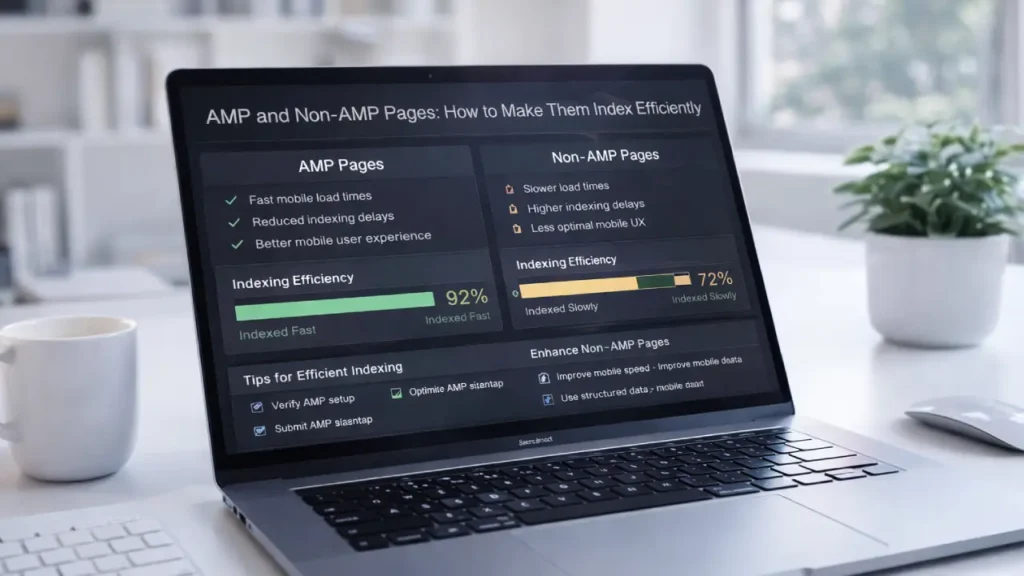
AMP and Non AMP Pages require careful technical implementation to ensure both versions are indexed correctly without causing duplication or crawl inefficiencies. When configured properly, they can improve mobile performance while preserving your main website’s SEO strength.
Many websites struggle with canonical errors, indexing conflicts, or improper linking between AMP and non-AMP versions. If not handled correctly, this can dilute ranking signals and confuse search engines.
In this guide, you’ll learn how to properly configure AMP and non-AMP pages for efficient indexing, improved crawl budget management, and stronger search visibility.
Understanding AMP and Non-AMP Pages
AMP (Accelerated Mobile Pages) is a framework designed to create lightweight, fast-loading pages primarily for mobile users. Non-AMP pages are your standard HTML versions.
Google treats AMP as an alternative version of a canonical page, not a replacement. This means correct linking and tagging is essential.
When implemented incorrectly, search engines may:
- Index both versions separately
- Ignore canonical signals
- Waste crawl budget
- Show the wrong version in search results
Efficient indexing ensures search engines understand which version is primary and how both versions relate.
AMP and Non-AMP Pages Index Efficiently With Proper Canonicalization
One of the most important steps is setting up correct canonical and amphtml tags.
Correct Configuration
On the Non-AMP Page:
<link rel="amphtml" href="https://example.com/page/amp/">On the AMP Page:
<link rel="canonical" href="https://example.com/page/">This signals:
- Non-AMP = Primary version
- AMP = Alternate mobile version
Without this structure, search engines may treat both pages as duplicate content.
If you’re dealing with crawl and redirect complexity, you may also find this helpful:
Optimizing Redirect Chains and Loops for Better Rankings
Avoid Duplicate Content Issues
Improper configuration can create duplication problems. To prevent this:
- Ensure only the non-AMP version is canonical
- Avoid self-referencing canonical on AMP
- Keep content consistent between versions
- Maintain identical structured data where possible
If duplication issues persist, review your crawl setup. You can explore advanced monitoring techniques here:
Automating Technical SEO Audits for Enterprise Sites
Manage Crawl Budget Effectively
Large websites using AMP often double their URL count. This increases crawl demand.
To keep crawl budget optimized:
- Include only canonical URLs in XML sitemaps
- Exclude AMP URLs from sitemaps (unless standalone)
- Avoid internal linking to AMP from desktop navigation
- Ensure robots.txt does not block AMP accidentally
For broader crawl optimization strategies, read:
Optimizing URL Structure for Scalability and Crawl Efficiency
Structured Data Consistency
Structured data should remain consistent across AMP and non-AMP versions.
- Use identical JSON-LD schema
- Validate both versions in Google’s Rich Results Test
- Avoid missing properties on AMP
Inconsistent schema can lead to rich result errors and indexing discrepancies.
Improve Performance Without Relying Only on AMP
While AMP improves mobile speed, Google now prioritizes Core Web Vitals across all page types.
- Optimize images
- Minify CSS and JavaScript
- Use lazy loading
- Reduce render-blocking scripts
If your non-AMP pages perform well, AMP may not always be necessary.
Monitor Indexation in Google Search Console
After implementation:
- Inspect both AMP and non-AMP URLs
- Check canonical recognition
- Monitor AMP enhancement reports
- Review coverage issues
Watch for:
- Duplicate without user-selected canonical
- AMP page not indexed
- Alternate page with proper canonical tag
Early detection prevents ranking drops.
When Should You Use AMP Today?
AMP is most useful for:
- News publishers
- Content-heavy blogs
- High mobile traffic sites
However, with modern performance optimization, many websites can achieve similar speed without AMP.
Before implementing AMP, evaluate:
- Technical resources
- Site complexity
- Maintenance capacity
- Long-term SEO strategy
Common Mistakes to Avoid
- Canonical pointing from non-AMP to AMP
- Including both versions in sitemaps
- Blocking AMP via robots.txt
- Using different structured data
- Serving different core content
These mistakes can fragment ranking signals and reduce performance.
Final Thoughts
AMP and Non-AMP Pages can coexist efficiently when implemented with proper canonicalization, crawl management, and structured data consistency. The goal is not just speed but clarity for search engines.
Efficient indexing ensures:
- No duplication conflicts
- Strong ranking signal consolidation
- Optimized crawl budget
- Better mobile visibility
Need Professional Help?
If you want expert support configuring AMP and non-AMP pages correctly for maximum SEO efficiency: Contact Cope Business


