You hired someone to build your website. They told you: “We need a page for every town you serve — that way, when someone in Lucan searches for your service, your Lucan page shows up. When someone in Malahide searches, your Malahide page shows up.”
It sounded logical. So you ended up with 50, 80, maybe 200 pages on your website — one for every suburb, village, and town in your area.
Then you checked Google. None of those pages are showing up.
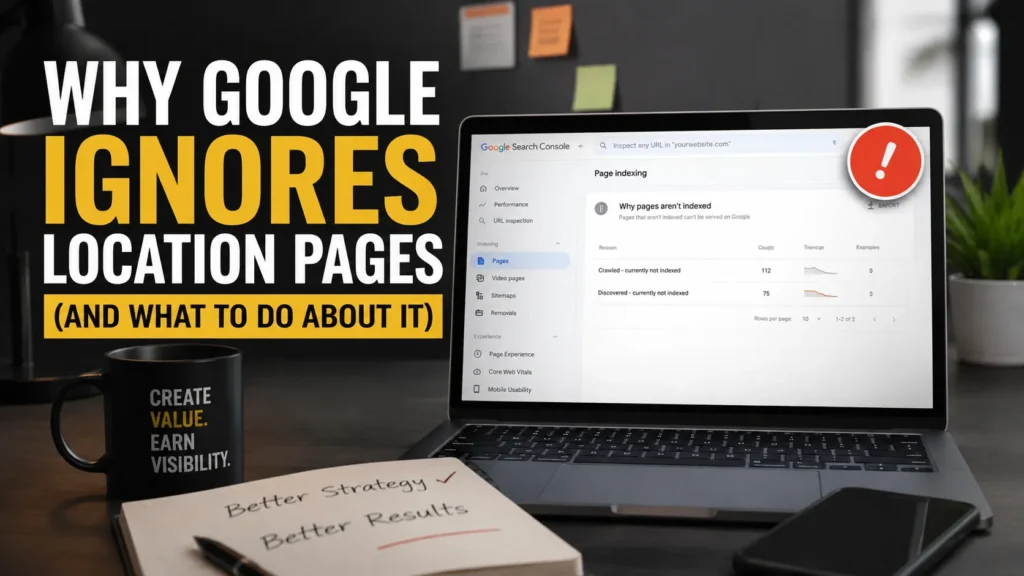
You searched “[your service] Lucan” — nothing. You checked Google Search Console and saw a sea of pages labeled “Crawled – currently not indexed” or “Discovered – currently not indexed.”
You might be wondering: Is my website broken? Is it a technical problem? Did Google miss something?

The short answer: no, nothing is broken. Google saw your pages. It just decided they weren’t worth showing to anyone.
Here’s why — and what you can do instead.
What “Crawled – Currently Not Indexed” Actually Means

Google Search Console is the free tool Google provides for website owners to monitor how their site appears in search results. One of its reports — the Page Indexing report — tells you which of your pages are included in Google’s search results and which are not.
If you see your location pages listed under “Crawled – currently not indexed,” it means Google’s automated crawler visited your page, read all the content on it, evaluated it — and made a conscious decision not to include it in search results.

This is not a glitch. Google did not miss your page. It looked at it and decided it doesn’t add enough value to warrant showing it to searchers.
That’s a harder pill to swallow, but understanding it is the first step toward fixing it.
Why Google Made That Decision
In most cases, the reason is straightforward: your location pages all say essentially the same thing.
Take a step back and look at your location pages honestly. If your Lucan page says “We provide expert [service] in Lucan — contact us today” and your Malahide page says “We provide expert [service] in Malahide — contact us today,” those pages are functionally identical. The only difference is the town name.
Same service description. Same company story. Same FAQ answers. Same images. Same contact details.
From a customer’s perspective, there’s no reason to have separate pages. A person in Lucan gets the exact same information as a person in Malahide. The pages don’t tell them anything different about working with you.
Google sees this too. Its systems are specifically designed to detect when a website creates many nearly identical pages targeting different locations. Google calls these “doorway pages” — pages that exist to appear in search results for specific locations but don’t provide a genuinely different experience once someone clicks through.
Google has been filtering out this type of content since 2015, and their technology for detecting it has only improved since then.
“But My Pages Were Written by AI and They’re All Different”
You might have been told that each page was rewritten to be unique — perhaps using AI tools. And technically, the wording might be different from page to page.
But here’s what matters: if every page communicates the same message, answers the same questions, follows the same structure, and provides the same experience — different words don’t make it different content.
Think of it this way: if you swapped the town name on any two of your location pages, would anyone notice? Would a customer landing on your “Blackrock” page get meaningfully different information than one landing on your “Portobello” page?
If the answer is no, Google sees them as essentially the same page repeated over and over — and it won’t index all of them.
What Actually Works Instead
The good news is that the solution is simpler than creating 100+ pages. It’s also cheaper and more effective.
Option 1: A Single, Strong Service Areas Page
Instead of 100 thin pages, create one comprehensive page that shows exactly where you operate. This page should include a map showing your coverage area, a clear list of the towns and neighborhoods you serve (grouped by region if helpful), your business address and how far you’ll travel, testimonials from customers in different areas, and a contact form or booking option.
This single page can rank for “[your service] Dublin” and related searches far more effectively than 100 pages that Google refuses to index. Why? Because it’s a genuinely useful page. A customer landing on it immediately understands where you operate and how to reach you.
Option 2: Location Pages That Earn Their Place
There ARE cases where a separate location page makes sense — but only when it contains something the other pages don’t.
Ask yourself: do you have completed project photos from a specific area? Customer reviews that mention that neighborhood? A case study from a job in that town? Specific details about working in that area — like common house types, local access considerations, or seasonal factors?
If yes, that’s a location page worth building. It gives the customer genuine, location-specific information they can’t get from your main page.
If you can’t point to anything that makes the page different beyond the town name in the heading, that page shouldn’t exist as a standalone page. Fold that location into your service areas page instead.
Option 3: The Smart Reduction
If you currently have 100+ location pages and only 5-10 areas where you have genuine local content, here’s the practical plan. Keep and improve the 5-10 pages where you have real local proof — photos, testimonials, case studies. Build one strong service areas hub page listing every town you cover. Redirect the remaining template pages to either the hub page or the most relevant local page.
Five pages that Google actually shows to searchers will bring in far more customers than 100 pages that nobody ever sees.
How to Know If This Is Your Problem
Here’s a quick self-check. Open two of your location pages side by side. Read them honestly and ask yourself three questions.
First, if I removed the town name from both pages, could I tell them apart? If they read the same without the town name, Google sees them the same way.
Second, does this page contain anything a customer couldn’t find on my main services page? If the location page is just repeating your main page with a town name added, it’s not providing additional value.
Third, would a customer in this town learn something specific about working with me by reading this page? If there are no local photos, no area-specific testimonials, no details about how your service works in that particular area — the page isn’t giving them a reason to choose you over a competitor.
The Bottom Line
Creating a page for every town you serve is not an SEO strategy — it’s a content quantity play that Google has been actively filtering for years.
The businesses that win local search visibility in 2026 are the ones that invest in fewer, better pages with real proof of local expertise.
If you’re sitting on 100+ unindexed location pages right now, don’t panic. But don’t ignore it either. Those pages are costing you crawl resources while producing zero visibility. Consolidate, invest in genuine local content, and watch Google start actually showing your pages to the customers who are searching for you.