Migrating a website whether it’s a domain change, a platform switch, or both is one of the riskiest moments in a site’s SEO lifecycle. Done right, it’s invisible to your traffic and rankings. Done wrong, it can wipe out months (or years) of SEO progress in a matter of days. Here’s a real case from our own work that shows exactly how much can go wrong when a website migration happens without a plan and how we fixed it.
The Background: A Technical SEO Fix Turns Into a Migration Emergency
A client came to us for a fairly standard technical SEO audit. Their site was built on the IONOS website builder, and we were in the middle of resolving crawl errors, indexing issues, and on-page technical fixes. Everything was progressing smoothly.
Then, midway through the project, the client changed their domain without telling us in advance and without any migration plan in place. By the time we found out, the damage was already done.
The client assured us the redirects had been “set up successfully.” In reality, once we dug in, we found a textbook example of what happens when a domain migration is handled without SEO oversight.
What We Found: A Perfect Storm of Migration Errors
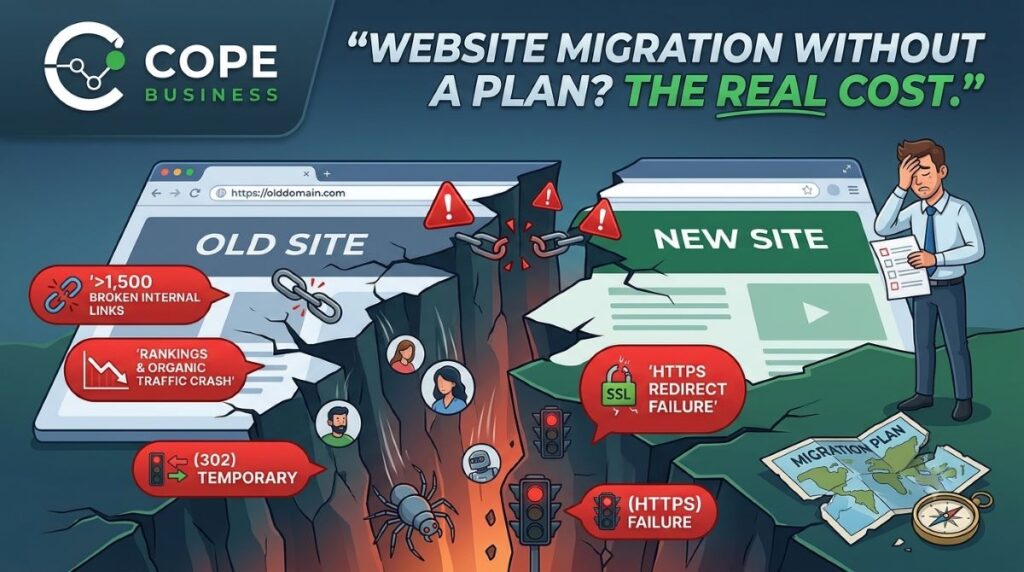
When we audited the new domain, several critical issues surfaced at once any one of which could have caused a traffic drop on its own. Together, they were compounding the damage daily.
1. Redirects Were Returning 302s Instead of 301s
The client believed redirects were “working” because the old URLs were forwarding to the new domain. But when we checked the HTTP status codes, every redirect was returning a 302 (temporary redirect) instead of a 301 (permanent redirect).
This distinction matters enormously in SEO. A 302 tells Google, “this move is temporary keep the old URL indexed and don’t pass ranking signals to the new one.” A 301, on the other hand, tells Google to permanently transfer link equity, rankings, and indexing to the new URL. With 302s in place, the site was essentially telling search engines to ignore the migration and hold on to the old domain which is a major reason rankings and traffic began slipping.
2. The HTTPS (SSL) Version of the Old Domain Wasn’t Redirecting at All
This was the most damaging issue of the entire migration. Only the HTTP version of the old domain was redirecting to the new site. The moment a user or search engine hit the HTTPS (SSL) version of the old domain which is how the vast majority of real traffic and virtually all crawler requests arrive the redirect simply didn’t fire. The page failed to resolve at all.
In practice, this meant:
- http://olddomain.com → redirected correctly to the new site
- https://olddomain.com → did not redirect, did not resolve, dead end
- http://www.olddomain.com → inconsistent behavior
- https://www.olddomain.com → did not redirect, did not resolve, dead end
Since almost all modern browsers default to HTTPS, and Google itself crawls and indexes the secure version of a site by preference, this single gap meant that the majority of real users and search engine crawlers were hitting a broken, unresolved URL instead of being redirected. This is one of the most common and most damaging mistakes in a rushed platform migration: the redirect rule gets written for one protocol and never tested against the other, so the site quietly loses its most-used entry points.
3. Over 1,500 Internal Links Were Broken
Because the site had been built with full absolute URLs hardcoded throughout (a common issue with website builders like IONOS), and because those URLs weren’t resolving correctly after the domain change, the internal linking structure collapsed. We found more than 1,500 internal links pointing to broken or non-redirecting URL versions meaning users and crawlers alike were hitting dead ends across the site.
The combined effect: falling rankings, a sharp drop in organic traffic, and a site that was practically unreadable to search engines.
Seeing broken redirects or lost traffic after a migration?
Every issue in this case study is fixable but the longer it sits live, the more indexing and rankings it costs you.
Explore Our Website Migration ServicesWhy This Happens So Often During Website Migrations
This case isn’t unusual it’s actually one of the most common scenarios we see. Business owners and even developers often assume a migration is “just pointing the old domain to the new one.” In reality, a proper website migration needs to account for:
- Correct redirect types (301, not 302) for every single URL
- A single canonical version of the domain (HTTPS, with or without www chosen and enforced consistently)
- Complete internal link audits and updates, not just homepage redirects
- Search engine re-verification through Google Search Console
- XML sitemap updates and resubmission
- Monitoring for crawl errors and indexing status post-migration
Skip even one of these, and the migration can quietly bleed traffic for weeks before anyone notices the root cause.
How We Fixed It
Once we identified the full scope of the problem, we rebuilt the migration from the ground up rather than patching individual issues. Here’s what that process looked like:
Step 1: Corrected Redirect Logic
We replaced every 302 redirect with proper 301 redirects, ensuring search engines received a clear, permanent signal to transfer authority and indexing to the new domain.
Step 2: Canonicalized the Domain
We set up server-level redirects so that all four URL variations (HTTP/HTTPS, www/non-www) funneled into one single, secure, preferred version eliminating duplicate content and consolidating ranking signals.
Step 3: Fixed 1,500+ Internal Links
We manually audited and updated the internal linking structure so every internal URL pointed directly to the correct, live destination removing unnecessary redirect hops and restoring a clean crawl path for both users and search engines.
Step 4: Reconfigured Google Search Console
We set up and verified the new domain property in GSC, submitted updated XML sitemaps, and used the Change of Address tool where applicable to formally notify Google of the migration.
Step 5: Monitored Recovery
Post-migration, we tracked crawl stats, indexing coverage, and ranking recovery closely, catching and resolving any residual issues before they could compound.
Domain Migration vs. Platform Migration: Why the Approach Differs
This experience is a good example of why we treat every migration differently depending on what’s actually changing:
Domain Change Only (Same URL Structure)
When only the domain changes and the URL structure stays the same, the process is more straightforward: 301 redirect mapping between old and new domains, canonical and HTTPS setup, GSC change-of-address configuration, and sitemap resubmission.
Platform Change (With URL Structure Changes)
When you’re also switching platforms for example, moving off a website builder like IONOS onto WordPress URL structures often change too. This requires a full URL mapping document, page-by-page 301 redirects, a complete internal link update across the entire site, and careful re-indexing monitoring to make sure nothing gets lost in the transition.
Both scenarios need a documented migration plan built before the switch happens not damage control after.
Key Lessons From This Migration Disaster
- Never launch a domain or platform change without a documented redirect and URL mapping plan.
- Always verify redirects return a 301 status, not a 302 a “working” redirect isn’t always the right redirect.
- Canonicalize your domain to one HTTPS version before launch.
- Audit internal links site-wide don’t assume redirects alone will catch everything.
- Loop in your SEO team before a migration, not after traffic has already dropped.
Planning a Website Migration? Don’t Leave It to Chance
Whether you’re changing your domain, switching platforms, or doing both at once, a website migration is not something to handle reactively. At COPE Business, we build a complete migration plan tailored to your situation proper 301 redirects, canonical and SSL setup, full internal link updates, and Google Search Console configuration so your rankings and traffic move with you, not against you.
Don’t Let a Migration Cost You Your Rankings
From domain changes to full platform migrations, our team plans, executes, and monitors every redirect, canonical, and internal link so nothing gets left to chance.
Frequently Asked Questions
Should I hire a website migration SEO service before or after migrating my site?
Before, always. A website migration is one of the few SEO situations where prevention is dramatically cheaper and faster than a cure. Hiring before migration means we can map every URL, plan every redirect, and test the setup on staging none of which is possible once the old site is already gone. Hiring after issues appear means we’re doing damage control: recovering lost rankings, chasing down broken links, and re-earning trust with search engines that’s already been lost. Both are fixable, but “before” costs you far less time, money, and traffic than “after.”
What does a pre-migration SEO plan actually include?
A proper pre-migration plan starts with a full crawl and benchmark of the current site every URL, its rankings, traffic, and backlinks. From there, we build a URL mapping document that pairs every old URL to its exact new destination, so nothing is left to guess-work. Redirects are written and tested on a staging environment before go-live, canonical and SSL/HTTPS versions are decided in advance, and a rollback plan is prepared in case anything doesn’t behave as expected on launch day.
What happens in post-migration SEO work if the plan was missed?
Post-migration recovery is reactive by nature we’re fixing a live site while it’s already losing rankings, so it involves more urgency and more manual work. This typically includes auditing every redirect for correct status codes (301 vs 302), resolving unresolved HTTP/HTTPS and www versions, updating every internal link across the site to point directly to live URLs, resubmitting sitemaps, and closely monitoring Google Search Console for re-indexing. It’s the same end goal as a pre-migration plan, just done under pressure, after damage has already started.
What’s the difference between a 301 and 302 redirect in a website migration?
A 301 redirect tells search engines a page has permanently moved, passing along its ranking signals and prompting the old URL to be de-indexed in favor of the new one. A 302 redirect signals a temporary move, so search engines keep the original URL indexed and don’t transfer authority which can silently stall your rankings during a migration.
Can a website migration hurt my SEO rankings even if the site “looks fine”?
Yes this is exactly what makes migrations dangerous. A site can look completely normal to a visitor while returning the wrong redirect type, leaving an SSL version unresolved, or carrying hundreds of broken internal links that only crawlers and Search Console will flag. Visual QA isn’t enough; a migration needs to be checked at the HTTP status code and crawl level, not just the browser level.
How long does it take to recover from an unplanned migration?
Recovery time depends on how long the issues were live and how severe they were, but once 301 redirects, canonical/SSL setup, and internal linking are corrected, most sites start showing recovery signals in Google Search Console within a few weeks though full ranking recovery can take longer for sites that lost indexing on key pages.