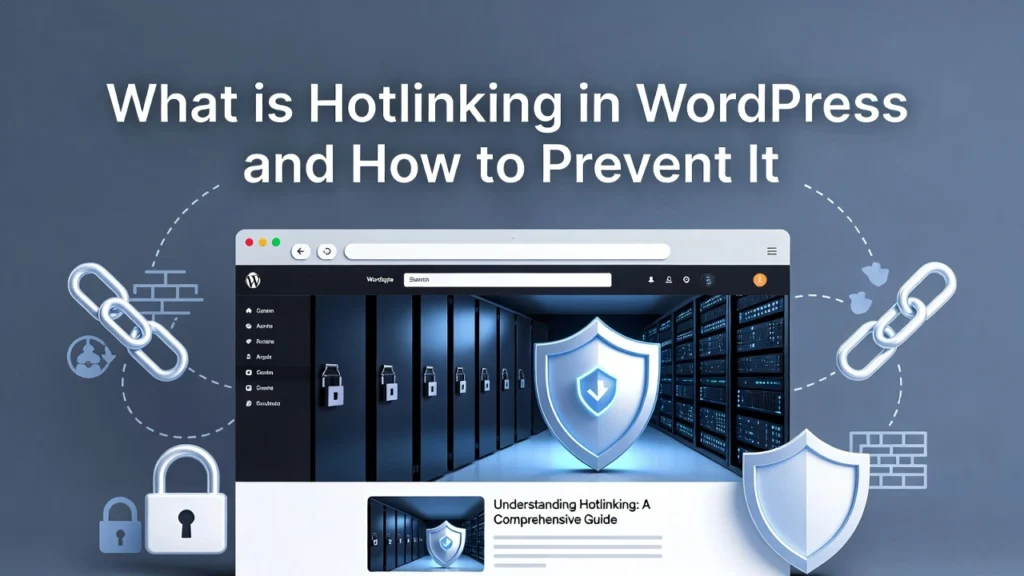
Hotlinking in WordPress is when someone displays your images or media files on their website by directly linking to your image URL without permission. This practice is considered unethical and can lead to image theft or copyright violations. At Cope Business, we often address hotlinking during our technical SEO audit services, as it can negatively impact site performance and incur additional hosting costs. In 2026, with increasing concerns over data usage and security, preventing hotlinking is essential for maintaining control over your resources.
This guide explains what hotlinking is, why it’s problematic, and how to stop it effectively in WordPress.
On this page
ToggleWhat is Hotlinking?
Hotlinking occurs when external sites embed your media files (like images, videos, or PDFs) by referencing the direct URL from your server. Instead of hosting the file themselves, they “leech” off your bandwidth. For example, if your image URL is
https://www.copebusiness.com/wp-content/uploads/image.jpganother site could use
<img src="https://www.copebusiness.com/wp-content/uploads/image.jpg">to display it on their page.
While not always malicious, it often involves unauthorized use of your content.
Problems Caused by Hotlinking
Hotlinking can create several issues for your site:
- Stolen Content and Copyright Violation: It often indicates your images (and possibly entire posts) are being copied without credit, which is illegal under copyright laws.
- Performance Degradation: Since the files are served from your server, each view on the external site consumes your resources, potentially slowing down your own site for visitors.
- Increased Bandwidth Costs: More downloads mean higher data usage, which could lead to overage fees or the need to upgrade your hosting plan prematurely.
In severe cases, hotlinking can drain your server’s resources, leading to downtime or blacklisting by hosts.
How Hotlinking Affects Your Website
- Resource Drain: Your server handles extra load, impacting speed and Core Web Vitals — crucial for SEO in 2026.
- Financial Impact: Excess bandwidth usage increases costs, especially on metered hosting plans.
- Legal and Ethical Risks: Unauthorized use can lead to DMCA takedown requests or disputes.
- SEO Implications: If hotlinked images are part of scraped content, it could dilute your site’s authority or trigger duplicate content issues.
Preventing hotlinking protects your site’s performance and intellectual property.
How to Prevent Hotlinking in WordPress
The most effective way is to edit your site’s .htaccess file to block unauthorized image requests. This method works on Apache servers (most shared hosting).
Step-by-Step Guide
- Access your site via FTP (using FileZilla) or your hosting file manager (e.g., cPanel).
- Locate the .htaccess file in the root directory (where wp-config.php is).
- Download a backup of .htaccess first.
- Edit the file and add the following code at the end:
text# Disable hotlinking of images with forbidden or custom image option RewriteEngine on RewriteCond %{HTTP_REFERER} !^$ RewriteCond %{HTTP_REFERER} !^http(s)?://(www\.)?copebusiness.com [NC] RewriteCond %{HTTP_REFERER} !^http(s)?://(www\.)?google.com [NC] RewriteRule \.(jpg|jpeg|png|gif)$ – [NC,F,L]- Replace copebusiness.com with your domain name. This allows images to load on your site and Google search results but blocks others.
- Save and upload the file.
- Test by hotlinking an image on another site — it should fail to load.
If you use NGINX (e.g., on VPS hosting), contact your host to add similar rules to the server config.
Alternative: Use a Plugin
For easier management, install Hotlink Protection or All in One WP Security (free) — both have one-click options to enable anti-hotlinking.
Pros: Automatic, no file editing. Cons: Adds a plugin (minimal impact on modern hosts).
You can also use a CDN like Cloudflare — enable hotlink protection in their dashboard for global enforcement.
Additional Tips to Protect Against Hotlinking
- Monitor Usage: Check server logs or use tools like AWStats for suspicious referrers.
- Watermark Images: Add subtle watermarks with plugins like Easy Watermark to deter theft.
- SEO Impact: If hotlinked, it doesn’t hurt your rankings directly but wastes bandwidth — prevention saves resources.
- Performance Boost: Blocking hotlinks reduces unnecessary server load, improving speed (see our speed optimization guide).
Regularly review your media library and update protections as needed.
Final Thoughts
Hotlinking is a common but preventable issue that can drain your resources and compromise your content. Implementing .htaccess rules or a plugin provides strong protection with minimal effort.
A secure, efficient site supports better performance and SEO.
Experiencing hotlinking or other security issues? Contact Cope Business for a free technical SEO consultation — we’ll audit your site, implement protections, and optimize for peak performance.