
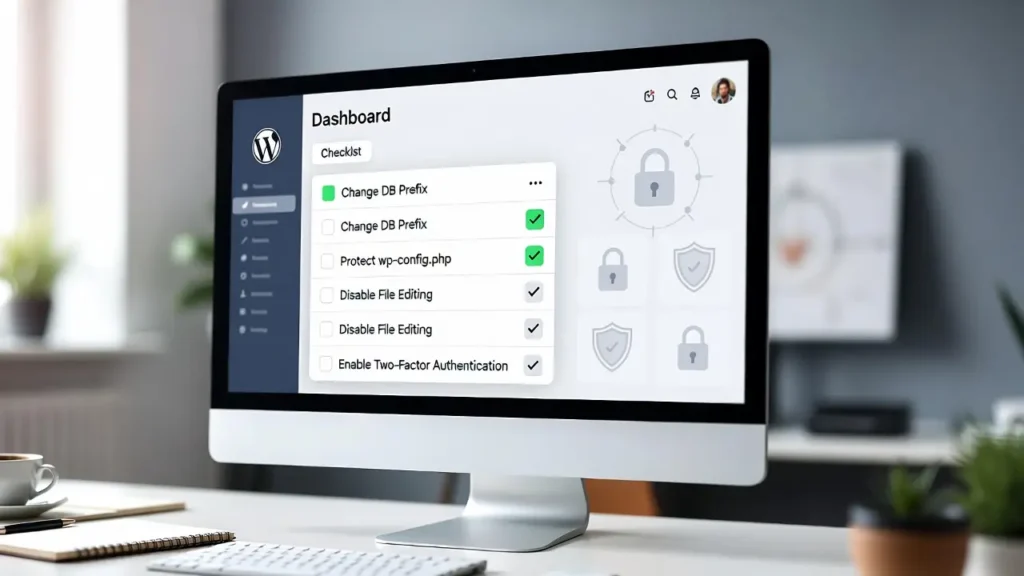
WordPress powers over 43% of the web, making it a prime target for hackers, bots, and malware. While WordPress is secure out of the box, proper hardening — strengthening your site’s defenses through configuration, plugins, and best practices — is essential to prevent breaches, data theft, downtime, and SEO penalties from blacklisting. A single hack can cost thousands in recovery and lost trust.
At Cope Business, we perform comprehensive security hardening for clients as part of our technical SEO audit services and WordPress speed optimization services, reducing vulnerability by 80–90% with layered protections.
This edition checklist covers the most effective, up-to-date steps to secure your WordPress site — from beginner basics to advanced techniques. Follow it sequentially for best results, and always test on a staging site first.
On this page
ToggleWhy Security Hardening Matters
- Rising Threats: Automated attacks (brute-force, SQL injection) target outdated sites daily.
- SEO Impact: Hacked sites get blacklisted by Google, tanking rankings.
- Compliance: GDPR/CCPA require secure data handling.
- Performance Tie-in: Secure sites load faster with optimized plugins.
- Cost Savings: Prevention is cheaper than recovery (average hack cleanup: $500–$5,000).
Over 90% of hacks come from outdated software or weak configurations — hardening fixes that.
The Ultimate WordPress Security Hardening Checklist
1. Use Strong Hosting & SSL
- Choose managed WordPress hosting: SiteGround, Kinsta, or WP Engine (automatic updates, firewalls).
- Enable free SSL (Let’s Encrypt via host) — HTTPS is mandatory.
- Avoid cheap shared hosting — opt for VPS if high-traffic.
2. Keep Everything Updated
- Enable auto-updates for minor core releases: Add to wp-config.php: define(‘WP_AUTO_UPDATE_CORE’, ‘minor’);
- Update plugins/themes manually after testing on staging.
- Use Easy Updates Manager (free) to schedule & control updates.
3. Use Strong Passwords & 2FA
- Enforce strong passwords (12+ chars, mixed case/symbols) with WP 2FA or Wordfence 2FA (free).
- Add two-factor authentication (2FA) for all users — mandatory for admins.
- Limit login attempts (see our guide).
4. Secure wp-config.php & Database
- Change permissions to 600 (see our guide).
- Change database prefix from wp_ (during install or via plugin like Brotli).
- Add security keys to wp-config.php (generate from WordPress.org).
5. Install a Security Plugin
- Wordfence (free/pro) — Firewall, malware scans, login protection.
- Sucuri Security (free/pro) — Site monitoring, hardening, cleanup.
- iThemes Security (free/pro) — 2FA, file change detection, ban bad IPs.
Enable firewall rules, scan schedules, and alerts.
6. Disable XML-RPC & Other Vulnerabilities
- Disable XML-RPC (see our guide) — blocks DDoS & brute-force.
- Disable file editing: Add to wp-config.php: define(‘DISALLOW_FILE_EDIT’, true);
- Hide WP version: Add to functions.php: remove_action(‘wp_head’, ‘wp_generator’);
7. Secure File Permissions & Directory Browsing
- Folders: 755; Files: 644; wp-config.php: 600 (see our guide).
- Disable directory browsing (see our guide).
8. Use .htaccess for Extra Protection
Add to .htaccess:
text
# Protect wp-config.php
<Files wp-config.php>
order allow,deny
deny from all
</Files>

# Block malicious bots
RewriteCond %{HTTP_USER_AGENT} (badbot|evilspider) [NC]
RewriteRule .* - [F,L]
9. Enable Regular Backups & Monitoring
- Use UpdraftPlus (free/pro) for automated backups to cloud (Google Drive, Dropbox).
- Monitor with Jetpack Security or Sucuri — alerts for downtime, malware, changes.
10. Advanced: Web Application Firewall (WAF) & CDN
- Use Cloudflare (free plan has WAF) or Sucuri Firewall (paid).
- Enable managed rules to block SQL injection, XSS, etc.
Final Thoughts
This WordPress security hardening checklist is your roadmap to a safer, more resilient site. Start with the basics (updates, strong passwords, security plugin) and layer on advanced protections as needed. Regular audits keep your site ahead of threats.
Security is ongoing — not a one-time fix.
Need a professional security audit, hardening, or help implementing this checklist? Contact Cope Business for a free technical SEO consultation — we’ll scan your site, fix vulnerabilities, and optimize it for security, speed, and rankings.


