
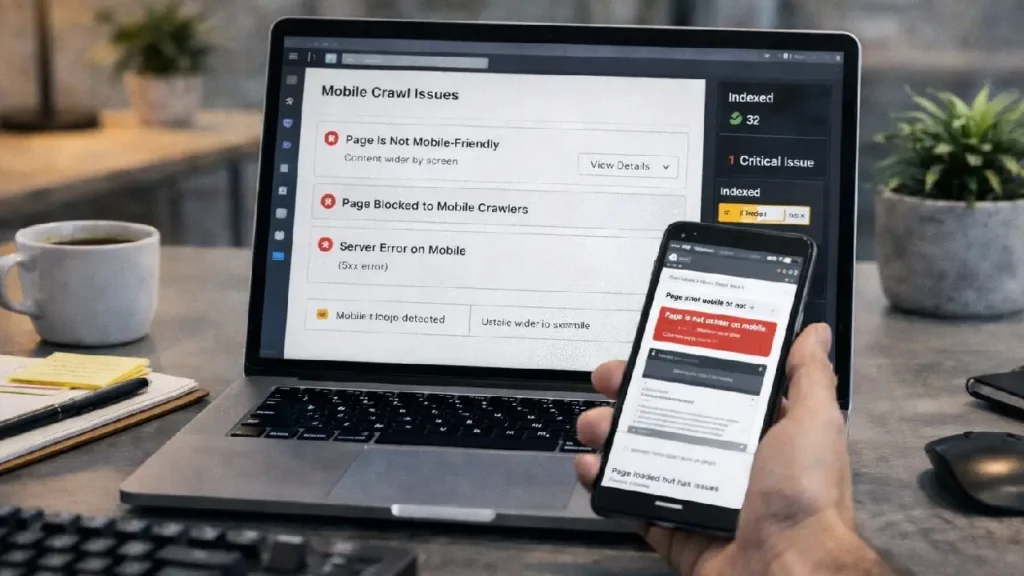
With Google’s mobile-first indexing fully dominant, the mobile version of your website is now the primary version used for crawling, indexing, and ranking. If search engines face difficulties crawling your mobile site, your visibility in search results can drop — even if your desktop site performs perfectly.
Diagnosing and fixing mobile crawl issues is therefore a critical part of technical SEO. In this guide, we’ll break down what mobile crawl issues are, why they happen, how to detect them, and how to fix them effectively.
What Are Mobile Crawl Issues?
Mobile crawl issues occur when search engine bots — particularly Googlebot Smartphone — cannot properly access, render, or index your mobile pages.
This can happen due to:
- Blocked resources
- Poor mobile architecture
- Rendering errors
- Slow mobile performance
- Faulty redirects
When bots cannot crawl mobile content, indexing becomes incomplete or inaccurate.
Why Mobile Crawlability Matters for SEO
1. Mobile-First Indexing
Google primarily uses the mobile version of content for ranking. If mobile pages are broken or missing content, rankings suffer.
2. User Experience Signals
Mobile usability affects bounce rate, engagement, and Core Web Vitals — all indirect ranking factors.
3. Crawl Efficiency
If bots struggle to render mobile pages, crawl budget is wasted — delaying indexing of key URLs.
To understand crawl optimization deeper, read:
Website Architecture SEO Guide
Common Mobile Crawl Issues
1. Blocked CSS, JS, or Images
If robots.txt blocks mobile resources, Google cannot render pages correctly.
Example problem:
Disallow: /wp-content/
This may block essential styling or scripts.
2. Faulty Mobile Redirects
Some sites redirect all mobile users to the homepage instead of equivalent pages.
This creates crawl confusion and indexing errors.
3. Unplayable Content
Flash or unsupported media may not load on mobile devices.
Google flags these as usability issues.
4. Slow Mobile Load Speed
Heavy scripts, unoptimized images, and render-blocking resources slow crawling and rendering.
5. Inconsistent Content
If mobile content differs significantly from desktop, indexing signals weaken.
How to Diagnose Mobile Crawl Issues
1. Google Search Console
Go to:
Settings → Crawl Stats → Smartphone Bot
Check:
- Crawl requests
- Response codes
- File types crawled
Also review:
Mobile Usability Report
This highlights issues like:
- Clickable elements too close
- Content wider than screen
- Text too small
2. URL Inspection Tool
Inspect a page and test:
- Crawled as: Smartphone
- Rendered HTML
- Blocked resources
3. Mobile-Friendly Test
Google’s testing tool shows rendering screenshots and crawl errors.
4. Log File Analysis
Server logs reveal how often mobile bots crawl your site and where failures occur.
How to Fix Mobile Crawl Issues
1. Unblock Critical Resources
Ensure CSS, JS, and images are crawlable.
Fix robots.txt:
Allow: /wp-content/uploads/
Allow: /wp-content/themes/
Allow: /wp-content/plugins/
2. Use Responsive Design
Responsive layouts ensure the same HTML serves both desktop and mobile — improving crawl consistency.
Avoid separate m-dot URLs unless properly configured.
3. Fix Mobile Redirect Errors
Each desktop URL should redirect to its equivalent mobile URL — not the homepage.
Improper redirects can also create chains. Learn more:
Redirect Chains & Loops SEO Guide
4. Optimize Mobile Page Speed
Improve performance by:
- Compressing images
- Using lazy loading
- Minifying CSS/JS
- Enabling caching
Speed improvements enhance crawl rate and rankings.
5. Ensure Content Parity
Mobile and desktop pages should contain:
- Same primary text
- Same structured data
- Same internal links
Missing mobile content may not be indexed.
Structured Data & Mobile Crawling
Structured data must exist on mobile pages as well.
If schema markup is missing on mobile, rich results eligibility may drop.
Learn structured data implementation here:
Structured Data Implementation Guide
Rendering & JavaScript Issues
Mobile bots render JavaScript but with limitations.
Best practices:
- Use server-side rendering (SSR) where possible
- Avoid blocking JS files
- Test rendered HTML
JS rendering issues often cause partial indexing.
Monitoring After Fixes
After resolving issues:
- Request re-indexing in Search Console
- Monitor crawl stats
- Track mobile rankings
- Re-test usability reports
Best Practices Checklist
- Use responsive design
- Keep mobile content identical to desktop
- Unblock resources
- Fix redirect errors
- Optimize speed
- Validate structured data
- Monitor crawl logs
Summary
Mobile crawlability is no longer optional — it is foundational to SEO success. Since Google indexes mobile versions first, any crawl barrier can directly impact rankings, visibility, and traffic.
By diagnosing blocked resources, fixing redirects, optimizing speed, and ensuring content parity, you help search engines fully access and index your mobile site.
Strong mobile crawling leads to:
- Faster indexing
- Better rankings
- Improved UX signals
- Higher organic traffic
Investing in mobile technical SEO ensures your site remains competitive in a mobile-first search landscape.
Have Questions or Need Assistance? Contact Us Now.


