
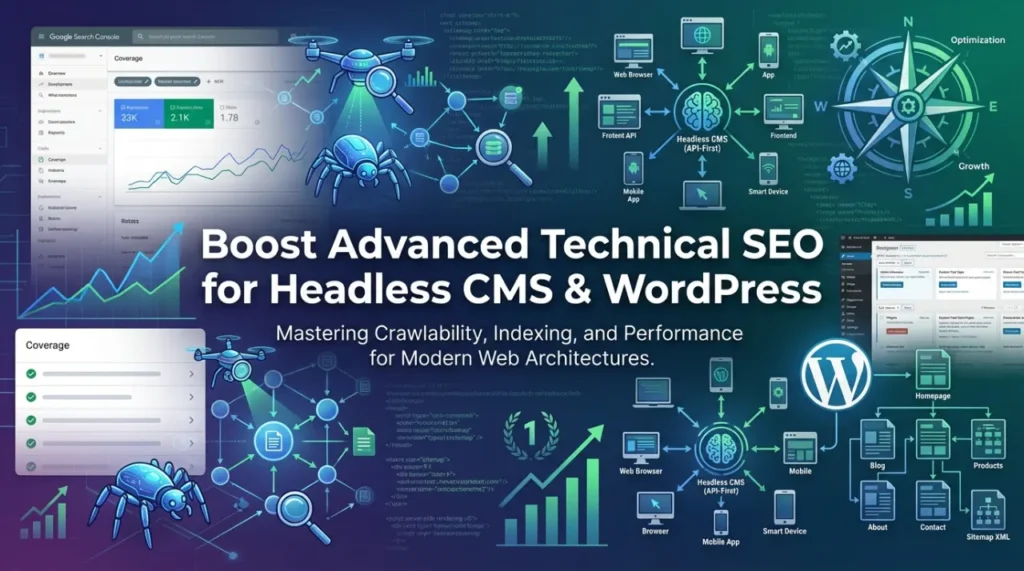
Advanced technical SEO is no longer optional — it’s essential for any modern website, whether built on WordPress or a Headless CMS. With Google’s increasing emphasis on crawl efficiency, indexing quality, and Core Web Vitals, mastering these advanced techniques can dramatically improve your rankings, organic traffic, and user experience.
In this complete guide, we’ll show you how to leverage Google Search Console (GSC) to execute advanced technical SEO strategies that work for both traditional WordPress sites and JavaScript-heavy Headless CMS architectures.
What Is Advanced Technical SEO?
Advanced technical SEO goes far beyond basic on-page optimization. It focuses on how search engines crawl, render, index, and understand your website at a deep level. Key areas include:
- Crawl budget optimization
- Indexing control and efficiency
- JavaScript rendering and server-side rendering (SSR)
- Site architecture and internal linking
- Structured data implementation
- Core Web Vitals performance
Google Search Console is your primary command center for monitoring and fixing these elements in real time.
Why Advanced Technical SEO Matters More Than Ever
Today’s search algorithms reward sites that are fast, mobile-first, and technically clean. Poor technical foundations can cause:
- Slow indexing of new content
- Crawl budget waste
- Lower rankings even with great content
Whether you run a WordPress blog or a high-performance Headless CMS store, ignoring advanced technical SEO means leaving traffic on the table.
Using Google Search Console for Advanced Technical SEO
Google Search Console is the most powerful free tool for technical SEO. Here’s how to use it effectively:
1. Monitor & Fix Indexing Issues
GSC’s Indexing report shows exactly which pages are indexed and which are blocked or failed.
Action steps:
- Submit your XML sitemap and request indexing for important pages
- Fix “Crawled – currently not indexed” or “Discovered – currently not indexed” issues
- Use the URL Inspection tool to diagnose individual pages
For a step-by-step tutorial, read our guide: How to Do Google Request Indexing.
2. Optimize Crawl Budget
Crawl budget is the number of pages Googlebot will crawl on your site per session. Headless CMS sites with thousands of API-driven pages often waste it.
Pro tips:
- Remove unnecessary parameters from URLs
- Fix or noindex low-value pages (e.g., feed URLs, tag pages)
Learn exactly when to noindex, disallow, or remove feed URLs in GSC: Feed URL in GSC: Should We Noindex, Disallow, or Remove?
3. Track & Improve Core Web Vitals
The Core Web Vitals report in GSC is gold for performance optimization.
Focus on:
- Largest Contentful Paint (LCP)
- Interaction to Next Paint (INP)
- Cumulative Layout Shift (CLS)
WordPress users can improve these with caching plugins and image optimization. Headless CMS users benefit most from Static Site Generation (SSG) and edge caching.
4. Implement & Validate Structured Data
Rich results can boost click-through rates by 20–30%. Use GSC’s Enhancements → Structured Data report to validate your schema markup.
Advanced Technical SEO for WordPress Sites
WordPress is plugin-rich but can become bloated. Key optimizations:
- Choose lightweight, SEO-optimized themes
- Use a good caching plugin (WP Rocket, LiteSpeed Cache)
- Optimize your database regularly
- Create strategic internal links to distribute page authority
Internal linking is one of the easiest wins. For more advanced strategies, see our guide on Header Tags for SEO.
Advanced Technical SEO for Headless CMS
Headless sites rely on APIs and JavaScript, which introduces unique challenges:
- Server-Side Rendering (SSR) or Static Site Generation (SSG) is critical for crawlability
- Optimize API response times
- Use proper prerendering solutions so Google can see your content
- Implement clean URL structures without query parameters
Headless architectures often face more indexing issues than traditional CMS platforms. Our Indexing for SEO: Best Practices guide explains how to solve the most common problems.
Common Technical SEO Mistakes to Avoid
- Blocking important pages in robots.txt
- Poor internal linking structure
- Ignoring mobile usability issues
- Slow server response times
- Duplicate or thin content
If you’re seeing a Deceptive Site warning or sudden drop in indexed pages, follow our dedicated fix guide: How to Fix Deceptive Site Issue in Google Search Console.
Measuring Success with Google Search Console
Track these key metrics in GSC:
- Impressions vs clicks
- Average position
- Indexing coverage
- Core Web Vitals scores
Want deeper insights into search behavior? Check our analysis of Google Search Statistics.
Final Recommendations
- Perform a full technical SEO audit every 3 months
- Submit and monitor your sitemap weekly
- Fix all GSC errors and warnings immediately
- Combine GSC data with tools like Screaming Frog or PageSpeed Insights
Mastering advanced technical SEO with Google Search Console will give both your WordPress and Headless CMS websites a massive competitive edge.
Need expert help?
Our team specializes in technical SEO for modern websites. Contact us for a free consultation.
Frequently Asked Questions
Advanced technical SEO refers to deep optimization techniques that improve crawlability, indexing, site structure, and overall website performance.
It ensures WordPress websites load faster, get indexed properly, and maintain a clean structure for search engines.
Headless CMS relies on APIs and JavaScript rendering, while WordPress uses traditional themes and plugins for SEO optimization.
Server-side rendering helps search engines fully understand JavaScript-heavy pages, improving indexing and visibility.
Core Web Vitals are performance metrics like loading speed, interactivity, and visual stability that affect search rankings.
A well-structured site architecture improves crawl efficiency and helps search engines understand page relationships.
Common issues include slow page speed, poor indexing, broken links, and incorrect JavaScript rendering.
You can improve crawlability by optimizing internal links, fixing broken URLs, and improving your XML sitemap.
Yes, poorly optimized APIs can slow down content delivery and negatively impact SEO performance.
It is recommended to perform a technical SEO audit every 3–6 months to maintain optimal website performance.


