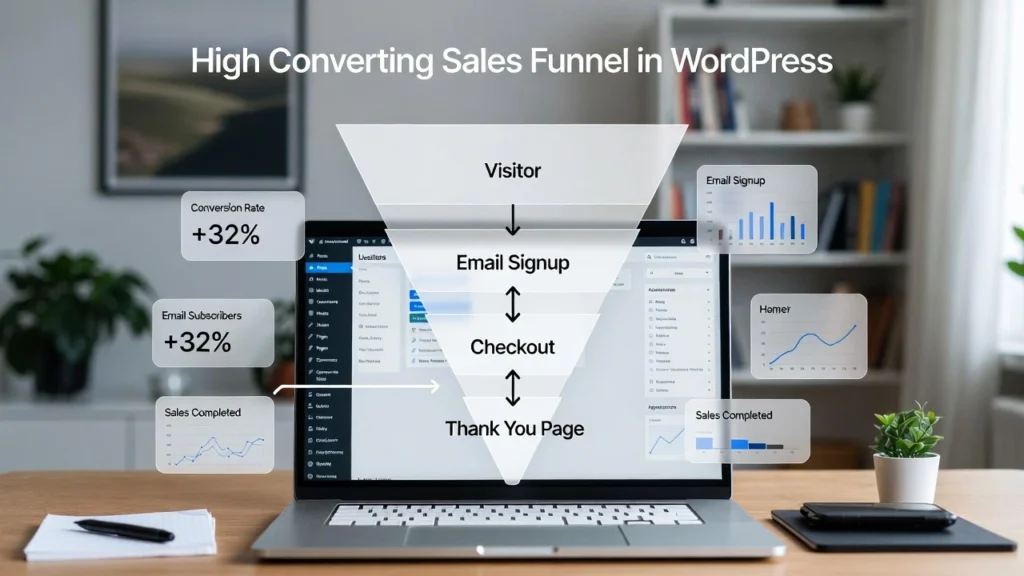
A sales funnel is the journey your visitors take from discovering your site to becoming paying customers — and optimizing it in WordPress can dramatically boost conversions and revenue. In 2026, with user experience and personalization at the forefront of SEO and marketing, a well-designed funnel helps nurture leads, reduce drop-offs, and maximize sales. At Cope Business, we’ve helped numerous clients create and refine sales funnels through our technical SEO audit services, resulting in higher engagement, better rankings, and increased income. This step-by-step guide shows you exactly how to build one in WordPress using plugins, pages, and automation — no coding required.
Whether you’re selling products, services, or digital goods, a strong funnel turns traffic into loyal customers.
On this page
ToggleWhat Is a Sales Funnel and Why Does It Matter?
A sales funnel maps the customer journey:
- Top (Awareness): Attract visitors with content.
- Middle (Interest): Nurture with value (e.g., lead magnets).
- Bottom (Decision): Convert with offers and checkouts.
In WordPress, this means creating targeted pages, forms, and automations.
Why it matters:
- Improves conversion rates by 20–50% on average.
- Builds email lists for repeat marketing.
- Provides data for SEO and content optimization.
- Reduces cart abandonment in eCommerce.
Without a funnel, most visitors leave without taking action.
Step-by-Step: Building a Sales Funnel in WordPress
Step 1: Install Essential Plugins
- WooCommerce (for eCommerce funnels) or WPForms (for service-based).
- OptinMonster (for lead capture popups).
- MonsterInsights (for Google Analytics tracking).
- SeedProd (for custom landing pages).
See our essential plugins guide for more.
Step 2: Create Awareness Stage Content
- Build a blog with helpful posts (use categories for organization).
- Add lead magnets: Free ebooks, checklists via WPForms.
- Promote with social shares and SEO (All in One SEO plugin).
Step 3: Set Up Lead Capture & Nurturing
- Create opt-in forms/popups with OptinMonster (exit-intent, timed).
- Integrate with email tools (Mailchimp, ConvertKit) for nurture sequences.
- Use drip campaigns to send value and offers.
Step 4: Design Conversion Pages
- Product/Service Pages: Use WooCommerce or custom pages with CTAs.
- Checkout: Optimize with one-page checkout plugins.
- Thank You Pages: Upsell or collect testimonials.
Step 5: Track & Optimize with Analytics
- Set up MonsterInsights for eCommerce tracking.
- Monitor funnel drop-offs in Google Analytics.
- A/B test pages with OptinMonster.
Best Practices for High-Converting Funnels
- Mobile Optimization: Ensure responsive design.
- Speed: Enable caching (see our guide).
- SEO: Use schema markup for rich results.
- Personalization: Segment emails based on behavior.
A strong funnel can increase revenue by 50%+ through better nurturing.
Final Thoughts
Building a high-converting sales funnel in WordPress turns casual visitors into loyal customers. Follow these steps with the right plugins, and you’ll see measurable growth in leads and sales.
Focus on value at every stage — conversions follow naturally.
Ready to build or optimize your sales funnel? Contact Cope Business for a free technical SEO consultation — we’ll audit your site and create a custom funnel strategy tailored to your business.