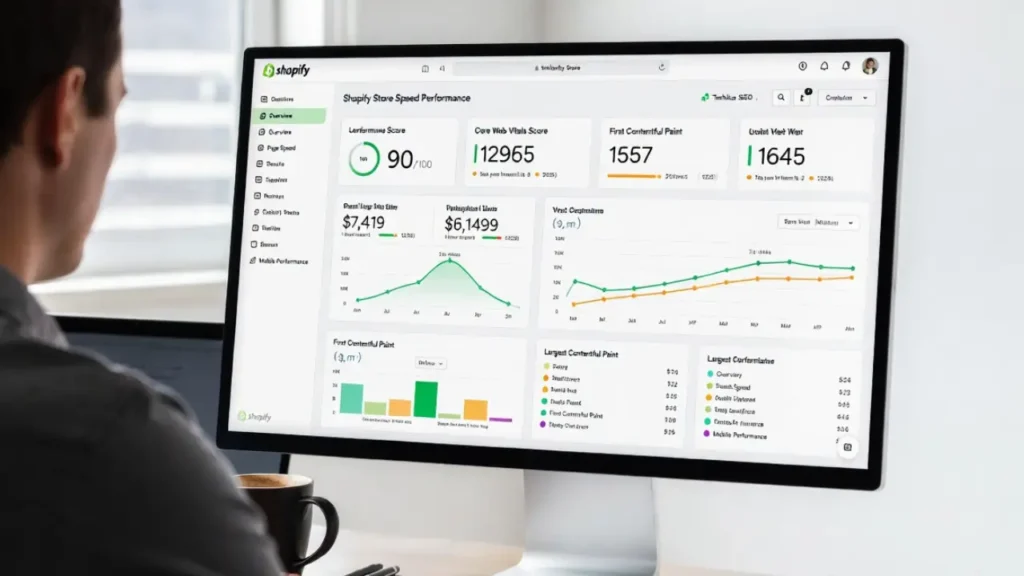

SEO Audit Tools are essential for identifying technical issues that prevent your website from ranking higher in search engines. Even high-quality content cannot perform well if technical SEO problems block crawling, indexing, or performance. From traffic down analysis to finding new opportunities, these tools helps SEOs and website owners to keep an eye on website health. It always gives us the plan that helps in better websites rankings.
A proper technical audit helps you uncover:
- Crawl errors and indexing issues
- broken links and redirects etc.
- Duplicate content, multiple h1s, heading structure, og tags, long title and meta description lengths etc.
- Slow page speed and Core Web Vitals problems
In this guide, we will explore the 10 best technical SEO audit tools we use in-house and explain how each one helps improve your website’s search performance.
Why SEO Audit Tools Matter for Technical SEO
Technical SEO is the backbone of organic visibility. Without proper audits, websites often suffer from hidden structural issues.
If search engines cannot crawl your website site properly, rankings can drop.
Regular technical audits ensure:
- Website is crawlable and indexable.
- No foundational SEO errors
- Better user and crawler experience.
10 Best SEO Audit Tools for Technical Optimization
1. Google Search Console
Google Search Console is our goto tool for tracking and enhancing search visibility. Google Search Console is a free and essential SEO audit platform provided by Google itself.
- Indexing coverage reports containing pages, sitemap and removals.
- Crawl error tracking under Settings -> Crawl stats.
- Core Web Vitals insights
- Manual action alerts
- Enhancements and Shopping features monitoring
It provides direct feedback from Google about how your website performs in search. Every technical SEO strategy should begin here. Check out our specialized google search console audit errors fixing service.
2. Screaming Frog SEO Spider
Screaming Frog is one of the most powerful desktop crawling tools. What a deep information it brings even for the free plan. We fix screaming frog audit errors almost every day. It is essential for our technical SEO audit.
- Full website crawl ( 500 urls with free plan which is enough for small to medium websites)
- Redirect chain detection,Canonical analysis, Broken link reports and everything about it.
- Content related issues and limits
- Crawl and indexing related issues.
It simulates search engine crawling behavior and helps identify structural issues before they impact rankings.
3. ahrefs Site Audit
Ahrefs offers a comprehensive technical audit module within its SEO suite. What a reliable technical SEO tool ahrefs is. Even with a free plan you can manage your website’s technical SEO and many other features. Get your website added to ahrefs today and see the benefits. We use ahrefs daily to fix technical SEO errors to keep website 100% healthy.
- Crawling and indexing
- Internal linking analysis, content, orphan, broken links, redirects etc.
- Content related issues such as meta, title, headings issues.
- Structured data validation and enhancements
When it comes to only serious technical SEO issues without exaggerating then ahrefs it the tool. It provides actionable insights and prioritizes issues based on severity.
What is Bad About ahrefs: We’ve been watching same errors for years without any major update. The reason why we have to rely on multiple other tools. Still ahrefs is our love.
4. SEMrush Site Audit
SEMrush is widely used for competitive analysis and technical audits. We think of it as using ahrefs.
- Technical SEO error reports
- HTTPS implementation checks
- AMP validation
- Structured data testing
It categorizes issues into errors, warnings, and notices, making optimization easier. The errors are usually fixable 100% but the warnings and notices may have issues listed with good reason to stay sometimes. So fixing semrush errors always requires SEO and web development expertise.
What is Bad About Semrush: It is not updated for years and still report some issues that are obsolete. The company at this scale should improve the tool every year. The low text to HTML ratio is never fixable for 99% of the websites.
5. Sitebulb
Sitebulb is a powerful visual technical SEO auditing tool.
- Visual crawl maps
- Internal link flow charts
- JavaScript crawling
- Hreflang validation
Its visual data helps understand crawl structure and site architecture.
6. GTmetrix
GTmetrix focuses on website performance and speed optimization.
- Page speed analysis
- Core Web Vitals tracking
- Performance grading
- Waterfall breakdown
Speed directly impacts crawl budget and rankings.
7. PageSpeed Insights
Google PageSpeed Insights analyzes performance from a real user perspective.
- Mobile & desktop scores
- Core Web Vitals metrics
- Performance improvement suggestions
Technical performance is a ranking factor.
8. DeepCrawl (Lumar)
DeepCrawl is an enterprise-level technical SEO platform.
- Large-scale site crawling
- Log file analysis
- JavaScript rendering checks
- Automation reports
Best suited for large websites with thousands of URLs.
9. OnCrawl
OnCrawl combines log file analysis with traditional SEO crawling.
- Bot behavior analysis
- Crawl budget optimization
- Indexation monitoring
Log analysis helps understand how search engines actually crawl your site.
10. Google Lighthouse
Google Lighthouse is built into Chrome DevTools.
- Performance scoring
- Accessibility checks
- SEO evaluation
- Best practices audit
It gives technical improvement recommendations directly from Google’s standards.
How SEO Audit Tools Improve Crawl Efficiency
Technical SEO audits helps site owners and manager to keep track of some behind the scene issues. Although those are basic issues but it is good to start website SEO by configuring these tools and fixing the reported errors. Many of these tools report orphan pages, redirects, broken links, og tags missing and many more that helps improving SEO. For example, a link with only one internal link or no link can block web page crawling and indexing. No-follow links to important page can block page rank flow. Many of such issues are really helpful and improves crawl efficiency.
Learn more in our detailed guide on 11 Types of Redirects & Their SEO Impact.
Key Technical Areas You Should Always Audit
Regardless of the tool, focus on these areas:
| Technical SEO Area | What to Check |
|---|---|
| Crawlability | Robots.txt, XML sitemap, crawl errors, orphan pages, broken links |
| Indexability | Indexed pages, noindex tags, canonical tags, duplicate content |
| Site Architecture | URL structure, navigation, internal linking, click depth, breadcrumbs |
| Page Speed & Core Web Vitals | LCP, INP, CLS, image optimization, caching, compression |
| Mobile SEO | Mobile-friendly design, responsive layout, usability |
| HTTPS & Security | SSL, mixed content, HTTP to HTTPS redirects, security headers |
| Structured Data | Schema markup, validation, rich results eligibility |
| Redirects | 301 redirects, redirect chains, loops, broken redirects |
| On-Page Technical Elements | Title tags, meta descriptions, headings, image alt text |
| JavaScript SEO | Renderability, client-side content, crawlable links |
| XML Sitemaps | Valid URLs, updated sitemap, proper submission |
| International SEO | hreflang, language and regional targeting (if applicable) |
| Log File Analysis | Crawl frequency, crawl budget, server response (advanced) |
How Often Should You Run a Technical SEO Audit?
- Small websites: Every 3–6 months
- Content-heavy websites: Every 2–3 months
- E-commerce websites: Monthly
- Enterprise websites: Monthly or continuous monitoring
- After major changes: Immediately after migrations, redesigns, or CMS updates
Best Practice: Monitor your site continuously with Google Search Console and perform a full technical SEO audit every quarter to catch and fix issues before they impact rankings. We do the technical SEO audit for our regular clients every month.
Choosing the Right SEO Audit Tools
We user Google search console, ahrefs, semrush and page speed insight tool for every website with average SEO budget.
For small businesses, Google Search Console + Screaming Frog/ahrefs/semrush is often sufficient. For enterprise websites, combining all tools provides deeper insights.
Common Mistakes When Using SEO Audit Tools
- Ignoring low-priority warnings
- Fixing cosmetic issues before critical errors
- Not updating sitemaps after fixes
- Overlooking JavaScript rendering problems
- Failing to monitor crawl stats
Final Thoughts
SEO Audit Tools are the foundation of a strong technical SEO strategy. They uncover hidden issues, protect crawl efficiency, and help maintain stable rankings.
Without regular technical audits, websites risk:
- Indexing loss
- Traffic decline
- Crawl waste
- Ranking drops
By using the right tools and implementing consistent monitoring, you ensure long-term search visibility and technical health.
Need Professional Technical SEO Help?
Explore our technical SEO service or Contact Cope Business.