
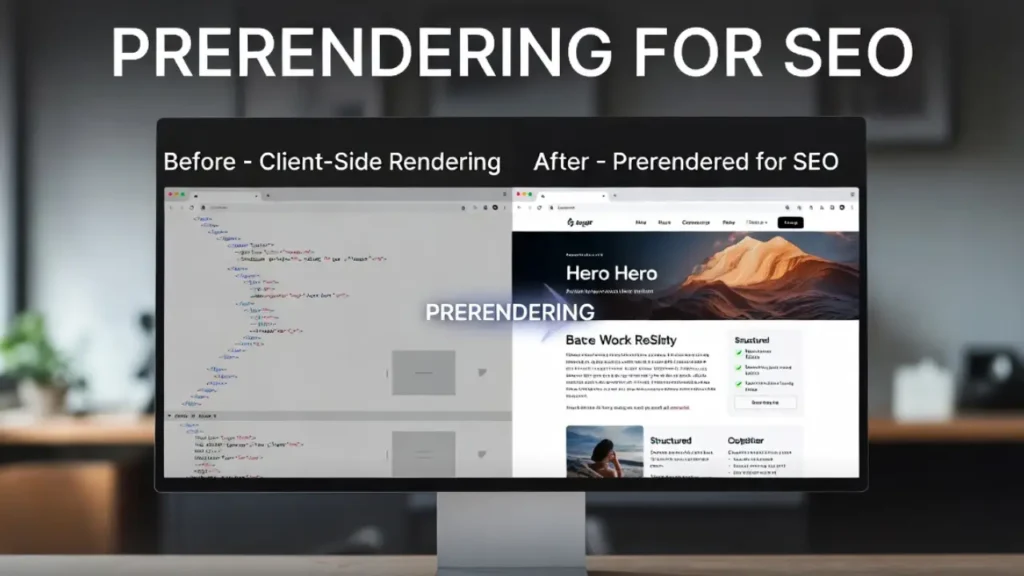
JavaScript-heavy websites have a fundamental problem that most developers underestimate until rankings start declining and content disappears from Google’s index: search engine crawlers do not execute JavaScript the same way browsers do. When your website relies on client-side JavaScript to render content, menus, structured data, or meta tags, there is a high probability that Googlebot is seeing a drastically different version of your page than your users are — and that invisible version is what gets indexed and ranked.
Prerendering for SEO is the solution. It generates a fully rendered, static HTML snapshot of your JavaScript-driven pages and serves that snapshot to search engine crawlers, eliminating the guesswork, the crawl delays, and the indexation failures that client-side rendering creates. This comprehensive guide covers everything you need to know about prerendering for SEO — what it is, why it matters, how Google handles JavaScript rendering, when prerendering is the right approach, how to implement it, and how to verify it is working correctly.
This guide connects directly with our related resources on how Google renders JavaScript pages, detecting and fixing client-side rendering issues, SSR vs CSR for technical SEO, and SSR vs SSG SEO comparison. Together these resources give you the complete architecture decision framework for JavaScript SEO in 2026.
What Is Prerendering for SEO?
Prerendering for SEO is the process of generating complete, static HTML versions of web pages before they are requested — either at build time or dynamically at the moment a crawler visits — and serving those pre-built HTML documents specifically to search engine bots while delivering the normal JavaScript-rendered experience to human users.
In practice, prerendering for SEO works by using a headless browser — a browser engine like Chromium running without a visible interface — to load each page, execute all JavaScript, wait for all content to render, and then capture the resulting fully rendered HTML. This captured HTML is then stored and served to search engine crawlers when they request the page.
The result is that Googlebot, Bingbot, and other crawlers receive clean, complete HTML containing all content, all meta tags, all structured data, and all internal links — exactly what they need to index the page correctly — without having to execute JavaScript themselves.
Prerendering vs. Server-Side Rendering vs. Static Site Generation
Understanding the distinctions between these approaches is essential before implementing prerendering for SEO:
Prerendering takes an existing client-side rendered application and generates static HTML snapshots of its pages for crawler consumption. The application itself continues running as a client-side rendered app for users. Prerendering for SEO is specifically designed as a retrofit solution — it solves the crawler problem without requiring a full architectural rewrite.
Server-Side Rendering (SSR) generates full HTML on the server for every page request, serving the same HTML to both users and crawlers. SSR is a more comprehensive solution but requires refactoring the entire front-end application to execute on the server. Our guide on boosting SEO with server-side rendering covers SSR implementation in detail.
Static Site Generation (SSG) pre-renders all pages at build time and deploys them as static files. Like prerendering, SSG produces static HTML — but it is a full architectural approach that affects the development workflow, not just a rendering layer for crawlers. Our SSR vs SSG SEO comparison breaks down when each approach is appropriate.
Prerendering for SEO occupies a specific and valuable middle ground: it delivers the SEO benefits of static HTML to crawlers without requiring you to rebuild your application. For teams with existing client-side rendered applications that cannot immediately migrate to SSR or SSG, prerendering for SEO is often the fastest path to fixing crawler accessibility issues.
Why JavaScript Rendering Causes SEO Problems
To understand why prerendering for SEO is necessary, you first need to understand precisely how Google’s rendering pipeline works and where it breaks down for JavaScript-heavy sites.
Google’s Two-Wave Indexing Problem
Google processes pages in two distinct phases. In the first phase, Googlebot downloads the page’s HTML and immediately indexes whatever static content it finds. In the second phase — which can happen hours, days, or even weeks later — Google’s Web Rendering Service (WRS) executes the page’s JavaScript and indexes the dynamically rendered content.
This two-wave process creates two critical SEO problems. First, any content, links, structured data, or meta tags that depend on JavaScript execution are invisible to Google during the first indexing phase. Second, the significant delay between first and second phase indexing means that dynamically rendered content is effectively slow to appear in search results — and may never appear if Googlebot encounters errors during JavaScript execution.
Our guide on how Google renders JavaScript pages covers the full technical detail of this process. Understanding it is foundational to understanding why prerendering for SEO solves a real and significant problem.
Common JavaScript SEO Failures That Prerendering Fixes
The following issues all stem from JavaScript rendering problems and are all resolved by implementing prerendering for SEO correctly:
Invisible page content. When body text, product descriptions, article content, or any other meaningful text is rendered by JavaScript rather than present in the initial HTML, Googlebot may index only the empty HTML shell — ranking the page for nothing because there is nothing to rank for. Prerendering for SEO ensures Googlebot receives the fully rendered content in a single HTML response.
Missing meta tags and structured data. Title tags, meta descriptions, Open Graph tags, and JSON-LD structured data injected by JavaScript after initial page load are often missing from the first-wave indexed version of the page. Without proper meta tags, your pages cannot compete in click-through rates. Without structured data, you are ineligible for rich results. Prerendering for SEO captures all of these signals in the pre-rendered HTML.
Broken internal links. Navigation menus, footer links, related content widgets, and breadcrumbs rendered by JavaScript are invisible to Googlebot during first-wave crawling. This breaks the internal link graph that Google uses to distribute PageRank and discover new pages. Prerendering for SEO makes these links visible in the initial crawl response. See our guide on best practices for indexing JavaScript-rich pages for the full scope of this problem.
Crawl budget waste. When Googlebot visits a JavaScript-dependent page and receives an HTML shell without meaningful content, it often schedules a re-render — consuming crawl budget on the same URL twice. On large sites, this systematic waste can dramatically slow down how quickly Google discovers and indexes new content. Our guide on crawl budget optimization for enterprise websites covers this dynamic in detail, and prerendering for SEO eliminates it by giving Googlebot complete content on the first visit.
SPA indexation failures. Single Page Applications (SPAs) built with React, Angular, or Vue.js that rely entirely on client-side routing and rendering suffer from all of the above problems simultaneously. Without prerendering for SEO or server-side rendering, many SPA pages are functionally invisible to Google. Our guide on SEO strategies for single-page applications covers the full SPA SEO landscape where prerendering is frequently the recommended solution.
When Is Prerendering for SEO the Right Choice?
Not every JavaScript problem requires the same solution. Prerendering for SEO is appropriate in specific scenarios, while SSR or SSG may be more appropriate in others. Here is the decision framework:
Prerendering for SEO Is the Best Approach When:
- You have an existing client-side rendered SPA or JavaScript-heavy site that cannot be immediately refactored to SSR.
- The application has content that changes infrequently enough that pre-rendered snapshots remain accurate between updates.
- Your engineering team has limited capacity to undertake a full SSR migration but needs to fix crawler accessibility urgently.
- The application serves highly personalized or user-authenticated content — where prerendering for SEO can serve a generic, non-personalized snapshot to crawlers while the full dynamic experience serves users.
- You are managing a third-party JavaScript application where you cannot modify the application code — only the serving layer.
When SSR or SSG Is Preferable to Prerendering for SEO:
- You are building a new application from scratch — SSR or SSG should be the primary rendering strategy from day one.
- Your content changes very frequently (multiple times per hour) — pre-rendered snapshots would become stale faster than they can be refreshed.
- Your application has thousands of unique URLs that change dynamically — the overhead of maintaining a prerender cache at that scale may exceed the cost of an SSR migration.
- Core Web Vitals performance is a priority — SSR generally delivers better Time to First Byte and Largest Contentful Paint for users as well as crawlers.
For the architectural comparison that helps you choose between these approaches, see our guide on technical SEO for modern JavaScript frameworks.
How Prerendering for SEO Works: The Technical Mechanics
Understanding the technical mechanics of prerendering for SEO helps you implement it correctly and troubleshoot it effectively when issues arise.
The Bot Detection Layer
The foundation of any prerendering for SEO implementation is a bot detection mechanism that intercepts incoming requests and determines whether the requester is a search engine crawler or a human user. This detection typically happens at one of three layers: the web server (Nginx or Apache), a CDN or edge network, or an application middleware layer.
Bot detection works by inspecting the User-Agent HTTP header of each incoming request. When the User-Agent matches a known search engine bot — Googlebot, Bingbot, DuckDuckBot, Yandex, Baidu, and others — the request is routed to the prerender service. All other requests serve the normal client-side rendered application.
A comprehensive User-Agent whitelist for prerendering for SEO should include: Googlebot, Bingbot, Slurp (Yahoo), DuckDuckBot, Baiduspider, YandexBot, Facebot, Twitterbot, LinkedInBot, Pinterest, Slack, Telegram, WhatsApp, and all major SEO tools (AhrefsBot, SemrushBot, Moz, Screaming Frog). Including social media crawlers ensures that when your content is shared on social platforms, those platforms receive properly rendered Open Graph and Twitter Card data.
The Prerender Cache
At the heart of any scalable prerendering for SEO implementation is a cache that stores pre-rendered HTML snapshots indexed by URL. When a bot requests a page that has been previously rendered, the cached HTML is served instantly from the cache without triggering a new headless browser render — keeping response times fast and server load manageable.
The cache must be invalidated whenever the corresponding page’s content changes. This invalidation is typically triggered by: a content management system publish event (a blog post is updated), an e-commerce inventory change (a product goes out of stock), or a scheduled refresh cycle (the entire cache is regenerated every 24 hours).
For large sites with many URLs, a tiered cache strategy is recommended for prerendering for SEO: high-traffic pages are prerendered on a schedule and stored in a persistent cache, while low-traffic pages are rendered on-demand when first requested by a crawler and then cached for subsequent visits.
The Headless Browser Render Engine
When a bot requests a URL that is not yet in the prerender cache, the prerendering for SEO service launches a headless Chromium instance, loads the URL, executes all JavaScript, waits for the page to fully render (typically detected by waiting for the network to go idle or a specific DOM event), captures the resulting HTML, stores it in the cache, and returns it to the crawler.
The waiting strategy used during headless rendering is critical for prerendering for SEO accuracy. If the headless browser captures the HTML too early — before all JavaScript has executed and all content has loaded — the pre-rendered snapshot will be incomplete, defeating the purpose. Common waiting strategies include: waiting for the load event, waiting for network activity to go idle for a specified period, waiting for a specific DOM element to appear, or waiting for a custom JavaScript signal that your application fires when rendering is complete.
Prerendering for SEO Implementation Methods
There are several ways to implement prerendering for SEO, ranging from self-hosted open-source solutions to managed cloud services. The right choice depends on your infrastructure, traffic volume, technical capacity, and budget.
Method 1 — Prerender.io (Managed Service)
Prerender.io is the most widely used managed prerendering for SEO service. It handles the headless browser rendering infrastructure, cache management, cache invalidation, and bot detection on your behalf. You integrate it into your serving layer via a middleware snippet (available for Node.js, Python, Ruby, PHP, and others), a Nginx/Apache module, or a CDN integration.
When a bot request comes in, your middleware detects the bot User-Agent and proxies the request to Prerender.io’s rendering infrastructure. Prerender.io returns the cached or freshly rendered HTML snapshot, which your server delivers to the crawler. The prerendering for SEO process is entirely transparent to the crawler and to your application.
Prerender.io is appropriate for teams that want to implement prerendering for SEO quickly without managing rendering infrastructure. The main trade-off is cost — the service is priced per cached URL and per re-render, which can become significant for large sites with frequently changing content.
Method 2 — Self-Hosted Prerender.js
Prerender.js is the open-source library that underlies Prerender.io’s service and can be self-hosted on your own infrastructure. Self-hosting prerendering for SEO gives you full control over the rendering process, the cache configuration, and the serving logic — at the cost of managing the infrastructure yourself.
A self-hosted Prerender.js setup requires: a server running Node.js, a Chromium installation for headless rendering, a caching layer (Redis is commonly used for the prerender cache), and a reverse proxy (Nginx) configured to detect bot User-Agents and route them to the prerender server. This approach is well-suited to engineering teams with DevOps capacity who want to minimize ongoing operational costs of prerendering for SEO at scale.
Method 3 — Rendertron
Rendertron is Google’s own open-source rendering service built on Puppeteer and Chromium. Originally developed to demonstrate headless rendering capabilities, Rendertron can be used as a self-hosted prerendering for SEO solution. It is particularly valuable when accuracy of Google’s own rendering pipeline is a priority, since Rendertron uses the same Chromium engine that Google’s Web Rendering Service uses.
Rendertron is deployed as a Node.js service and integrated into your serving layer the same way as Prerender.js — via a reverse proxy that detects bot requests and proxies them to the Rendertron service. For prerendering for SEO scenarios where you want to be certain the pre-rendered output matches what Google’s rendering service would produce, Rendertron is the most technically accurate option.
Method 4 — CDN-Level Prerendering
Modern CDN providers — Cloudflare, Fastly, Akamai — offer edge computing capabilities that enable prerendering for SEO at the network edge, before requests even reach your origin server. Cloudflare Workers, for example, can intercept bot requests at the CDN edge, check a prerender cache, return cached HTML for known bot User-Agents, and trigger background re-renders when cache entries expire.
CDN-level prerendering for SEO offers the lowest possible response latency for crawler requests — crawlers receive pre-rendered HTML from the nearest CDN edge node without the request ever travelling to your origin server. This approach also provides inherent scalability since CDN edge networks distribute the load globally. Our guide on Edge SEO: complete guide 2026 covers the broader landscape of what can be accomplished at the CDN edge for technical SEO.
Method 5 — Framework-Level Prerendering
Modern JavaScript frameworks offer built-in prerendering for SEO capabilities that integrate directly into the development workflow:
Next.js supports Static Site Generation via getStaticProps and getStaticPaths, which pre-renders pages at build time. For dynamic pages that cannot be fully statically generated, Incremental Static Regeneration (ISR) provides background re-rendering on a schedule. These built-in prerendering for SEO capabilities make Next.js one of the most SEO-friendly React frameworks available.
Nuxt.js for Vue.js provides equivalent pre-rendering capabilities through its nuxt generate command, which crawls the application and generates static HTML for every route. Nuxt 3’s hybrid rendering mode allows mixing SSR and pre-rendered static pages within the same application.
Angular Universal provides a server-side rendering solution for Angular applications that includes pre-rendering support via the ng run app:prerender command.
Gatsby is purpose-built for static pre-rendering, generating complete static HTML for every page at build time from GraphQL data sources. For the specific rendering strategy comparison between these options, see our guide on SSR vs CSR for technical SEO.
Implementing Prerendering for SEO with Nginx
Nginx configuration is the most common infrastructure-level approach to implementing prerendering for SEO. This section covers the Nginx configuration pattern used with both Prerender.io and self-hosted Prerender.js.
Basic Nginx Prerender Configuration
The Nginx configuration for prerendering for SEO works by checking the incoming request’s User-Agent against a list of known bot strings. When a match is found, the request is proxied to the prerender service. All other requests are served normally.
map $http_user_agent $prerender_ua {
  default       0;
  "~*Googlebot" 1;
  "~*Bingbot"   1;
  "~*Slurp"     1;
  "~*DuckDuckBot" 1;
  "~*Baiduspider" 1;
  "~*YandexBot" 1;
  "~*Twitterbot" 1;
  "~*LinkedInBot" 1;
  "~*facebookexternalhit" 1;
  "~*Screaming Frog" 1;
  "~*AhrefsBot" 1;
  "~*SemrushBot" 1;
}

map $args $prerender_args {
  default $prerender_ua;
  "~(^|&)_escaped_fragment_=" 1;
}

server {
  listen 80;
  server_name yourdomain.com;

  if ($prerender_args = 1) {
    rewrite .* /index.html break;
    proxy_pass http://localhost:3000;
  }

  location / {
    try_files $uri /index.html;
  }
}
The key elements of this configuration for prerendering for SEO are: the map block that matches bot User-Agents to a flag variable, and the conditional proxy_pass that routes bot requests to the prerender service (running on localhost port 3000 in this example) while serving the static application to human users.
For production prerendering for SEO deployments, add caching headers to the prerender proxy response, implement error handling for prerender service failures (falling back to the normal client-side application), and log prerender requests separately for monitoring purposes.
Adding the _escaped_fragment_ Fallback
The _escaped_fragment_ URL parameter is an older mechanism from Google’s Ajax crawling scheme that is now deprecated, but some legacy crawlers and SEO tools still use it. Including it in your prerendering for SEO Nginx configuration ensures broad compatibility. As shown in the configuration above, requests with this parameter are treated the same as bot User-Agent requests and routed to the prerender service.
Implementing Prerendering for SEO in Node.js Middleware
For Node.js applications, the Prerender.js middleware package provides an easy integration path for prerendering for SEO at the application level. This approach is framework-agnostic and works with Express, Fastify, Koa, and other Node.js frameworks.
const prerender = require('prerender-node');

// Configure the prerender service URL
prerender.set('prerenderServiceUrl', 'http://localhost:3000/');

// Add known bot user agents
prerender.set('bots', [
  'Googlebot',
  'Bingbot',
  'Slurp',
  'DuckDuckBot',
  'YandexBot',
  'Baiduspider',
  'LinkedInBot',
  'Twitterbot',
  'facebookexternalhit',
  'AhrefsBot',
  'SemrushBot'
]);

// Apply as Express middleware
app.use(prerender);
When this middleware intercepts a bot request, it calls the prerender service, receives the rendered HTML, and returns it to the bot. The middleware also handles caching headers, error recovery, and the _escaped_fragment_ parameter automatically. This middleware approach to prerendering for SEO is particularly valuable when you cannot modify your web server configuration directly.
Diagnosing JavaScript Rendering Problems Before Implementing Prerendering
Before investing in a prerendering for SEO implementation, it is important to accurately diagnose the extent of your JavaScript rendering problem. Not every JavaScript-heavy site has severe rendering issues — some sites use progressive enhancement patterns that ensure core content is available in the initial HTML even with JavaScript enabled.
Using Google Search Console URL Inspection
The URL Inspection tool in Google Search Console is the most authoritative way to diagnose JavaScript rendering issues. For any page you suspect has rendering problems, the URL Inspection tool shows you exactly what Googlebot sees when it renders the page — including the rendered DOM, any JavaScript errors, and resource loading failures.
To check a page: open Google Search Console, paste the page URL into the inspection field, click “Test Live URL,” and then switch to the “View Tested Page” tab and select “Screenshot” to see what Googlebot visually sees, and “HTML” to inspect the rendered DOM. If the HTML tab shows empty content placeholders where your actual content should be, or if the screenshot shows a blank or partially loaded page, prerendering for SEO is almost certainly necessary.
For pages showing in Google Search Console coverage errors without ranking, check the error details — “Crawled – currently not indexed” on pages with JavaScript-rendered content is a strong signal that the rendering pipeline is failing and prerendering for SEO is needed. Our guide on fixing Google Search Console coverage errors covers the full diagnosis process.
Using the View Source vs. Inspect Element Method
The quickest diagnostic method for JavaScript rendering problems is to compare the page source (Ctrl+U / Cmd+U in your browser) with the rendered DOM visible in browser DevTools (Inspect Element). The View Source output shows exactly the HTML that was delivered by the server — this is what Googlebot receives before JavaScript execution. The Inspect Element panel shows the fully rendered DOM after JavaScript has run.
If your important content, meta tags, or structured data are visible in Inspect Element but absent from View Source, those elements are being rendered by JavaScript and will be invisible to Googlebot during first-wave indexing. This is the clearest possible indication that prerendering for SEO or SSR is needed.
Log File Analysis for Rendering Bot Behavior
Server access logs reveal exactly which pages Googlebot is visiting, how frequently, what HTTP status codes they are receiving, and how long responses are taking. Analyzing these logs for Googlebot specifically can reveal pages that are being visited repeatedly (indicating that the previous render was unsatisfactory and Google is trying again) or pages that are not being visited at all (indicating they are not being discovered because internal links are rendered by JavaScript and are invisible to the crawler).
Our guide on log file analysis for SEO covers the methodology and tools for this analysis, and our guide on detecting and fixing crawl anomalies using log file analysis covers the specific anomaly patterns that indicate JavaScript rendering problems are affecting crawl behaviour.
Using Screaming Frog with JavaScript Rendering
Screaming Frog’s SEO Spider can be configured to render JavaScript during crawls, giving you a simulation of how Googlebot’s Web Rendering Service sees your pages. Running two parallel crawls — one with JavaScript rendering enabled and one without — and comparing the results reveals exactly which content, links, and structured data are dependent on JavaScript execution and therefore invisible during first-wave Googlebot crawls.
Pages showing significantly different content between the two crawl modes are the highest-priority targets for prerendering for SEO implementation. Pages showing identical content between crawl modes do not have client-side rendering issues and do not need prerendering.
Critical SEO Factors to Verify After Implementing Prerendering
After implementing prerendering for SEO, a thorough verification process confirms the implementation is working as intended and delivering the expected SEO improvements.
Verify Pre-rendered HTML Content Completeness
For each critical page type in your application, use the curl command to simulate a bot request and inspect the returned HTML:
curl -A "Googlebot" https://yourdomain.com/your-page/ | grep -i "your expected content"This command sends a request with a Googlebot User-Agent and returns the response your prerender middleware or reverse proxy delivers. The returned HTML should contain all of your page’s important content — body text, headings, image alt text, internal links, structured data, meta tags — without requiring any JavaScript execution to become visible. This is the fundamental verification step for any prerendering for SEO implementation.
Confirm Meta Tags Are Present in Pre-rendered HTML
Check that every important meta tag is present in the pre-rendered HTML response: title tag, meta description, canonical URL, Open Graph tags, Twitter Card tags, robots directives, and any hreflang tags for international sites. Missing meta tags in the pre-rendered output indicate that your application is injecting these tags after the initial render — typically through a head management library that fires too late in the render cycle for the prerender service to capture.
If meta tags are missing from your pre-rendered output, the solution is to ensure your application renders these tags synchronously as part of the initial server-side or static render, not as a later JavaScript injection. For the correct canonical tag implementation patterns, see our guide on canonical tags strategies for enterprise technical SEO.
Verify Structured Data in Pre-rendered Output
Structured data — JSON-LD blocks for Article, Product, BreadcrumbList, Organization, and other schema types — must be present in the pre-rendered HTML for Google to process them correctly. Many JavaScript applications inject structured data dynamically, meaning it is absent from the initial HTML and only appears after JavaScript execution.
Use Google’s Rich Results Test on your live pages after implementing prerendering for SEO to verify that all structured data is being detected and processed. If the Rich Results Test shows no structured data on pages where you expect it, the structured data is not yet present in the pre-rendered HTML and must be included in the application’s initial render output. See our guides on structured data implementation for developers and fixing schema errors in Google Search Console for the remediation approach.
Confirm Internal Links Are Discoverable in Pre-rendered HTML
All internal navigation links — header navigation, footer links, breadcrumbs, related content widgets, pagination links — must be present as standard HTML anchor tags in the pre-rendered output. If your navigation renders entirely via JavaScript, links that your users can see and click may be invisible to Googlebot’s first-wave crawl even with prerendering.
Crawl your pre-rendered pages with a crawler set to use a bot User-Agent and confirm that all expected internal links are discovered. A significant difference between the link graph visible in a bot crawl versus a browser crawl indicates that not all navigation elements are being captured in the pre-render. Our guide on fixing broken links and improving crawl efficiency covers the link audit process that should be applied to your pre-rendered output.
Monitor Core Web Vitals After Prerendering Implementation
While prerendering for SEO primarily benefits crawler accessibility, it can also affect Core Web Vitals if not implemented carefully. Specifically, if your prerendering implementation inadvertently serves the pre-rendered HTML to users instead of just bots, users will receive a static HTML page that then needs to “hydrate” with JavaScript — potentially causing a flash of unstyled content or layout shifts during hydration. Verify that your bot detection is accurate and that pre-rendered HTML is never served to human users. Our guide on Core Web Vitals and page experience covers the metrics to monitor after any rendering architecture change.
Common Prerendering for SEO Mistakes and How to Avoid Them
Even well-intentioned prerendering for SEO implementations frequently fail due to a small number of recurring technical mistakes. Understanding these mistakes before implementing helps you avoid them.
Mistake 1 — Serving Pre-rendered HTML to Users
The most serious prerendering for SEO error is an incorrect bot detection implementation that serves the static pre-rendered HTML to human users. Users who receive the static snapshot instead of the live JavaScript application see a broken experience — interactive features do not work, real-time data is stale, and dynamic functionality is absent. Always implement a fallback check: if the prerender service returns an error or if the User-Agent detection produces a false positive, serve the normal client-side application. Test your bot detection implementation thoroughly using browser developer tools to simulate bot User-Agents before deploying to production.
Mistake 2 — Incomplete Bot User-Agent Lists
An incomplete bot User-Agent list means that some important crawlers receive the client-side rendered application instead of the pre-rendered HTML — defeating the purpose of prerendering for SEO. Common omissions include: social media preview crawlers (Twitterbot, facebookexternalhit, LinkedIn), SEO tool crawlers (AhrefsBot, SemrushBot, Moz), and regional search engine bots (Baidu, Yandex). Maintain a comprehensive and regularly updated User-Agent list. The Facebook external hit crawler is so important for social sharing previews that we have a dedicated guide on managing facebookexternalhit for technical SEO.
Mistake 3 — Stale Cache Serving Outdated Content
A prerender cache without proper invalidation will serve outdated content to crawlers — content that has been updated, products that are no longer available, or pages that have been removed. When Google’s index reflects outdated pre-rendered content, users clicking through from search results land on different content than expected, generating a poor experience and potentially a quality signal penalty. For prerendering for SEO, implement automatic cache invalidation triggered by content updates in your CMS or e-commerce platform, and enforce a maximum cache age of 24–48 hours regardless of explicit invalidation signals.
Mistake 4 — Pre-rendered Pages Containing JavaScript Errors
If your application has JavaScript errors that prevent certain components from rendering, the pre-rendered HTML may be missing those components entirely — even if the prerender service waits long enough for the render to complete. Monitor your prerender service logs for JavaScript execution errors and fix the underlying application errors rather than just increasing the render wait time. Run Google’s URL Inspection tool on pages with complex functionality to confirm the pre-rendered output matches expectations after each significant application update.
Mistake 5 — Prerendering Blocking Crawl of Important Resources
If your prerendering for SEO configuration routes all bot requests through the prerender service, including requests for CSS, JavaScript, image, and font files — not just HTML page requests — it will significantly slow down the prerender service and potentially corrupt the cached output. Configure your prerender middleware or Nginx configuration to only apply prerendering to HTML page requests (typically identified by the request Accept header or the file extension), not to static asset requests. Googlebot must be able to access your CSS and JavaScript files directly to properly evaluate your page’s styling and functionality.
Mistake 6 — Not Monitoring Prerender Cache Hit Rate
A poorly tuned prerendering for SEO implementation may be generating on-demand renders for most bot requests rather than serving from cache — making response times for crawlers very slow and potentially causing Googlebot to time out waiting for the response. Monitor your cache hit rate and tune your cache warming strategy to ensure the most important pages are pre-rendered and cached before bots arrive. Use our guide on SEO monitoring for large websites to build the monitoring layer that keeps your prerendering for SEO implementation healthy over time.
Prerendering for SEO and Single Page Applications: A Detailed Walkthrough
SPAs built on React, Angular, or Vue.js are the primary use case for prerendering for SEO because they rely entirely on client-side JavaScript for rendering. A React SPA, for example, typically delivers a single HTML file containing a root <div id="root"></div> element and a collection of JavaScript bundles. All content — product listings, blog posts, navigation menus, structured data — is injected into the DOM by JavaScript after the page loads. Without prerendering for SEO, Googlebot sees only the empty root div.
For React SPAs, the recommended prerendering for SEO implementation path is: evaluate whether migrating to Next.js (which provides SSR and SSG natively) is feasible. If migration is not immediately possible, implement a prerender service as a middleware layer. Configure the prerender service to use React’s rendering engine if possible, ensuring that React’s server rendering produces HTML that matches what the client would produce. Test the pre-rendered output against the rendered DOM to confirm consistency. Monitor for React hydration errors after deployment — these indicate that the pre-rendered HTML does not match what the client-side React would have rendered, causing React to throw away the pre-rendered content and re-render from scratch.
For comprehensive SPA-specific guidance, our dedicated guide on SEO strategies for single-page applications covers the full range of SPA-specific rendering, crawlability, and indexation issues that prerendering for SEO addresses.
Prerendering for SEO and the Critical Rendering Path
The critical rendering path — the sequence of steps a browser must complete before it can display a web page — directly determines how much content is available in the initial HTML response and how long it takes for the page to become interactive. Understanding the critical rendering path helps you optimize your prerendering for SEO implementation for maximum effectiveness.
For prerendering for SEO, the critical rendering path concern is: which content is rendered as part of the initial critical path (available in the pre-rendered snapshot) and which content is lazy-loaded or deferred (potentially missing from the snapshot)? Deferring the loading of below-the-fold content, images, and non-critical widgets is excellent for user-facing performance, but if deferred content includes important SEO elements — links, body content, structured data — those elements will be absent from the pre-rendered HTML.
The solution is to ensure that all SEO-critical elements — content, meta tags, structured data, navigation links — are rendered as part of the synchronous initial render path, even if visual elements below the fold are deferred. Our guide on optimizing the critical rendering path for faster page loads covers the technical implementation of this balance.
Advanced Prerendering for SEO: Dynamic Rendering as an Official Google Recommendation
Google officially recognizes and recommends dynamic rendering as a valid solution for JavaScript rendering issues. Dynamic rendering is Google’s terminology for what this guide calls prerendering for SEO — serving pre-rendered HTML to crawlers while serving client-side rendered content to users.
Google states in its documentation that dynamic rendering is an appropriate workaround for content that changes frequently and that would be difficult to implement with SSR or SSG. This official endorsement means that implementing prerendering for SEO through dynamic rendering does not violate any Google guidelines — provided that the content served to crawlers is not different from or better than the content served to users (which would constitute cloaking).
The key requirement from Google’s perspective: the pre-rendered HTML served to crawlers must represent the same content that users see when they load the page with JavaScript enabled. Pre-rendering content that users cannot see — or hiding content from users that is visible to crawlers — is cloaking and can result in a manual penalty. Proper prerendering for SEO implementation is never a risk because it simply accelerates and simplifies the same rendering process Googlebot would perform itself.
Prerendering for SEO in the Context of Headless CMS Architectures
The rise of headless CMS architectures has made JavaScript rendering issues more common across a wider range of websites. When content is delivered via a headless CMS API and rendered by a JavaScript front end, the rendering challenges described throughout this guide apply directly. Prerendering for SEO is a critical component of the headless CMS SEO toolkit, alongside SSR, SSG, and ISR. Our comprehensive guide on headless CMS SEO: complete technical checklist covers all the rendering strategy considerations for headless architectures, including when to choose prerendering for SEO versus other rendering approaches.
For headless CMS sites using modern frameworks like Next.js or Nuxt, the framework’s built-in SSR and SSG capabilities typically make external prerender services unnecessary — the framework handles rendering on the server side by default. However, for headless implementations using frameworks without built-in SSR (plain React, Angular without Universal, Vue without Nuxt), prerendering for SEO via an external prerender service fills the gap effectively.
Prerendering for SEO Quick Reference Checklist
Diagnosis
- Use Google Search Console URL Inspection to confirm what Googlebot sees on key pages.
- Compare View Source vs. Inspect Element to identify JavaScript-rendered content.
- Run Screaming Frog with and without JavaScript rendering to identify crawl discrepancies.
- Analyze server access logs for Googlebot crawl patterns indicating rendering failures.
Implementation
- Choose the appropriate prerendering method: managed service, self-hosted, CDN-level, or framework-native.
- Configure accurate and comprehensive bot User-Agent detection.
- Implement cache management with automatic invalidation on content updates.
- Set appropriate render wait conditions to ensure complete page capture.
- Configure proper error fallback so bot detection failures serve the live application.
Verification
- Use curl with Googlebot User-Agent to confirm pre-rendered HTML content.
- Verify all meta tags, canonical URLs, and structured data are present in pre-rendered output.
- Confirm all internal navigation links are discoverable in pre-rendered HTML.
- Test social sharing previews by simulating Facebook and Twitter crawler requests.
- Monitor Google Search Console for coverage improvements after implementation.
- Check Core Web Vitals to confirm prerendering has not introduced user-facing regressions.
Ongoing Maintenance
- Monitor prerender cache hit rate to ensure high-traffic pages are served from cache.
- Set cache age limits to prevent stale content from reaching Googlebot.
- Update bot User-Agent list as new crawlers and tools emerge.
- Re-test pre-rendered output after significant application updates.
- Use Google Search Console’s performance reports to track ranking improvements post-implementation.
Final Thoughts: Prerendering for SEO as a Bridge to Better Architecture
Prerendering for SEO is one of the most pragmatic and immediately deployable solutions in the technical SEO toolkit. It does not require a full application rewrite, does not break the existing user experience, and can be deployed in a matter of days to resolve JavaScript rendering issues that have been suppressing search visibility for months.
Treat prerendering for SEO as the bridge it is intended to be: a highly effective short-to-medium-term solution that eliminates crawler accessibility problems while your team works toward a more architecturally sound long-term solution — whether that is a migration to Next.js, Nuxt, or another SSR/SSG framework. The SEO improvements delivered by prerendering for SEO — better indexation, faster content discovery, richer structured data in the index, improved click-through rates from accurate meta tags — are real, measurable, and often significant.
But also understand the ceiling: prerendering for SEO fixes the crawler problem without fixing the underlying user experience. Pages that are slow to interactive because of heavy JavaScript bundles, pages with poor Core Web Vitals because of late-loading content, and pages with poor user experience because of the overhead of JavaScript hydration — these problems require architectural solutions, not prerendering. Use prerendering for SEO to restore your search visibility now while planning the deeper architectural investments that deliver long-term performance and SEO excellence.
If you need expert help diagnosing JavaScript rendering issues, implementing a prerendering for SEO solution, or planning an architectural migration from client-side rendering to SSR or SSG, our team at Cope Business is ready to help. Visit our Services Page to see how we support technical SEO programs, or contact us directly to discuss your specific situation.
Frequently Asked Questions
Prerendering for SEO is the process of generating complete, static HTML snapshots of your JavaScript-driven pages using a headless browser and serving those fully rendered versions specifically to search engine crawlers. This ensures Googlebot, Bingbot, and other bots receive clean HTML with all content, meta tags, structured data, and links — without having to execute JavaScript themselves.
Prerendering is a retrofit solution: it adds static HTML snapshots for crawlers while keeping your existing client-side rendered app for users. SSR renders full HTML on every request for both users and bots (requires app refactoring). SSG pre-renders everything at build time as static files. Prerendering is the fastest fix for existing JavaScript-heavy sites that can’t immediately migrate to SSR or SSG.
Google uses a two-wave indexing system: it first crawls the raw HTML, then later runs JavaScript via the Web Rendering Service. Content, links, meta tags, and structured data rendered only by JavaScript are often invisible or delayed in the first wave. This causes invisible content, missing schema, broken internal linking, crawl budget waste, and poor indexation — all problems prerendering completely solves.
Choose prerendering when you have an existing client-side rendered SPA or JavaScript-heavy site that can’t be refactored right now, content changes infrequently, you need an urgent SEO fix with limited engineering resources, or you’re dealing with personalized/user-authenticated pages. SSR or SSG are better for new projects or very frequently changing content.
A bot-detection layer (usually checking the User-Agent) intercepts crawler requests and routes them to a prerender service. The service uses a headless Chromium browser to fully load and execute the page, waits for rendering to complete, captures the final HTML, stores it in a cache, and serves that static HTML to the crawler. Human users continue to receive the normal JavaScript app.
The most popular options are: Prerender.io (managed cloud service), self-hosted Prerender.js (open-source), Rendertron (Google’s open-source solution), CDN-level prerendering (Cloudflare Workers, Fastly, etc.), and framework-level (Next.js ISR, Nuxt generate, Angular Universal, Gatsby).
Use this simple command: curl -A "Googlebot" https://yourdomain.com/page/. The returned HTML should contain all your content, meta tags, structured data, and links. Also test with Google Search Console URL Inspection, compare View Source vs. Inspect Element, and run Screaming Frog with JavaScript rendering disabled to confirm crawlers now see the full page.
The top mistakes are: serving pre-rendered HTML to real users (breaks interactivity), incomplete bot User-Agent lists, stale cache serving outdated content, missing meta tags/structured data in the snapshot, and prerendering static assets (CSS/JS/images) instead of only HTML pages.
Yes — SPAs are the primary use case for prerendering. A typical SPA delivers an empty <div id=”root”> and renders everything with JavaScript. Prerendering captures the fully rendered DOM after JavaScript execution, making the entire application crawlable and indexable without migrating to Next.js or Nuxt immediately.
Yes. Google officially recommends dynamic rendering as a valid solution for JavaScript rendering issues. As long as the content served to crawlers is the same as what users see (no cloaking), it fully complies with Google’s guidelines and is a safe, effective workaround.


