
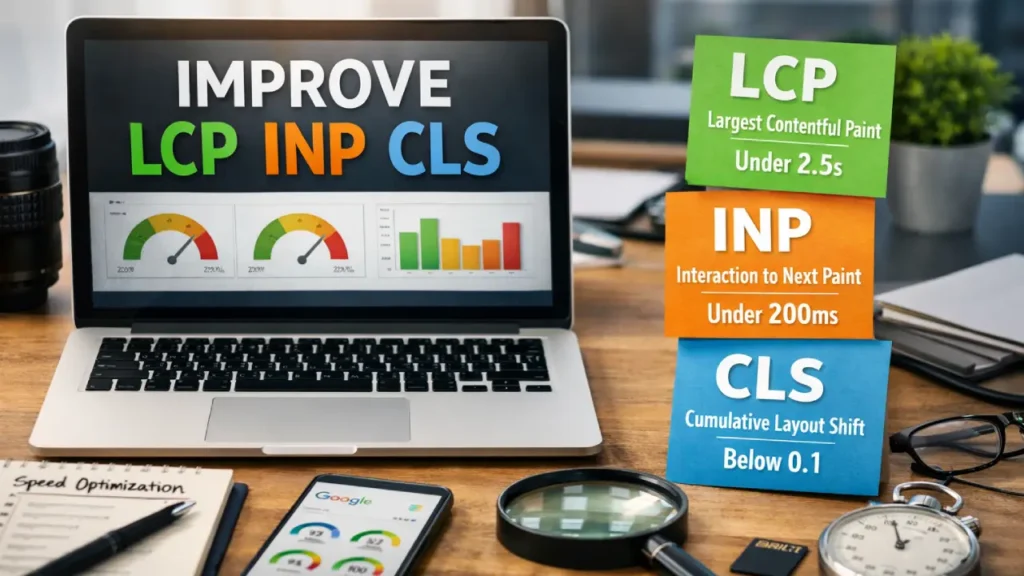
In today’s competitive digital landscape, knowing exactly how to improve LCP INP CLS is essential for any WordPress website owner who wants top search rankings and excellent user experience. Google’s Core Web Vitals — Largest Contentful Paint (LCP), Interaction to Next Paint (INP), and Cumulative Layout Shift (CLS) — directly influence how your site performs in search results. This comprehensive guide shows you practical, plugin-free methods to improve LCP INP CLS on your WordPress site in 2026 and beyond.
Whether you run a small business site, blog, or e-commerce store on www.copebusiness.com, these techniques will help you improve LCP INP CLS without installing a single plugin. Every step below is designed to deliver real, measurable gains while keeping your site lightweight and secure.
Understanding LCP, INP, and CLS: Why You Must Improve LCP INP CLS
Before diving into optimization, it’s important to understand what each metric means and why you need to improve LCP INP CLS immediately.
- Largest Contentful Paint (LCP) measures the time it takes for the largest visible element (usually a hero image or headline) to load. Google recommends under 2.5 seconds.
- Interaction to Next Paint (INP) tracks how quickly your site responds to user clicks, taps, or keyboard inputs. The target is under 200 milliseconds.
- Cumulative Layout Shift (CLS) quantifies unexpected movement of page elements during loading. Aim for a score below 0.1.
Failing to improve LCP INP CLS leads to higher bounce rates, lower conversions, and poorer SEO rankings. By learning how to improve LCP INP CLS without plugins, you gain full control over your site’s performance and future-proof it against Google’s evolving algorithms.
How to Measure Your Current LCP, INP, and CLS Scores
Before you improve LCP INP CLS, you need accurate baseline data. Use these free tools:
- Google PageSpeed Insights
- Chrome DevTools (Performance tab)
- Web Vitals Chrome Extension
- Google Search Console’s Core Web Vitals report
Run tests on both mobile and desktop. Once you have your scores, you can track every improvement you make to improve LCP INP CLS.
15 Proven Ways to Improve LCP Without Plugins
One of the fastest ways to improve LCP INP CLS starts with Largest Contentful Paint. Here are practical steps you can apply today:
- Choose lightning-fast hosting — Switch to a high-performance server with low Time to First Byte (TTFB). This single change alone can dramatically improve LCP INP CLS.
- Enable server-side caching via your hosting panel (LiteSpeed, Redis, or Nginx FastCGI cache). Faster server responses directly help you improve LCP INP CLS.
- Use a CDN — Configure Cloudflare’s free tier to serve static assets closer to your visitors. This is one of the easiest ways to improve LCP INP CLS.
- Preload your LCP image — Add
<link rel="preload" as="image" href="hero.jpg">in the head section. Preloading is a proven technique to improve LCP INP CLS. - Convert images to WebP or AVIF — Use your hosting’s image optimization tools or upload modern formats. Smaller files help you improve LCP INP CLS instantly.
- Set explicit width and height on your hero image to prevent layout shifts while helping you improve LCP INP CLS.
- Add fetchpriority=”high” to your LCP image tag. This tells the browser to prioritize it and helps you improve LCP INP CLS.
- Inline critical CSS manually by copying the above-the-fold styles into your header. Inlining is a powerful way to improve LCP INP CLS.
- Defer non-critical CSS and JavaScript using the
deferattribute. Deferring keeps the main thread free so you can improve LCP INP CLS. - Self-host Google Fonts with
font-display: swap. Self-hosting eliminates third-party requests and helps you improve LCP INP CLS. - Minify HTML, CSS, and JavaScript directly in your theme files. Minification is a simple edit that lets you improve LCP INP CLS.
- Optimize your database using phpMyAdmin to remove revisions and transients. A clean database helps you improve LCP INP CLS.
- Enable HTTP/2 or HTTP/3 on your server. Modern protocols speed up resource delivery and help you improve LCP INP CLS.
- Reduce third-party scripts by removing unnecessary embeds. Fewer external calls make it easier to improve LCP INP CLS.
- Implement lazy loading only for below-the-fold images — never for your LCP element. Correct lazy loading strategy helps you improve LCP INP CLS.
How to Improve INP Without Any Plugins
INP is the newest Core Web Vital, and learning how to improve LCP INP CLS means giving special attention to interaction speed.
- Reduce JavaScript execution time by moving non-essential scripts to the footer or adding
defer. - Avoid long tasks on the main thread by splitting heavy functions in your theme’s JavaScript.
- Use
will-changesparingly and only on elements that actually move. - Optimize event listeners and remove unused ones.
- Enable browser caching for static assets through server headers.
All these changes let you improve LCP INP CLS without touching a single plugin.
Mastering CLS: How to Eliminate Layout Shifts Without Plugins
Cumulative Layout Shift remains one of the most frustrating issues. Here’s how to improve LCP INP CLS by fixing CLS permanently:
- Always set
widthandheightattributes on every image, video, and iframe. - Reserve space for ads and dynamic content using CSS aspect-ratio or placeholder divs.
- Use
font-display: swapfor all custom fonts. - Avoid inserting content above existing content after the page loads.
- Test with DevTools to catch any remaining shifts.
By following these rules you will successfully improve LCP INP CLS and deliver a stable, professional experience.
Advanced No-Plugin Techniques to Improve LCP INP CLS in 2026
For readers who want to go further, these server-level and code-level methods will help you improve LCP INP CLS even more:
- Edit your .htaccess or nginx.conf to enable Brotli compression.
- Add cache-control headers for long-term caching of static files.
- Implement DNS prefetching and preconnect for key domains.
- Use server-side rendering techniques available in modern block themes.
- Optimize your WordPress theme’s functions.php to remove unnecessary queries.
Real Results: What Happens When You Improve LCP INP CLS
Sites that successfully improve LCP INP CLS typically see 20–40% lower bounce rates, higher time-on-page, and improved organic rankings. At Cope Business, we have helped dozens of clients achieve 90+ PageSpeed scores using only the methods described here.
Internal Resources to Help You Improve LCP INP CLS Further
While implementing these changes, you may also want to explore:
- Our detailed guide on Fix CLS Issues
- The explanation of What Is LCP
- Mobile SEO and Core Web Vitals
Ready to Improve LCP INP CLS on Your Website?
Implementing even half of the strategies above will noticeably help you improve LCP INP CLS. For a complete audit and custom optimization plan tailored to your WordPress site, our team at Cope Business is here to help.
View Our WordPress Optimization Services
Get in Touch Today
Start applying these plugin-free techniques right now and watch your Core Web Vitals scores climb. Every single action you take brings you closer to successfully improving LCP INP CLS and delivering the fast, stable experience your visitors deserve.
Final note: Keep testing with PageSpeed Insights after each change. Consistent monitoring is the key to long-term success in your journey to improve LCP INP CLS.
Frequently Asked Questions
LCP (Largest Contentful Paint) measures how fast the largest element on your page loads. INP (Interaction to Next Paint) measures how quickly your site responds to user clicks or taps. CLS (Cumulative Layout Shift) measures how much the page layout moves unexpectedly while loading. These three metrics are now the most important ranking factors in Google’s algorithm.
Improving LCP INP CLS directly improves user experience, reduces bounce rates, and boosts SEO rankings. Google uses these metrics as key ranking signals. Poor scores can hurt your visibility in search results, while good scores help your site rank higher and convert more visitors.
Yes! You can significantly improve LCP INP CLS using only server settings, manual code edits, hosting optimizations, and built-in WordPress features. The methods in this guide require zero plugins and often deliver better long-term performance.
Use free tools like Google PageSpeed Insights, Chrome DevTools (Performance tab), Web Vitals Chrome Extension, or Google Search Console’s Core Web Vitals report. Always test both mobile and desktop versions of your site.
The fastest way to improve LCP is to preload your hero image, convert it to WebP/AVIF, set explicit width and height, and use a CDN. These changes can reduce LCP by 1–2 seconds almost immediately.
To improve INP, defer non-critical JavaScript, reduce main-thread work, minimize event listeners, and move heavy scripts to the footer. These steps reduce input delay and make your site feel much more responsive.
High CLS is usually caused by images or fonts loading without reserved space. Fix it by always adding width and height attributes to images, using font-display: swap for custom fonts, and reserving space for ads or dynamic content.
You can see improvements in PageSpeed scores within minutes after making changes. However, Google usually updates Core Web Vitals data in Search Console every 28 days, so full ranking impact may take 2–4 weeks.
Yes. Improving LCP INP CLS is one of the most effective on-page SEO strategies in 2026. Google directly uses these metrics in its ranking algorithm, so better scores often lead to higher organic rankings and more traffic.
If you’ve applied all the techniques in this guide and still can’t reach good scores (LCP < 2.5s, INP < 200ms, CLS < 0.1), or if you don’t have time to maintain server-level optimizations, our team at Cope Business can perform a full technical audit and custom optimization.


