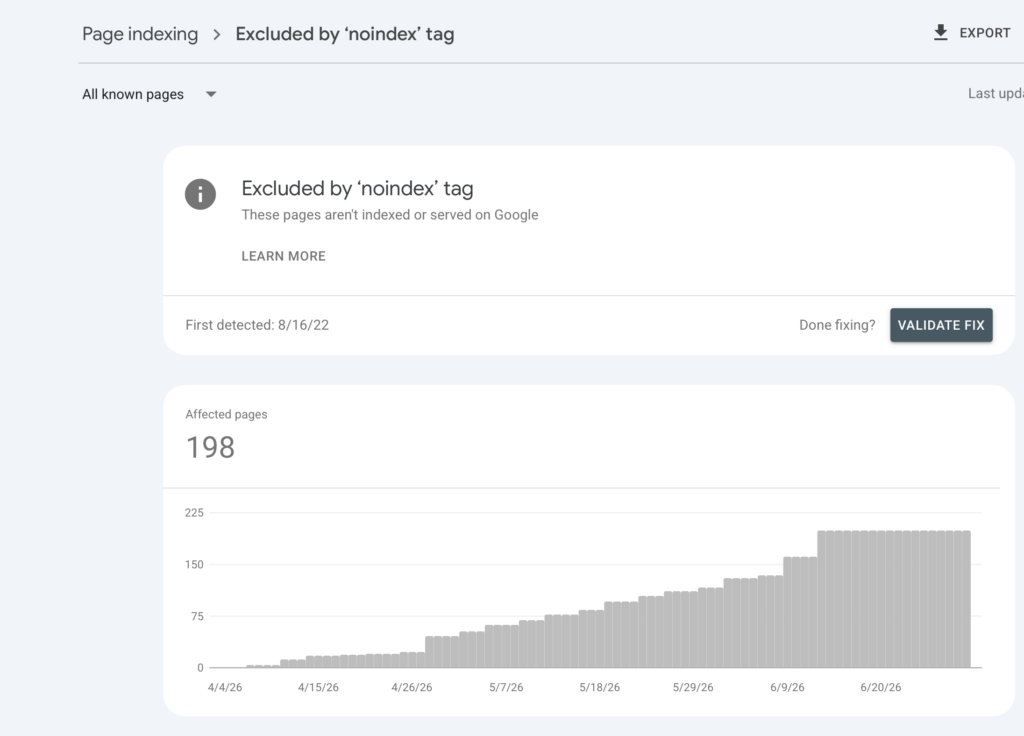
“Excluded by ‘noindex’ tag” in Google Search Console means exactly what it says: Google crawled the page, found a noindex directive, and obeyed it. The page is deliberately kept out of search results — the only question is whether you put that directive there on purpose.
In our client work, roughly half of these exclusions are correct and should be left alone. The other half are mistakes — often a whole section of a site silently deindexed by a plugin setting nobody remembers changing. This guide gives you a decision tree to tell the two apart, and the fixes for when it’s a mistake.
First: Is this exclusion correct?
Pages that should be noindexed (leave these alone):
- Cart, checkout, account, and thank-you pages
- Internal search result pages
- Tag archives, date archives, and thin paginated archives
- Staging leftovers, test pages, gated content
- Duplicate landing-page variants used for ads
Pages that should never be noindexed:
- Your homepage, service pages, product pages, and category pages you want ranking
- Blog posts you’re trying to grow traffic with
- Anything you’re linking to from marketing campaigns, expecting organic pickup
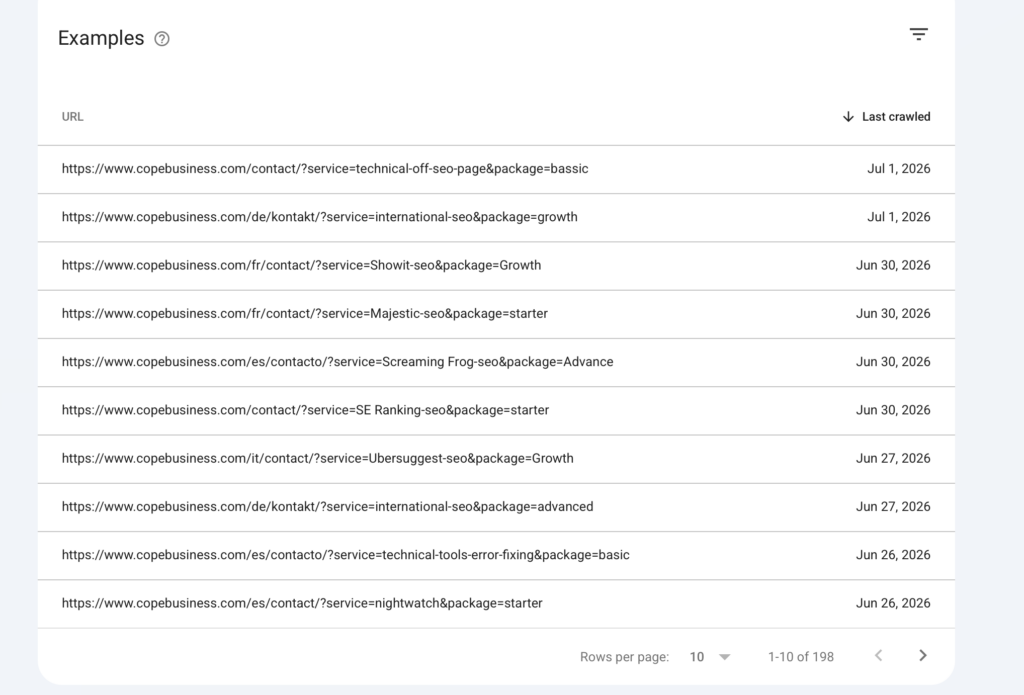
Open the report in GSC, scan the example URLs, and sort them into those two buckets. If everything in the list belongs in bucket one, close the report — this is working as intended. If revenue pages are in the list, keep reading.
Find where the noindex is coming from
A noindex directive can be set in two places, and you need to check both:
- The HTML meta tag: view the page source and search for
noindex. You’re looking for something like<meta name="robots" content="noindex, follow">. - The HTTP header: some plugins and servers send
X-Robots-Tag: noindexit instead — invisible in the page source. Check with:curl -I https://example.com/page/ | grep -i x-robots-tag
GSC’s URL Inspection tool also shows which directive it found under “Indexing allowed?” — use it to confirm what Google actually saw at last crawl.
The six usual suspects (WordPress and beyond)
1. SEO plugin settings (the #1 cause)
Yoast, Rank Math, and AIOSEO all have per-post-type and per-taxonomy index settings. One toggle — “Show Products in search results? No” — silently noindexes an entire post type. Check Search Appearance settings for every content type and taxonomy in the affected list.
2. Per-page overrides
Editors sometimes set noindex on individual pages via the SEO plugin’s meta box, then forget. If only scattered pages are affected, open each one and check the advanced tab of the SEO box.
3. “Discourage search engines” left on after a redesign
WordPress Settings → Reading → “Discourage search engines from indexing this site” adds sitewide noindex. It’s meant for development and routinely survives launches. If everything on the site is in the report, check this first.
4. Staging configuration carried into production
Deployments that copy staging config — wp-config constants, nginx headers, .htaccess rules — can carry an X-Robots-Tag: noindex header into production. This is the one that bites agencies and dev teams; it’s invisible unless you check headers.
5. Theme or page-builder settings
Some themes and builders (and membership/coming-soon plugins) inject their own robots meta. If you can’t find the source in your SEO plugin, deactivate suspects on a staging copy and re-test.
6. CDN or security layer injecting headers
Cloudflare Workers, edge rules, or security appliances can add X-Robots-Tag at the edge. If the header appears in production but not when you query the origin directly, the CDN layer is your culprit.
After removing the directive
- Confirm with URL Inspection → Test Live URL that “Indexing allowed?” now says Yes.
- Request indexing for a handful of your most important affected pages.
- Make sure the pages are in your XML sitemap so recrawl happens naturally at scale.
- In the GSC report, click Validate Fix and let Google work through the rest. Days to a few weeks is normal.
One caveat on recovery: pages that sat noindexed for months lost their rankings, and removal of the tag restores eligibility, not positions. Expect a gradual climb back rather than an overnight return.
The reverse problem: noindex that Google ignores… because it can’t see it
If you noindex a page and block it in robots.txt, Google can’t crawl the page to see the noindex, so the URL can linger in the index as a URL-only result. If your goal is removal, allow crawling so the directive is visible, or use the Removals tool for urgent cases.
When to get help
If you’ve checked the plugin settings and the headers and still can’t find the source — or the affected section is business-critical and every day out of the index costs money — our Search Console error-fixing service will locate the directive, remove it, and handle validation. We also cover this and 100+ other checks in a full technical SEO audit.
FAQ
How long until a page returns to search after removing noindex?
Once Google recrawls it, days for frequently-crawled sites, up to several weeks for large or low-authority sites. Request indexing to accelerate priority pages.
Does noindex waste crawl budget?
Long-noindexed pages get crawled progressively less. Hundreds of pointless noindexed URLs are better removed or consolidated than left to be re-crawled forever.
Is “noindex, follow” different from “noindex, nofollow”?
Yes: with follow, links on the page continue to pass signals (at least initially). Default to noindex, follow for utility pages that link to indexable content.