
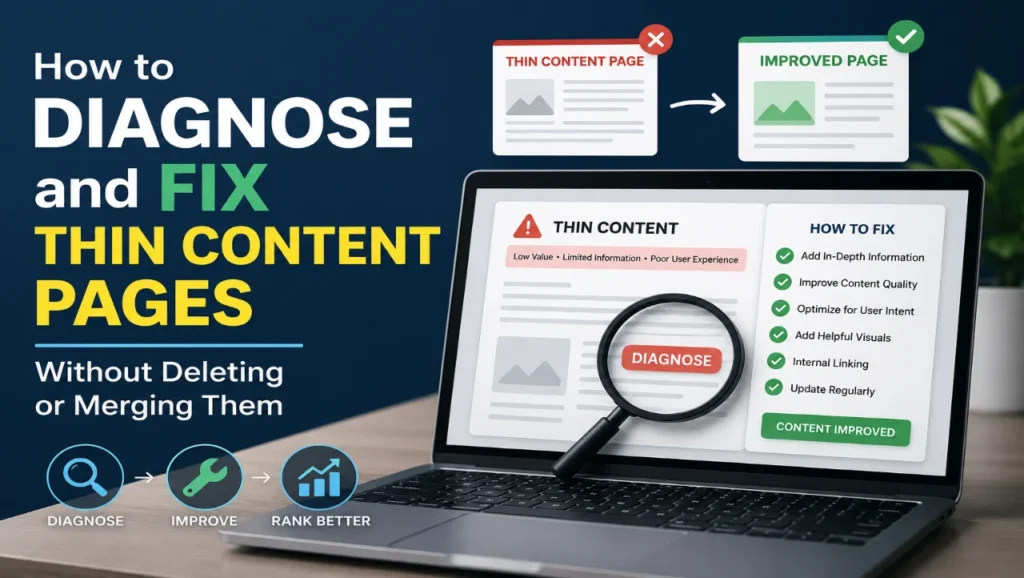
Thin content refers to web pages that provide little or no meaningful value to users, even if they appear to have a decent word count. These pages often lack depth, structure, or true relevance to the user’s intent and can be a major drag on your SEO performance.
In modern search algorithms, Google prioritizes high‑value, user‑focused content. When your site contains thin content, it signals that your pages are not worth ranking or may even belong to a low‑quality site. This can reduce crawl budget, dilute your authority, and hurt overall organic visibility.
Why Thin Content Hurts Your SEO
Thin content is a common reason why websites struggle to rank, especially in competitive niches. Search engines expect pages to answer a user’s query thoroughly, not just mention a topic in passing.
Repeat occurrences of thin content across your site can:
- Reduce the average engagement metrics (time on page, bounce rate, pages per session).
- Limit how often search engines crawl and index your pages.
- Increase the chance of algorithmic or manual quality‑related penalties.
By addressing thin content without deleting or merging pages, you keep your existing traffic potential while improving quality and user experience.
How to Diagnose Thin Content Pages
Before you start rewriting, you must first identify which pages suffer from thin content. Here’s a practical workflow.
Step 1: Run a Site Audit
Use tools like Google Search Console, Ahrefs, SEMrush, or Screaming Frog to export all your site’s pages. Then sort by:
- Low word count (e.g., under 300–400 words).
- Low organic traffic with minimal impressions.
- High bounce rate or low time on page.
Pages with very short body content or repetitive headings are strong candidates for thin content.
Step 2: Check for Internal Duplication
Duplicate or near‑duplicate content can indirectly create more thin content. Use your audit tool to flag:
- Pages with identical or very similar titles.
- Pages targeting the same or closely related keywords.
- Pages with almost the same introductory paragraph.
Each duplicated page is an opportunity for thin content if it lacks unique depth.
Step 3: Analyze Search Console Coverage
In Google Search Console, open the Coverage report and look for pages with:
- “Submitted, not indexed” statuses.
- “Excluded” with reasons like “Duplicate without user‑selected canonical”.
These often go hand‑in‑hand with thin content, as Google doesn’t see enough value to index or rank them.
Fixing Thin Content Without Deleting or Merging Pages
Deleting or merging pages is not always necessary—and you risk losing traffic, backlinks, and indexing. Instead, systematically upgrade your thin content into high‑value resources.
1. Expand Word Count With Depth, Not Fluff
Do not artificially inflate pages with filler text. Instead, add sections that genuinely answer follow‑up questions users might have, such as:
- “What are the common mistakes to avoid?”
- “How does this topic differ for beginners vs advanced users?”
- “What tools or services can help?”
Deepening your explanations turns thin content into comprehensive guides, which search engines reward more than shallow overviews.
2. Address Clear Search Intent
Thin content often fails because it doesn’t match how people actually search. For each page, ask:
- Is this page transactional, informational, or navigational?
- Does it answer the top 3–5 questions related to the keyword?
Adjust headings and sections to fulfill that intent. For example, “how to fix thin content” should include diagnostics, tools, and step‑by‑step fixes, not just one‑line definitions.
3. Add Real‑World Examples and Case Studies
Examples, screenshots, and short case studies make thin content feel authoritative and practical. If the page is about technical SEO, include:
- A before‑and‑after example of a page improved from thin content to a full guide.
- Metrics showing how engagement improved after the update.
These examples transform generic statements into actionable, memorable content.
4. Improve Structure With Proper Headings
Thin content often has poor structure. Use a clear hierarchy with H1, H2, and H3 tags that guide the reader through the topic.
For instance:
- H1: Main keyword phrase (e.g., “How to Fix Thin Content Without Deleting Pages”).
- H2s: Key steps like “Diagnose Thin Content,” “Expand Content Depth,” “Add Visuals,” etc.
- H3s: Sub‑steps or sub‑topics under each H2.
Good structure improves readability and helps search engines understand your content’s relevance.
5. Add Visuals, Tables, and Lists
Visual elements help break up long blocks of text and make your previously thin content feel richer. For most pages, include:
- Simple process diagrams or flowcharts.
- Tables comparing methods or tools.
- Short bullet‑point lists summarizing key steps.
Images with descriptive alt text also support SEO and accessibility.
6. Build Internal Links Around Thin Content
Make your improved thin content pages valuable hubs by linking them to and from other relevant pages. For example:
- Link from your technical SEO services page to this guide.
- Link from this guide to your blog posts about SEO audits or XML sitemaps.
Internal linking helps Google understand relationships between topics and boosts overall site authority.
7. Noindex or Noindex Temporarily If Needed
If you need time to upgrade a page, you can noindex the page temporarily while you rewrite it. This prevents search engines from showing a low‑quality version in results.
After the page is fully improved, remove the noindex tag and resubmit it in Google Search Console. This is a safer way to handle thin content than deleting pages outright.
How To Prevent Thin Content In The Future
Fixing existing thin content is step one; the next challenge is avoiding it in new content.
Create a Content Quality Checklist
Before publishing, ensure every page at least meets these criteria:
- Answers the main user intent clearly.
- Contains at least 500–1,000 words of original, useful content.
- Uses headings, bullet points, and visuals to improve readability.
- Includes internal links to other relevant resources.
With this checklist, you dramatically reduce the risk of creating new thin content.
Regularly Audit Old Pages
Set a schedule (e.g., quarterly) to revisit older blog posts and product pages. Use your analytics and SEO tools to identify pages that:
- Lose traffic or rankings.
- Show declining engagement.
Convert these into more comprehensive guides instead of leaving them as thin content.
When To Merge or Delete Pages Instead
While this guide focuses on fixing thin content without deleting or merging pages, there are times when deletion or consolidation is still the best option.
Consider merging or deleting pages when:
- Multiple pages are cannibalizing the same keyword with almost identical content.
- Some pages are outdated and no longer relevant to your business or audience.
- Legal or reputational risk outweighs SEO value (e.g., spammy affiliate pages).
Even in these cases, you can preserve value by redirecting old pages to stronger, updated guides to avoid losing traffic and backlinks.
How Cope Business Can Help Fix Thin Content
Fixing thin content at scale is a technical SEO task that requires consistent analysis, rewriting, and optimization. At copebusiness.com, we specialize in identifying and upgrading thin content pages without deleting or merging them unnecessarily.
Our services include:
- Technical SEO audits to detect thin content and indexing issues.
- Content optimization strategies tailored to your niche and audience.
- On‑page SEO improvements (headings, internal links, and structure) to make thin content more valuable.
If you want expert help diagnosing and fixing thin content on your site, contact us today for a free consultation.
Frequently Asked Questions
The simplest way to fix thin content is to expand the page with more detailed information, clear examples, and practical steps. Add headings, bullet points, and internal links to make the page more comprehensive and user‑focused.
Yes, widespread thin content can contribute to quality‑related penalties or algorithmic filters. Google may choose not to index or rank pages it sees as low‑value, which can hurt your overall site visibility.
You can find thin content by combining a site audit tool (like Screaming Frog or Ahrefs) with Google Search Console. Look for pages with very low word counts, low traffic, high bounce rates, and pages that are “excluded” or “not indexed.”
It is usually better to upgrade thin content into a more valuable resource instead of deleting it. This preserves existing traffic, backlinks, and indexing while improving your site’s quality and SEO performance.
To upgrade thin content, add detailed explanations, practical examples or case studies, step‑by‑step instructions, relevant visuals, and links to other helpful pages on your site. Make sure the page clearly answers the user’s main question.
Yes, noindex tags can help by keeping thin content pages from appearing in search results while you rewrite them. Once the page is improved, you can remove the noindex tag and ask Google to re‑index it.
It’s wise to audit your site for thin content at least every quarter. This helps you catch underperforming pages early and convert them into high‑value resources before they harm your SEO.


