
Hreflang tags are one of the most important (and often misunderstood) pieces of technical SEO when you are targeting multiple languages or regions with the same website. They tell Google which language and country version of a page should be shown to which user. Without proper hreflang tags, you risk duplicate content issues, wrong language versions appearing in search results, lower click-through rates, and even ranking drops in international markets.
Hreflang tags are especially critical for businesses that serve customers in different countries (e.g., USA, UK, Germany, UAE, Pakistan) or offer content in multiple languages (English, Urdu, Arabic, etc.). At Cope Business, we regularly implement and audit hreflang setups during technical SEO projects to help clients avoid common international ranking problems and capture more global traffic.
This complete guide explains what hreflang tags are, why they matter, common mistakes, and exactly how to add and manage hreflang tags in WordPress — whether you use plugins or prefer a clean code-based solution.
What Are Hreflang Tags?
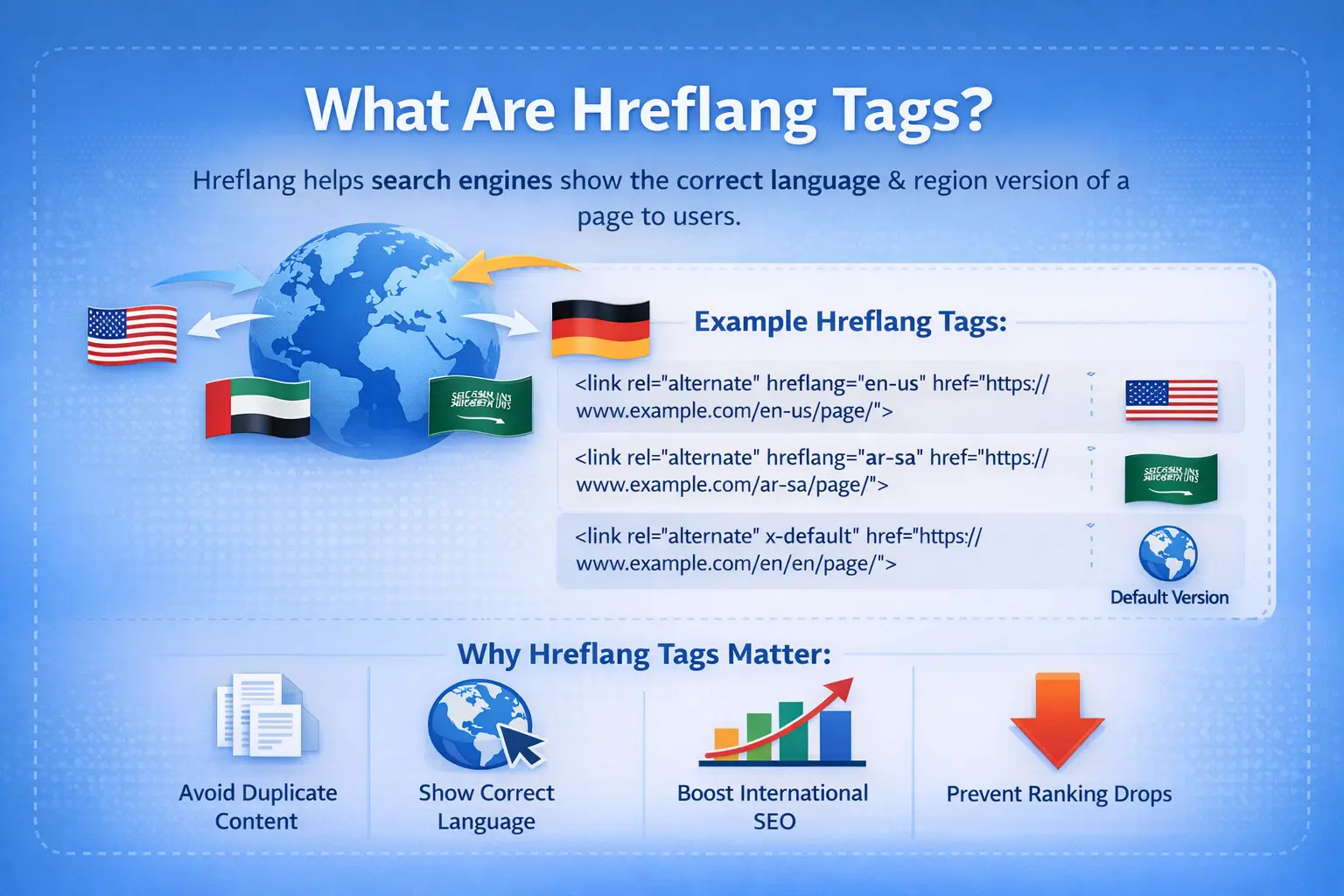
Hreflang is an HTML attribute that helps search engines understand the relationship between different language and regional versions of the same page.
The basic format looks like this:

hreflang=”en-us”: English language, United States region
- hreflang=”ar-sa”: Arabic language, Saudi Arabia region
- hreflang=”x-default”: The default/fallback version (usually shown when no better match exists)
When implemented correctly, hreflang tags help Google:
- Show the correct language version to users
- Prevent duplicate content penalties across language/regional versions
- Improve rankings in each target market
When Do You Need Hreflang Tags?
You should implement hreflang tags if your site has:
- The same content translated into multiple languages (multilingual site)
- Country-specific versions of the same language (en-us vs en-gb vs en-au)
- Different pricing, shipping, or content by country even in the same language
- Subdomain or subdirectory structure for different countries/languages (e.g., us.example.com, example.com/uk/)
If your site is only in one language and one country → you usually do not need hreflang tags.
Common Hreflang Mistakes That Hurt SEO
- Missing return tags (every page must link back to all other versions)
- Wrong language/country codes (e.g., using “en” instead of “en-us”)
- No x-default tag
- Using hreflang on pages that should not have it (e.g., login pages)
- Inconsistent implementation between desktop and mobile
- Not handling redirects or canonicals properly
How to Add Hreflang Tags in WordPress
Method 1: Manual Hreflang with Code (No Plugin – Clean & Fast)
If you want zero plugin overhead or have a custom multilingual setup.
Step-by-Step
- Install WPCode (free) → Add Snippet.
- Create new snippet titled “Manual Hreflang Tags”.
- Use this code structure (customize URLs and language codes):

- For site-wide (recommended if using subdirectories/subdomains):
- Detect current language/country via URL or user meta
- Generate dynamic hreflang links
- Save snippet → Activate → Clear cache.
- Validate: Use Google Search Console → URL Inspection → View Crawled Page → Check “Rich results” tab.
Pros: Zero plugin bloat, full control, fast.
Cons: Manual updates if URLs/languages change.
Method 2: Combine with Multilingual Plugins
If your site has translated content, use one of these:
- WPML → Built-in hreflang support (best for agencies)
- Polylang → Free + excellent hreflang (add-on)
- TranslatePress → Visual translation + automatic hreflang
In each case, enable hreflang in the plugin settings — it handles everything automatically.
Best Practices for Hreflang in WordPress
- Always include return tags — every version must link to all others
- Use correct codes: en-us, en-gb, ar-sa, zh-cn (ISO 639-1 + ISO 3166-1 Alpha 2)
- Add x-default — fallback for unmatched users
- Use self-referencing — include the current page in its own hreflang list
- Avoid on non-content pages (login, checkout, thank-you)
- Validate regularly with Google Search Console → International Targeting report
- Combine with canonical tags and proper redirects
Final Thoughts
Adding hreflang tags in WordPress is one of the highest-impact international SEO fixes you can make. Use Rank Math or AIOSEO for automatic implementation or clean code for minimalism — both ensure Google shows the correct version to the right user.
Have Questions or Need Assistance? Contact Us.


