
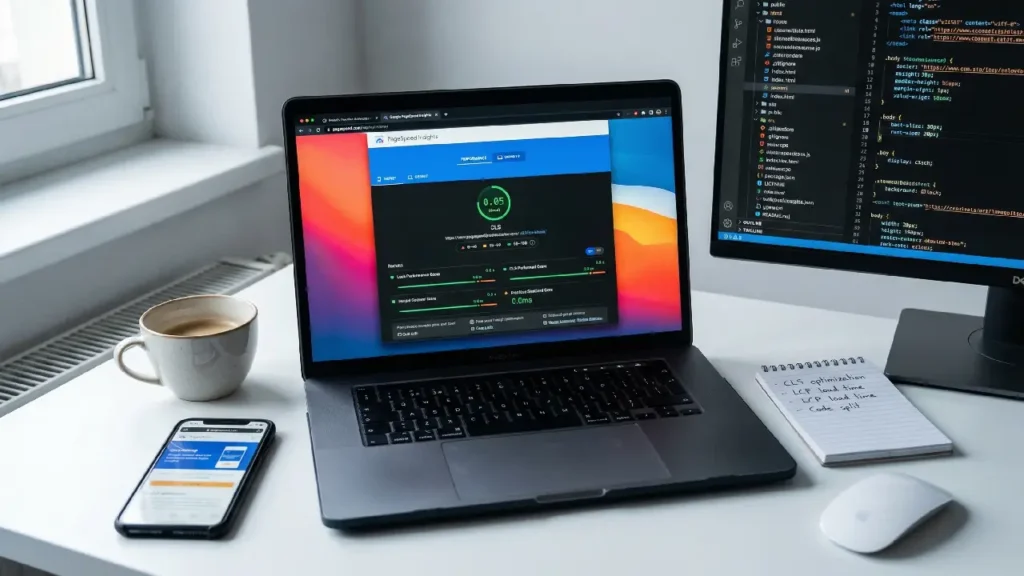
Cumulative Layout Shift (CLS) is one of the most critical metrics in Core Web Vitals that directly impacts user experience and search rankings. If your website elements move unexpectedly while loading, it creates frustration for users and negatively affects SEO. That’s why it’s important to understand how to fix cls issues effectively.
In this detailed guide, we will explain everything you need to know to fix cls issues, improve your website stability, and boost performance.
What is CLS and Why It Matters
CLS measures the visual stability of a webpage. When elements like images,
buttons, or text shift unexpectedly, it leads to a poor experience.
For example:
- A user clicks a button but it moves suddenly
- Text jumps while loading
- Images load late and push content down
These problems make it necessary to fix cls issues as soon as possible.
Google uses CLS as a ranking factor, so if you don’t fix cls issues, your
website can lose rankings and traffic.
Common Causes of CLS Problems
Before you can fix cls issues, you need to understand what causes them:
- Images Without Dimensions
If images don’t have width and height defined, the browser doesn’t know
how much space to reserve. - Ads and Embeds
Dynamic ads often load late and cause shifts, making it harder to fix cls
issues. - Web Fonts
Fonts that swap during loading can shift text layout. - Dynamic Content Injection
Content added later (like banners or popups) can break layout stability.
Understanding these causes helps you properly fix cls issues.
How to Fix CLS Issues (Step-by-Step Guide)
1. Set Size Attributes for Images and Videos
Always define width and height in your HTML.
Example:
<img src="image.jpg" width="800" height="600" alt="example">This is one of the easiest ways to fix cls issues and improve stability.
2. Reserve Space for Ads and Dynamic Content
Use placeholders or containers with fixed dimensions.
This ensures layout stability and helps you fix cls issues effectively.
3. Use CSS Aspect Ratio Boxes
Modern CSS allows you to maintain layout space.
.aspect-box {
    aspect-ratio: 16 / 9;
}
This technique is very useful to fix cls issues.
4. Avoid Inserting Content Above Existing Content
Always load new elements below the fold or reserve space beforehand.
This prevents unexpected movement and helps fix cls issues.
5. Optimize Web Fonts
Use:
font-display: swap;Preload fonts to reduce layout shifts and fix cls issues.
6. Use Proper Lazy Loading
Lazy loading should not break layout.
Always define dimensions so that you can fix cls issues properly.
7. Use Transform Animations Instead of Layout Changes
Avoid changing height, width, or position dynamically.
Instead use:
transform: translateY();This reduces layout shifts and helps fix cls issues.
Advanced Techniques to Fix CLS Issues
If you want deeper optimization, consider professional services like:
These services help identify hidden problems and fix cls issues at a
technical level.
How CLS Impacts SEO Rankings
Google prioritizes user experience. If you don’t fix cls issues, you may
experience:
- Lower rankings
- Higher bounce rate
- Poor engagement
By choosing to fix cls issues, you improve both UX and SEO.
Tools to Measure CLS
Use these tools to detect and fix cls issues:
- Google PageSpeed Insights
- Lighthouse
- Chrome DevTools
These tools help you identify where to fix cls issues on your website.
Best Practices to Avoid CLS in Future
To consistently fix cls issues and prevent them:
- Always define dimensions
- Avoid sudden content injections
- Test on multiple devices
- Optimize loading sequence
Following these ensures long-term success when you fix cls issues.
Why You Should Fix CLS Issues Immediately
Delaying fixes can harm your website performance. When you fix cls issues,
you:
- Improve user trust
- Increase conversions
- Boost SEO rankings
If you need expert help, you can contact professionals.
Conclusion
Learning how to fix cls issues is essential for any modern website. It not only improves user experience but also strengthens your SEO performance.
By applying the techniques discussed above, you can efficiently fix cls issues, stabilize your layout, and create a smooth browsing experience for
your users.
If you want long-term results, consider professional optimization services to fully fix cls issues and stay ahead of competitors.
Frequently Asked Questions
Cumulative Layout Shift (CLS) is a Core Web Vital metric that measures how much elements on a webpage move unexpectedly during loading. A high CLS score leads to poor user experience because content shifts can cause users to click wrong elements or lose reading position. It also negatively impacts SEO rankings since Google uses CLS as a ranking factor.
A good CLS score is 0.1 or less. Scores between 0.1 and 0.25 need improvement, while anything above 0.25 is considered poor. Maintaining a low CLS ensures visual stability and better user experience.
The main causes include: Images and videos without defined width and height; Ads or embeds loading dynamically; Web fonts causing text shifts; JavaScript injecting content dynamically; Animations that trigger layout changes. All these factors cause unexpected movement of page elements during loading.
When images don’t have fixed width and height, the browser doesn’t reserve space for them. Once the image loads, it pushes other content down, creating layout shifts. Defining dimensions ensures space is reserved and prevents movement.
Effective techniques include: Setting explicit width and height for images and videos; Reserving space for ads and dynamic content; Using placeholders or skeleton screens; Optimizing font loading (e.g., font-display: swap); Avoiding inserting content above existing content. These strategies ensure layout stability during page load.
Developers can use tools such as: Google PageSpeed Insights; Chrome DevTools (Layout Shift Regions); Lighthouse reports; Google Search Console (Core Web Vitals report). These tools help detect which elements are causing layout shifts and when they occur.
High CLS leads to poor user experience because users face unexpected movements, making interaction frustrating. This increases bounce rates and reduces engagement. Since CLS is part of Google’s Core Web Vitals, poor scores can also lower search rankings and organic traffic.


